22
ENG
ENGLISH
ENTERTAINMENT
Tips for using USB storage devices
OnlyaUSBstoragedeviceisrecognizable.
IftheUSBstoragedeviceisconnected
throughaUSBhub,thedeviceisnotrecog-
nizable.
AUSBstoragedeviceusinganautomatic
recognitionprogrammaynotberecognized.
AUSBstoragedevicewhichusesitsown
driverwillnotberecognized.
TherecognitionspeedofaUSBstorage
devicemaydependoneachdevice.
Pleasedonotturnoffthedisplayorunplug
theUSBdevicewhentheconnectedUSB
storagedeviceisworking.Whensucha
deviceissuddenlyseparatedorunplugged,
thestoredfilesortheUSBstoragedevice
maybedamaged.
PleasedonotconnecttheUSBstorage
devicewhichwasartificiallymaneuveredon
thePC.Thedevicemaycausetheproductto
malfunction.OnlyuseaUSBstoragedevice
whichhasnormalmusicfiles,imagefiles
ormoviefiles.
PleaseuseonlyaUSBstoragedevicewhich
wasformattedasaFAT32filesystem,NTFS
filesystembywiththeWindowsoperating
system.Incaseofastoragedeviceformat-
tedwithadifferentutilityprogrammewhich
isnotsupportedbyWindows,itmaynotbe
recognized.
PleaseconnectpowertoaUSBstoragede-
vice(over0.5A)whichrequiresanexternal
powersupply.Ifnot,thedevicemaynotbe
recognized.
PleaseconnectaUSBstoragedevicewith
thecableincludedbythedevicemaker.
SomeUSBstoragedevicesmaynotbesup-
portedoroperatesmoothly.
FilealignmentmethodofUSBstoragedevic-
esissimilartoWindowXPandthemonitor
canrecognizeupto100Englishcharacters.
Besuretobackupimportantfilessincedata
storedonaUSBmemorydevicemaybe
damaged.Wewillnotberesponsibleforany
dataloss.
DonotturnthedisplayofforremoveaUSB
storagedevicewhileMYMEDIAmenuis
activated,asthiscouldresultinlossoffiles
ordamagetotheUSBstoragedevice.
BackupyourfilessavedonaUSBstorage
devicefrequently,asyoumayloseordam-
agethefilesandthismaybenotcoveredby
thewarranty.
or
CAUTION
Using the My Media
Connecting USB storage devices
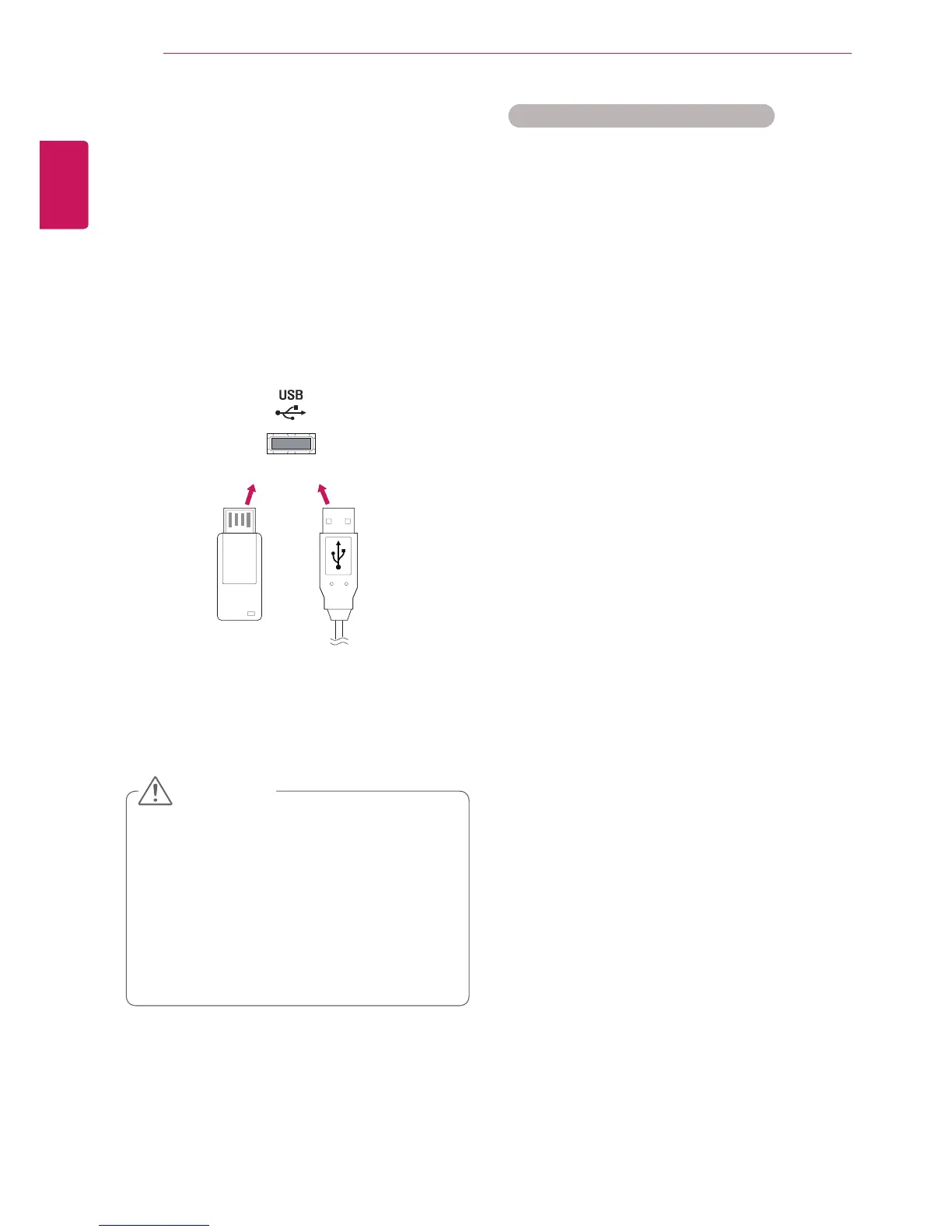
ConnectUSBstoragedevicessuchasaUSB
flashmemory,externalharddrivetothedisplay
andusemultimediafeatures.
ConnectaUSBflashmemoryorUSBmemory
cardreadertotheDisplayasshownonthefollow-
ingillustration.The My Mediascreenappears.



 To Next Page