9
ENGLISH
Air Class
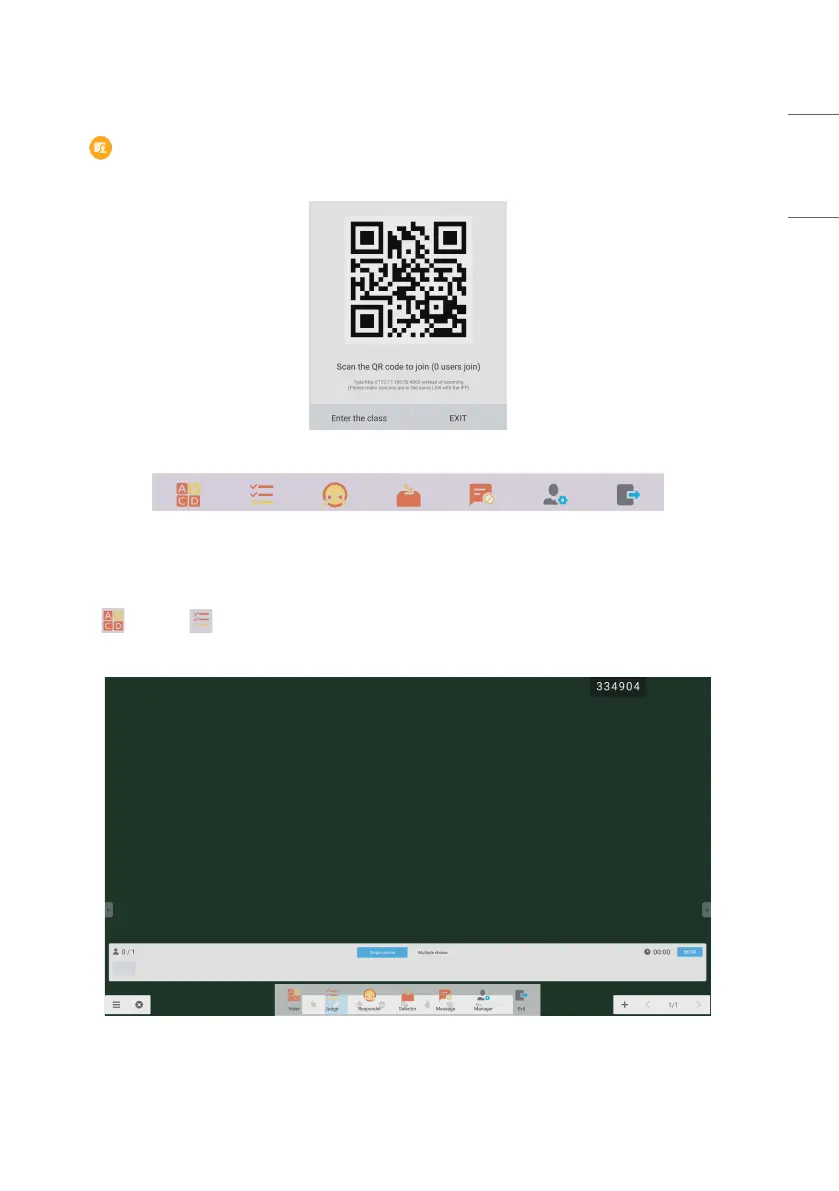
• Click and enter the class. After students scan the QR code to join the class, a teacher clicks [ENTER THE CLASS].
• Please make sure you are in the same LAN with the IFP.
Fig 2-7-4-1 QR code
Fig 2-7-4-2 Menu bar
Voter&Judge
Click the button or button, and the answer bar appears on the lowest corner of the teaching interface. Click
[Single choice] or [Multiple choice] to select the question type.
Fig 2-7-4-1-1 Voter
Answer: Click [Begin] to start answering question. After students answer the question, their names turn blue.



 To Next Page