33
ENGLISH
Server Introduction
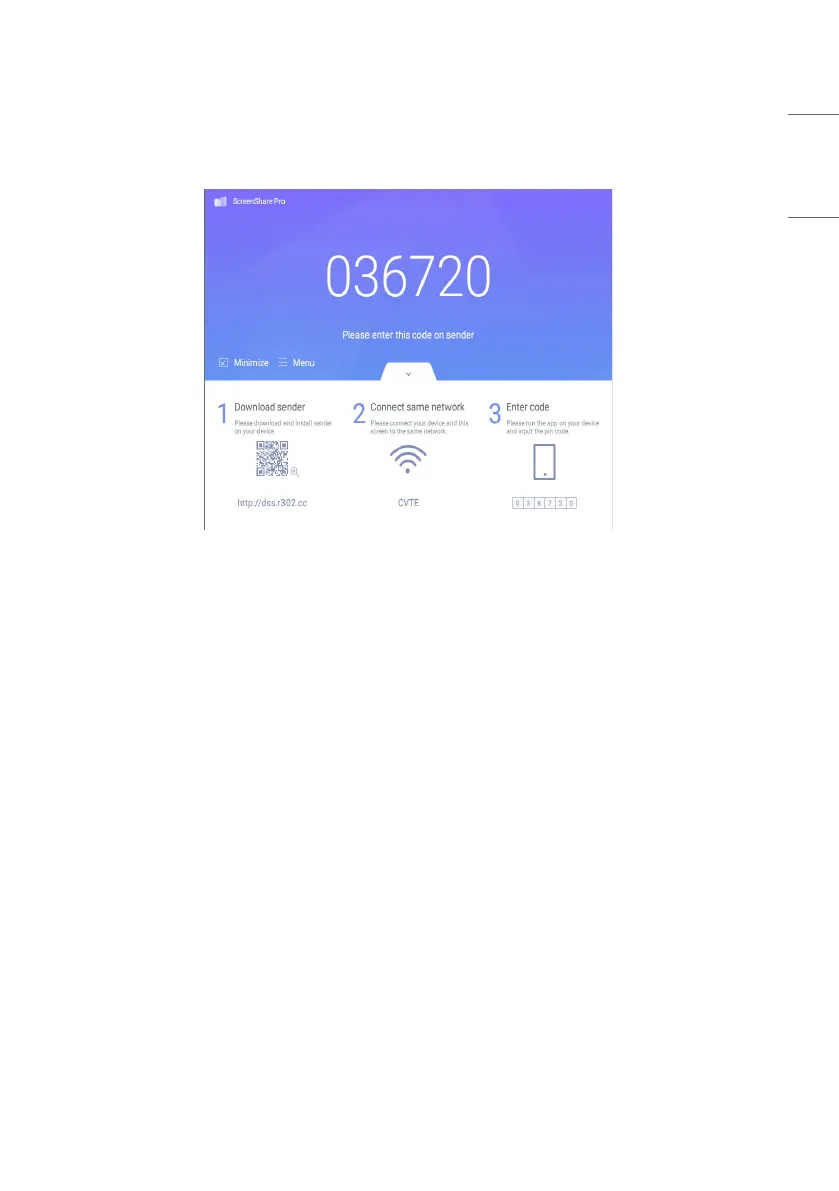
After installing server application, follow the user guide to connect devices to IFP.
Picture 3-1-1 Server Interface
1 Download client application either by scanning QR code or
2
Entering address in web browser.
3
Make sure client devices are connected to the same network as IFP.
4
Enter the same code on devices to connect with IFP.



 To Next Page