50
ENGLISH
2
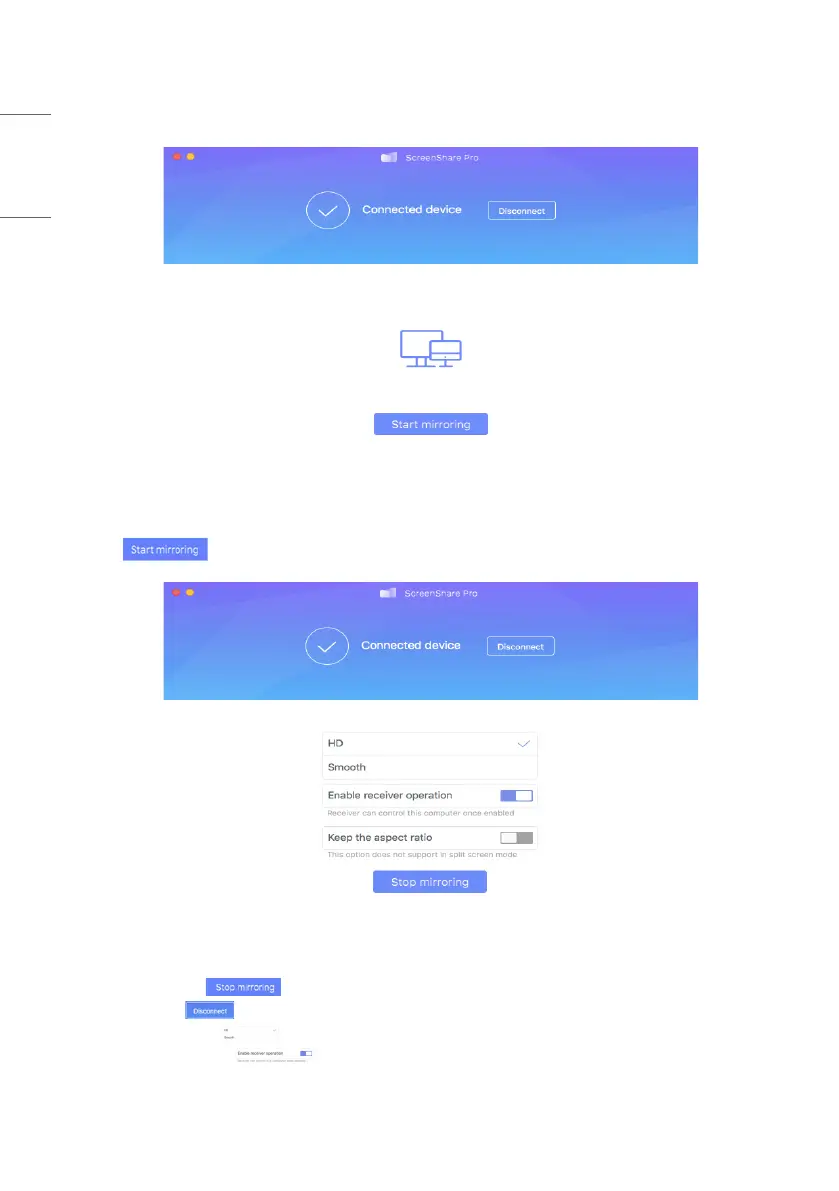
Enter code to connect with IFP. As is shown in picture 4-2-2, PC device is ready for mirroring.
Picture 4-2-2 PC Client Ready for Mirroring
3
Click to enter mirroring mode. Make adjustment if needed.
Picture 4-2-3 PC Client Device Mirroring Successfully
• Stop mirroring. Click so that client devices will not mirror with IFP.
• Disconnect. Click to disconnect client devices from server and go back to main interface.
• Adjust resolution. Click to switch between different mirroring resolution.
• Receiver operation. Click to enable server devices to remotely control client.
• Keep aspect ratio. Once enabled, only one client device could mirror with IFP in full-screen.


 To Next Page