11
ENGLISH
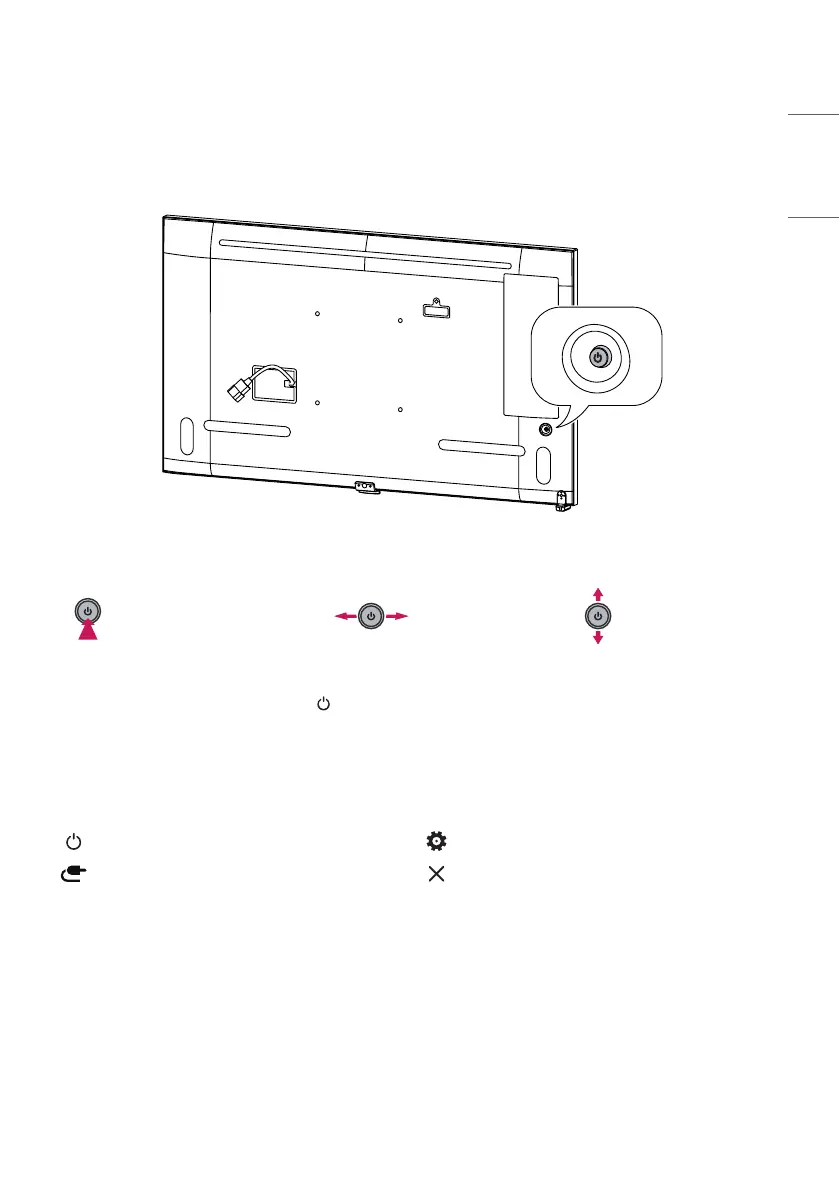
Parts and Buttons
The image may be different according to the model.
Power On (Press)
Quick Menu (Press
1
)
Menu Selection (Press
2
)
Power Off
3
(Press and Hold)
Volume Control
Menu Control
2
Menu Control
2
1 When the monitor is turned on, press the button one time.
2 You can use the function when you control menu.
3 All running apps will close.
Quick Menu
Turns the power off. Accesses the main menu.
Changes the input source. Close the quick menu.


 To Next Page
 Loading...