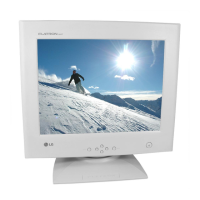
A8
Control Panel Function
Front Panel Controls
OSD Enter Button
Use this button to start/enter and exit from
the On Screen Display (OSD). If there is no
OSD on the screen, One click (press) of this
button will show the Main Menu.
To disappear of the OSD on the screen.
Use these buttons for selecting (highlighting)
an OSD icon to be adjusted. It is also used
for selecting the level of the selected item to
be adjusted.
OSD Exit Button
OSD Select/
Adjustment Buttons
Used to adjust the brightness of the screen. Brightness
Adjustment Control
Adjust the display to the contrast desired.
Contrast
Adjustment Control
This indicator lights up green when the
monitor operates normally. If the monitor is in
DPM (Energy Saving) mode (stand-by/
suspend/power off), this indicator color
changes to amber.
Power (DPMS)
Indicator
Use this button to turn the monitor on or off.Power ON/OFF
Button
Control Function
OSD Exit Button
OSD Enter Button
OSD Select /Adjustment Button
Brightness
Contrast
Power(DPMS) Indicator
Power On/Off Button



 To Next Page
 Loading...