Getting Started 7
Getting Started
1
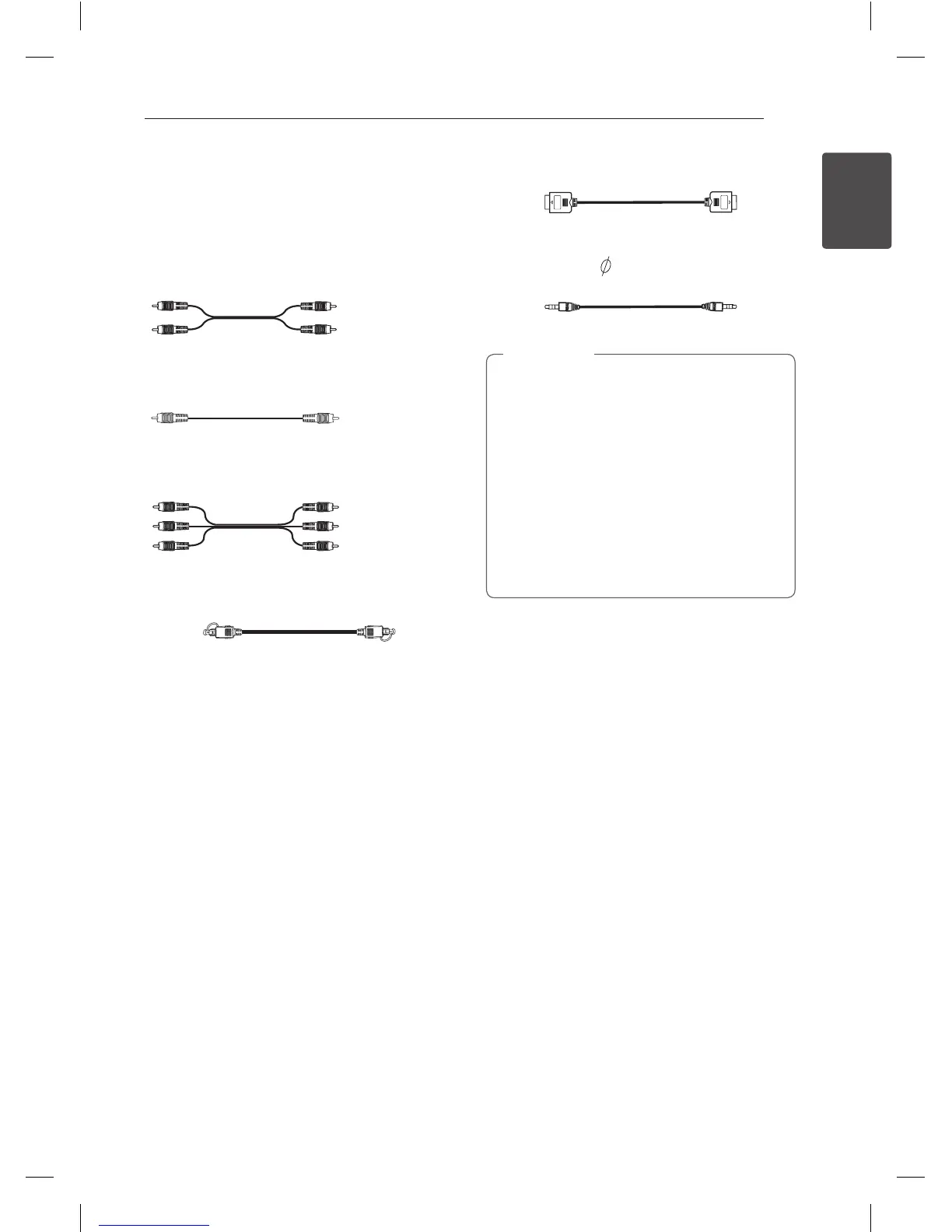
Required cables
The hookup diagrams on the subsequent pages
assume the use of the following connection cables.
You must purchase the connection cables separately
if necessary.
y
Analog audio cable
White (L)
Red (R)
y
Composite video cable
Yellow
y
Analog audio/Composite video cable
Yellow (Video)
White (L/audio)
Red (R/audio)
y
Optical digital audio cable
y
HDMI cable
y
Portable cable ( 3.5 mm Stereo plug)
y
Turn off the power to all components before
making any connections.
y
When connecting an audio/video cable, be
sure to match the color-coded pins to the
appropriate jacks on the components:
yellow (video) to yellow; white (left, audio) to
white; and red (right, audio) to red.
y
When connecting optical digital cables, insert
the cable plugs straight in until they click into
place.
y
Do not bend or tie optical digital audio cables.
,
Note
LHR846-FE.DVNMLLK_ENG.indd 7 2017-04-06 �� 2:03:57



 To Next Page