9
ENGLISH
PREPARATION
Features and Functions
The features and functions of AC Smart BACnet are as follows.
⑦ ⑧
⑪⑩⑨
① ③② ⑥④ ⑤
<Front>
<Bottom>
<Back>
Number Item Description
①
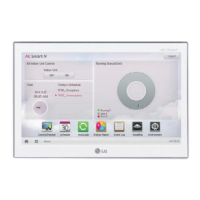
Touch Screen
y 10.2 inch LCD control panel
y AC Smart BACnet control and information display
②
SD Memory Slot
(for service)
SD card memory slot for software upgrade
③
DO Port 2CH DO port
④
DI Port 2CH DI port
⑤
485 Port 2CH 485 port (CH1: AHU, CH2: devices other than AHU)
⑥
DC 12 V Input Port DC 12 V power input port
⑦
LAN Port LAN cable port for Ethernet connection (100Mbps/10Mbps)
⑧
24 V~ Input Port 24 V~ power input port
⑨
Micro USB Port
USB 2.0 to connect USB memory sticks storing floor plans,
reports, statistics, etc.
⑩
Mini USB Port
(for service)
PC port for software upgrade
⑪
Power ON/OFF
y Push less than 10 seconds to control AC Smart BACnet LCD
backlight.
y Push 10 seconds or more to reset AC Smart BACnet.
y If you are not going to use AC Smart BACnet for a long time, it
is recommended that the product be turned off to prolong the
LCD backlight's life.


 To Next Page