18
ENGLISH
PREPARATION
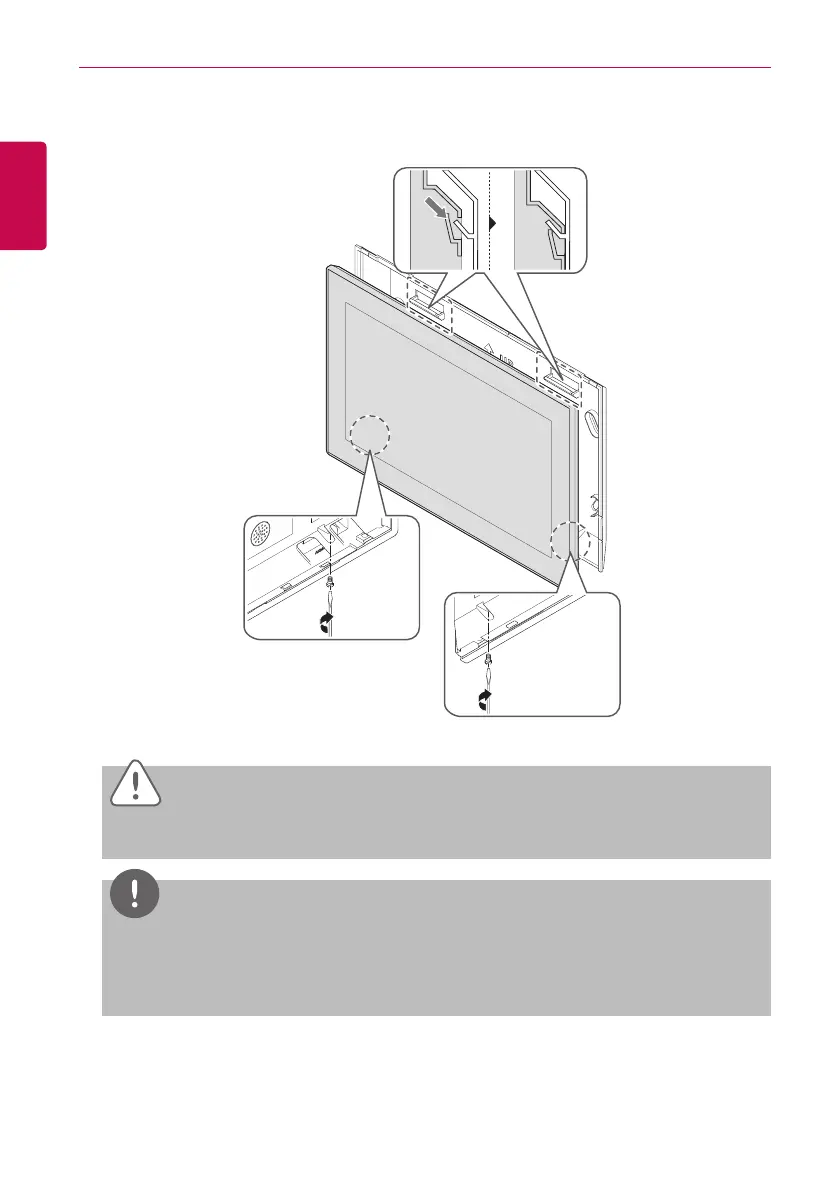
7. After attaching the hook on the top of the main body to the top of the rear panel installed on the
wall, please push the top of the main body unit forward for firm attachment.
CAUTION
Secure two points on the bottom of the unit to prevent from falling.
NOTES
Product removal
After removing 2 screws from the bottom of the body, slightly pull the body using the flatblade
screwdriver and lift up the body to remove the product.
8. Connect the power cord of the power adapter to the power plug.


 To Next Page