50
Operation
Operation
4
REPEAT Inserts a space at the cursor
position.
m
/
M
Changes the character set of
the remote control (#+-=&,
123, ABC or abc)
NOTE
The keypad mode is available only in the [YouTube]
and [Picasa Web Albums] features.
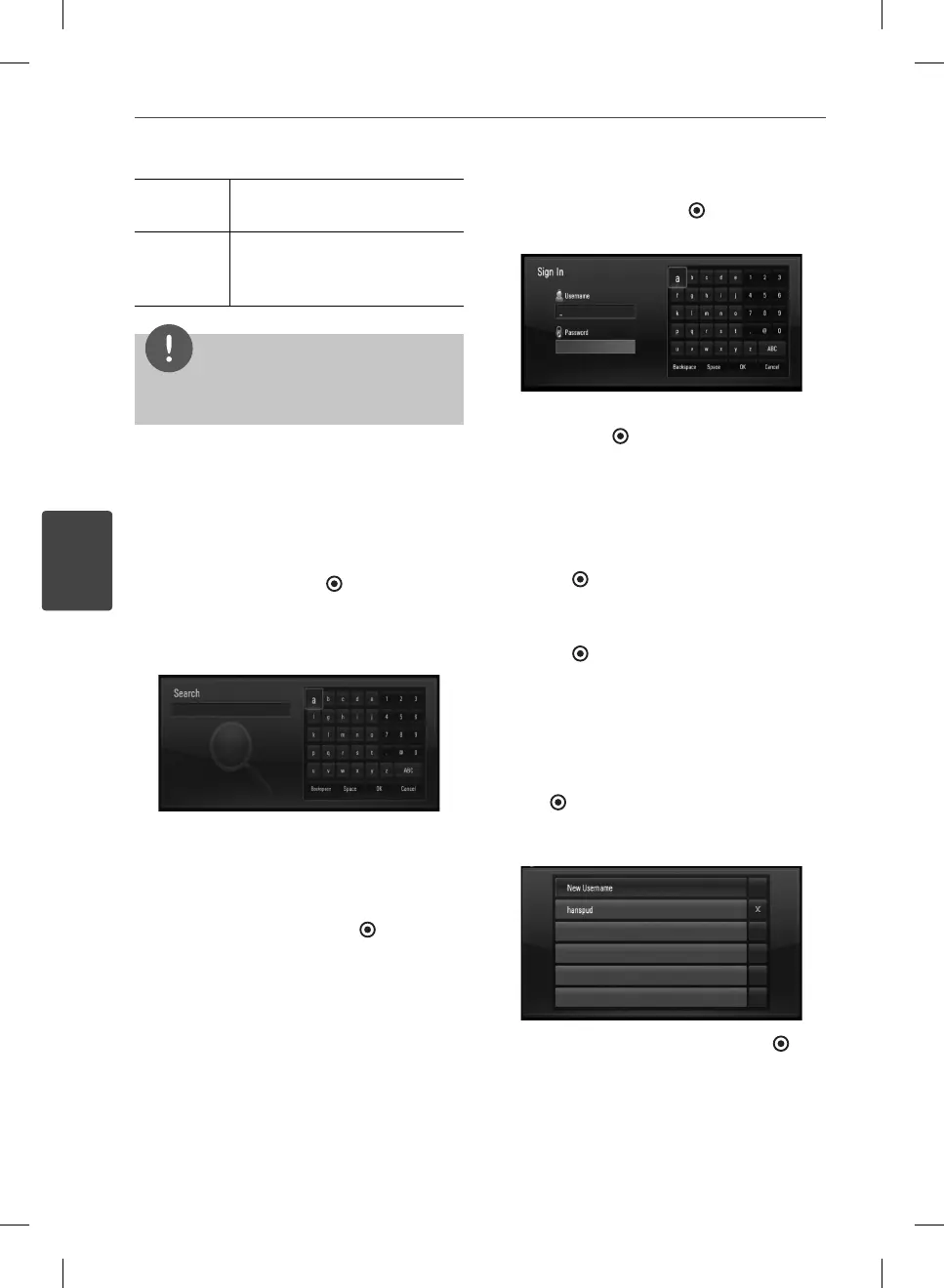
Searching videos
You can search for videos by entering search
words of up to 128 characters.
1. Use
I
/
i
to select [Search] option from the
menu and press ENTER (
) to display the
virtual keyboard.
Refer to “Using the virtual keyboard” on
page 49-50 for using the virtual keyboard.
When you are entering a character,
maximum of 5 suggestion words will be
displayed.
2. When you nish entering the search words,
select [OK] and press ENTER ( ) to display
the related video list.
Sign in with your YouTube
account
To watch videos from your [Favorites] video list
on the YouTube server with your account, you
need to sign in with your YouTube account.
1. Use
I
/
i
to select [Sign In] option from the
menu and press ENTER (
) to display the
virtual keyboard.
2. Use
U
/
u
/
I
/
i
to select a character then
press ENTER ( ) to con rm your selection
on the virtual keyboard.
Refer to “Using the virtual keyboard” on
page 49-50 for using virtual keyboard.
3. When you nish entering the username
and the password, select [OK] and press
ENTER (
) to sign in.
4. If you want to sign out, select the [Sign Out]
from the YouTube menu and press
ENTER (
).
This unit can automatically store up to 5
username which were previously signed-in.
The username list appears when you select the
[Sign In] option.
Select a stored username on the list and press
ENTER (
) to display the keyboard menu with
the selected username entered. You will then
only need to enter the password to sign in.
Select the [X] symbol and press ENTER ( ) to
delete the stored username.
BD561-P-BGBRLLK-ENG.indd 50BD561-P-BGBRLLK-ENG.indd 50 2010.1.13 6:17:51 PM2010.1.13 6:17:51 PM



 To Next Page