33Installation
Installation
3
6. Press RETURN to return to the previous step.
Skip : If the programme is assigned to skip,
you can’t select that programme with PR
button in Remote control.
Block/unblock : If the programme is
assigned to block and
[DTV Lock] in the
[Setup] menu is set to [Lock]
, you should enter
the password to watch the programme.
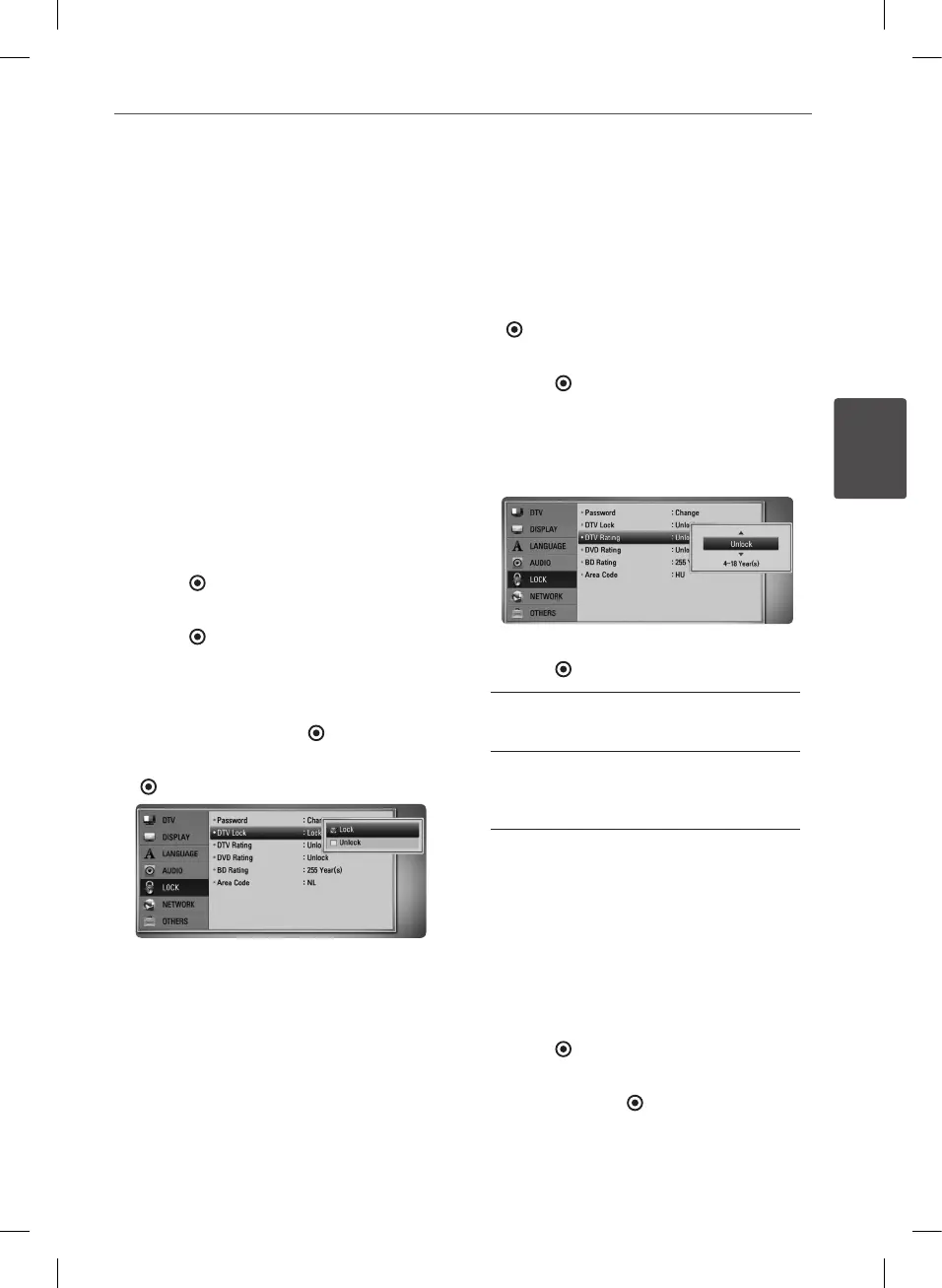
Setting the DTV Lock
Allows you to activate or deactivate all of the
lock schemes previously set. When the [DTV
Lock] is set to [Un
lock
].
1. Display [Setup] menu.
2. Use
U
/
u
/
I
/
i
to select [LOCK] and press
ENTER ( ).
3. Use
U
/
u
to select [DTV Lock] and press
ENTER ( ).
4. Input the password using numerical
buttons.
If you have not set your password yet, input
“1234” and press ENTER ( ).
5. Use
U
/
u
to select [Lock] and press ENTER
( ) to activate the DTV Lock.
Adjusting DTV Rating
Viewing of some digital TV programmes can
be limited according to the age limit you set.
1. Display [Setup] menu.
2. Use
U
/
u
to select [LOCK] and press ENTER
( ).
3. Use
U
/
u
to select [DTV Rating] and press
ENTER ( ).
4. Input the password using numerical
buttons.
If you have not set your password yet, input
and press ENTER.
5. Use
U
/
u
to set the limitation level and press
ENTER ( ).
Unlock
You can view all programs.
4 ~ 18 Year(s)
Rating [4 Year(s)] has the most restrictions
and [18 Year(s)] is the least restrictive.
Setting the antenna power
If you are using indoor antenna with a signal
amplier rated at DC 5V, 100mA, the recorder
can supply power through ANTENNA IN jack.
1. Display [Setup] menu.
2. Use
U
/
u
to select the [DTV], and press
ENTER ( ).
3. Use
U
/
u
to select the [Terrestrial Setting],
and press ENTER ( ).
4. Use
U
/
u
to select the [Antenna 5V On] and
press ENTER to supply antenna power.
BD582CC-P.BAUTLLK_MFL65225414_ENG.indd 33 11. 3. 19. �� 5:19


 To Next Page