8 Preparation
Preparation
2
2
Preparation
Introduction
About the “ ” Symbol Display
“ ” may appear on your TV display during
operation and indicates that the function
explained in this owner’s manual is not
available on that specic media.
Symbols Used in this Manual
NOTE
Indicates special notes and operating features.
CAUTION
Indicates caution for preventing possible
damages from abuse.
A section whose title has one of the following
symbols are applicable only to the disc
represented by the symbol.
BD
BD-ROM disc
DVD
DVD-Video, DVD
±
R/RW in
Video mode or VR mode and
nalized
AVCHD
DVD
±
R/RW in AVCHD format
ACD
Audio CDs
MOVIE
Movie les contained in the
Disc/USB
MOVIE-N
Movie les in the DLNA server
or PC
MUSIC
Music les contained on a Disc/
USB
MUSIC-N
Music les on a DLNA server or
PC
PHOTO
Photo les contained on a
DLNA server, PC or Disc
REC
Titles recorded via this unit
(external HDD)
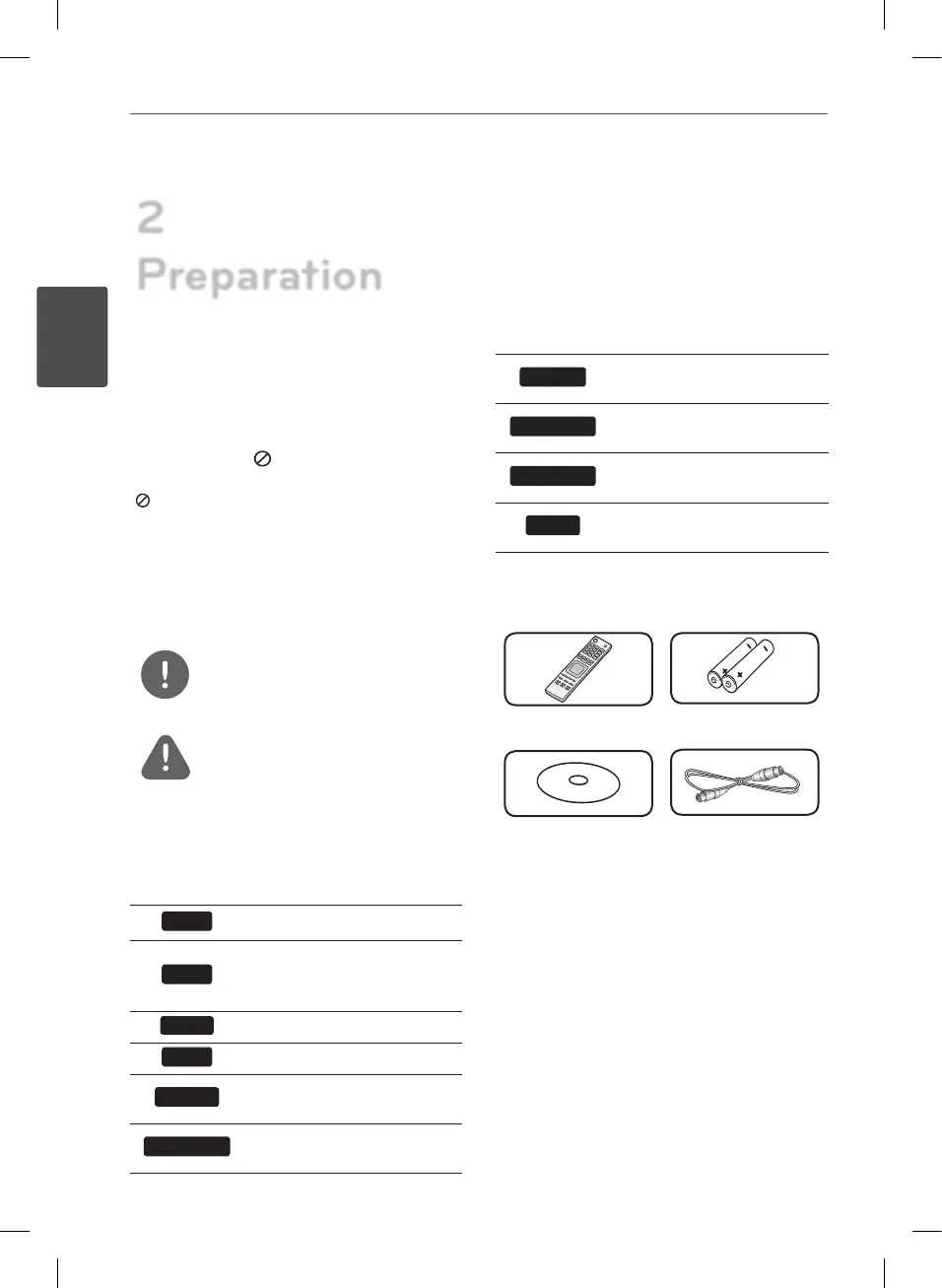
Supplied Accessories
Remote control (1) Batteries (2)
Nero MediaHome4
Essentials software
CD-ROM (1)
RF cable (1)
BD582CC-P.BAUTLLK_MFL65225414_ENG.indd 8 11. 3. 19. �� 5:17


 To Next Page