60 Operation
Operation
4
Changing the TV Aspect Ratio
BD
DVD
AVCHD
MOVIE
MOVIE-N
REC
You can change the TV aspect ratio setting
during playback.
1. During playback, press INFO/DISPLAY ( ) to
display the On-Screen display.
2. Use
U
/
u
to select the [TV Aspect Ratio]
option.
3. Use
I
/
i
to select desired option.
4. Press RETURN (
O
) to exit the On-Screen
display.
NOTE
Even if you change the value of the [TV Aspect
Ratio] option in On-Screen display, the [TV Aspect
Ratio] option in the [Setup] menu is not changed.
Changing the Picture Mode
BD
DVD
AVCHD
MOVIE
MOVIE-N
REC
You can change the [Picture mode] option
during playback.
1. During playback, press INFO/DISPLAY ( ) to
display the On-Screen display.
2. Use
U
/
u
to select the [Picture Mode]
option.
3. Use
I
/
i
to select desired option.
4. Press RETURN (
O
) to exit the On-Screen
display.
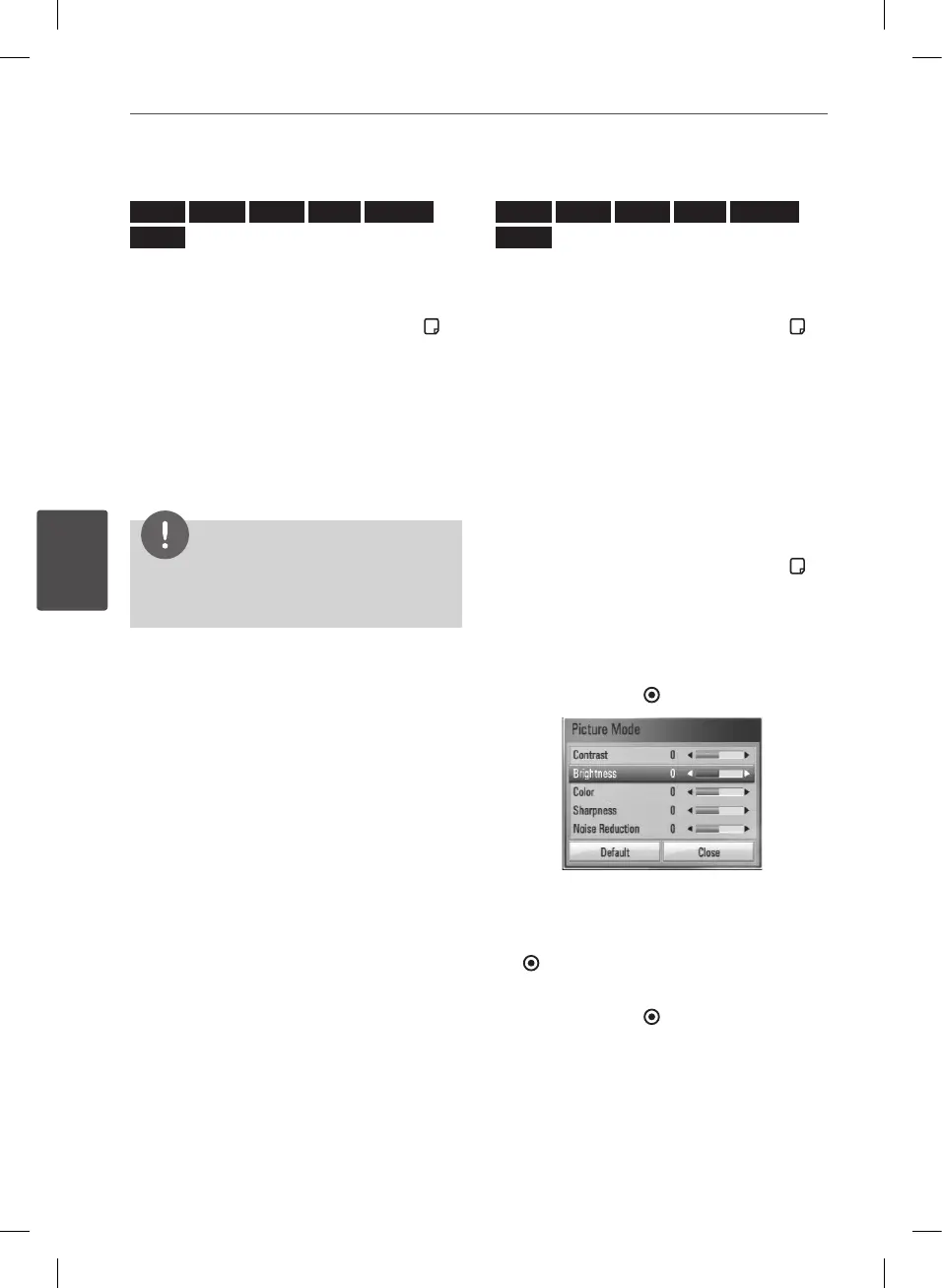
Setting the [User setting] option
1. During playback, press INFO/DISPLAY ( ) to
display the On-Screen display.
2. Use
U
/
u
to select the [Picture Mode]
option.
3. Use
I
/
i
to select the [User setting] option,
and press ENTER ( ).
4. Use
U
/
u
/
I
/
i
to adjust the [Picture Mode]
options.
Select [Default] option then press ENTER
( ) to reset the all video adjustments.
5. Use
U
/
u
/
I
/
i
to select the [Close] option,
and press ENTER ( ) to nish setting.
BD582CC-P.BAUTLLK_MFL65225414_ENG.indd 60 11. 3. 19. �� 5:19


 To Next Page