EasyManua.ls Logo

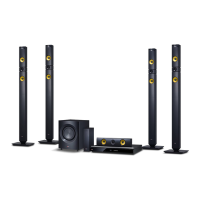
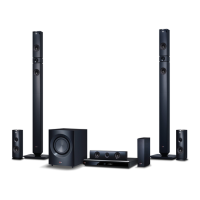
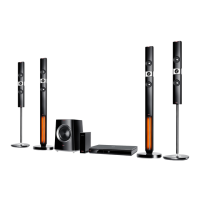
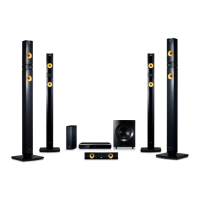
LG BH9530WB - User Manual

LG BH9530WB
84 pages
Print Icon
To Next Page IconTo Next Page
Loading...
OWNER’S MANUAL
Cinema 3D Sound Blu-ray™
Home Theater System
Please read this manual carefully before operating
your set and retain it for future reference.
P/NO : SAC35693704
BH9230BW (BH9230BW, S93B1-S, S93T1-C/W, T2, W3-4)
BH9430PW (BH9430PW, S93T1-S/C/W, S93B1-S, T2, W3-4)
BH9530TW (BH9530TW, S93T1-S/C/W, T2, W3-4)
BH9530WB (BH9530WB, S93T3-S/C, S93T1-W, T2, W3-4)

Table of Contents

Questions and Answers

  • R
    richard07Sep 10, 2025
    Why is the access point not displayed on the “Access point name” list of my LG BH9530WB?
    • M
      melindahickmanSep 12, 2025
      The access point or wireless LAN router may not be broadcasting its SSID. Set your access point to broadcast its SSID through your computer. Your network device may not be set with an available frequency range and channel that this player can support. Try setting the frequency range and channel on the network device setting.
  • L
    Laurie MooreAug 22, 2025
    What to do if my LG BH9530WB is plugged in, but the power will not turn on or off?
    • R
      Rebecca SimpsonAug 23, 2025
      You can reset the unit by unplugging the power cord, waiting at least five seconds, and then plugging it in again.
  • C
    Courtney MoralesAug 25, 2025
    Why is there no sound or distorted sound from my LG BH9530WB Home Theater System?
    • B
      Blake RobertsAug 25, 2025
      The unit may be in scan, slow motion, or pause mode. Also, the sound volume might be too low. Ensure that the speaker cable is securely connected.
  • T
    tyler12Aug 27, 2025
    What to do if my LG BH9530WB remote control does not work properly?
    • M
      Marissa SchmidtAug 27, 2025
      There might be several reasons why the remote control for your LG Home Theater System isn't working correctly: * Ensure that the remote control is pointed directly at the remote sensor on the unit. * Make sure the remote control is not too far away from the unit. * Check for any obstacles between the remote control and the unit. * Verify that the batteries in the remote control are not exhausted.
  • R
    Rebecca LarsenAug 28, 2025
    Why won't my LG Home Theater System start playback?
    • C
      Crystal FletcherAug 28, 2025
      Make sure you have inserted a playable disc, checking its type, color system, and regional code. Ensure the disc is placed with the playback side down and is clean. Also, cancel the Rating function or change the rating level.
  • C
    Cody LunaAug 29, 2025
    What to do if my LG Home Theater System is not displaying a picture?
    • A
      alexriosAug 30, 2025
      Select the correct video input mode on your TV, ensuring it matches the unit's output. Verify that the video connections are secure. Also, check the [HDMI Color Setting] in the [Settings] menu to ensure it is appropriate for your video connection. Your TV might not support the resolution set on the player, so try changing it. If the player’s HDMI OUT jack is connected to a DVI device that does not support copyright protection, this could also be the cause.
  • R
    Robert TaylorSep 18, 2025
    Why the angle cannot be changed on my LG Home Theater System?
    • A
      Anna AyersSep 18, 2025
      Multi-angles are not recorded on the DVD Video being played.
  • A
    Andrew LewisSep 12, 2025
    Why I cannot change the angle on my LG BH9530WB Home Theater System?
    • M
      Mark RogersSep 12, 2025
      Multi-angles are not recorded on the DVD Video being played.
  • D
    donaldhamiltonSep 8, 2025
    Why Blu-ray 3D disc playback does not output 3D views on my LG BH9530WB Home Theater System?
    • N
      nicole12Sep 8, 2025
      Connect the player to your TV with an HDMI cable (Type A, High Speed HDMI™ Cable). Your TV may not support “HDMI 3D mandatory format.” Check that the [3D Mode] option in the [Settings] menu is set to [On].
  • D
    Dustin MendozaSep 5, 2025
    Why does my LG BH9530WB Home Theater System have picture noise?
    • K
      Kelly MullinsSep 5, 2025
      The disc may be recorded in a color system different from your TV's. Try setting the resolution to one that your TV accepts.

LG BH9530WB Specifications

General IconGeneral
TypeHome Theater System
Total Power Output1000W
Speaker Configuration9.1 Channel
3D Blu-ray PlaybackYes
Wireless Rear SpeakersYes
USB PlaybackYes
Bluetooth ConnectivityYes
Smart TVNo
Wi-FiYes
HDMI Output1
USB1
EthernetYes
Audio Return Channel (ARC)Yes
Optical Digital Input1
3D Pass-throughYes
4K Pass-throughYes
SubwooferWireless
Sound ModesCinema, Music, Game, Standard

Related product manuals