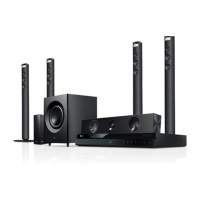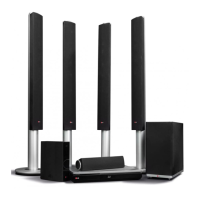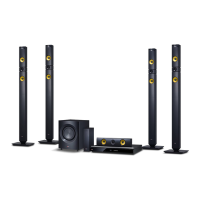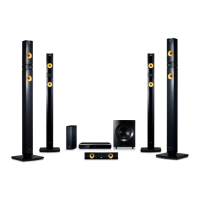
EasyManua.ls Logo

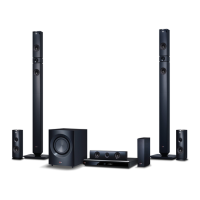
LG BH9520T - User Manual

LG BH9520T
82 pages
Print Icon
To Next Page IconTo Next Page
Loading...
OWNER’S MANUAL
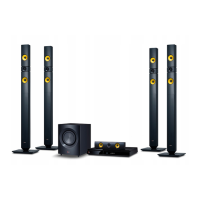
Cinema 3D Sound Blu-ray™
Home Cinema System
Please read this manual carefully before operating
your set and retain it for future reference.
BH9520TW (BH9520TW, S92T1-S/W, S92T1-C, T2, W2)

Table of Contents

Other manuals for LG BH9520T

Questions and Answers

  • S
    samantha30Sep 8, 2025
    What to do if there is no picture on LG Home Theater System?
    • A
      Arthur ChungSep 8, 2025
      If there's no picture on your LG Home Theater System, try these steps: - Select the appropriate video input mode on the TV so the picture from the unit appears on the TV screen. - Connect the video connection securely. - Check the [HDMI Color Setting] in the [Setup] menu is set to the appropriate item that conforms to your video connection. - Change the resolution that your TV accepts.
  • C
    craigbobbyAug 25, 2025
    What to do if my LG BH9520T Home Theater System won't turn on or off?
    • B
      bryan90Aug 25, 2025
      If your LG Home Theater System is plugged in but won't power on or off, try resetting it. Unplug the power cord, wait at least five seconds, and then plug it back in.
  • A
    Ashley WangAug 25, 2025
    Why won't my LG BH9520T turn on?
    • T
      Tracy PerkinsAug 26, 2025
      If your LG Home Theater System isn't powering on, ensure the power cord is securely plugged into the wall outlet.
  • A
    Ashley HallSep 18, 2025
    How to fix LG BH9520T Home Theater System when there is no picture?
    • A
      Andrew MaloneSep 18, 2025
      If there's no picture on your LG Home Theater System, try these steps: * Select the appropriate video input mode on your TV so the picture from the unit appears. * Ensure the video connection is securely connected. * Check that the [HDMI Color Setting] in the [Setup] menu is set appropriately for your video connection. * Change the resolution to one that your TV supports, as it may not support the current resolution set on the player.
  • X
    xcastanedaSep 9, 2025
    Why is the BD-Live feature not working on my LG BH9520T Home Theater System?
    • L
      Luis RamirezSep 9, 2025
      If the BD-Live feature on your LG Home Theater System isn't working, here are a few things to check: - Ensure the connected USB storage has at least 1GB of free space. - Confirm the unit is correctly connected to the local area network and can access the internet. - Set the [BD-LIVE connection] option in the [Setup] menu to [Permitted].
  • L
    lindsay47Sep 13, 2025
    Why picture noise appears on LG BH9520T Home Theater System?
    • J
      Jessica MontgomerySep 13, 2025
      If you're experiencing picture noise with your LG Home Theater System, it could be because you're playing a disc recorded in a color system different from your TV. Also, ensure that the resolution is set to one that your TV supports.
  • J
    Justin GomezSep 3, 2025
    What to do if my LG BH9520T Home Theater System power does not turn on?
    • M
      Miss Elizabeth Cannon MDSep 3, 2025
      If your LG Home Theater System won't turn on, ensure the power cord is securely plugged into the wall outlet. If it is plugged, unplug the power cord, wait at least five seconds, and then plug it in again to reset the unit.
  • O
    Omar McbrideSep 4, 2025
    What to do if my LG BH9520T will not turn on or off?
    • A
      Anthony SwansonSep 4, 2025
      To reset your LG Home Theater System when it's plugged in but won't power on or off, unplug the power cord, wait at least five seconds, and then plug it back in.
  • R
    reidjonathanSep 23, 2025
    Why the angle cannot be changed on my LG BH9520T?
    • S
      Scott Maldonado MDSep 23, 2025
      If the angle cannot be changed on your LG Home Theater System, it is because multi-angles are not recorded on the DVD Video being played.
  • L
    Laura CastanedaAug 29, 2025
    Why can't my LG BH9520T Home Theater System play movie, photo, or music files?
    • N
      Nathan SalazarAug 29, 2025
      Your LG Home Theater System might not play movie, photo, or music files if the files are not recorded in a format that the unit can play or if the unit does not support the codec of the movie file.

LG BH9520T Specifications

General IconGeneral
TypeHome Theater System
Total Power Output1000W
Number of Channels9.1
3D Blu-ray PlaybackYes
Wireless Rear SpeakersYes
HDMI Inputs4
USB PlaybackYes
BluetoothYes
Wi-FiYes
Dimensions (Main Unit)430 x 60 x 300 mm
Weight (Main Unit)3.5 kg
Smart TVYes
EthernetYes
HDMI Output1
USB1
Audio Return Channel (ARC)Yes
USB Port1
Optical Input1
3D Pass-throughYes
4K Pass-throughYes
SubwooferWireless

Related product manuals