EasyManua.ls Logo

LG BH9530TW - User Manual

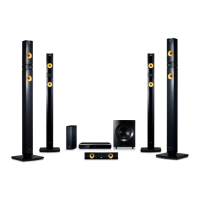
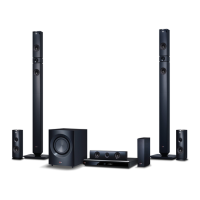
LG BH9530TW
84 pages
Print Icon
To Next Page IconTo Next Page
Loading...
OWNER’S MANUAL
Cinema 3D Sound Blu-ray™
Home Theater System
Please read this manual carefully before operating
your set and retain it for future reference.
P/NO : SAC35693704
BH9230BW (BH9230BW, S93B1-S, S93T1-C/W, T2, W3-4)
BH9430PW (BH9430PW, S93T1-S/C/W, S93B1-S, T2, W3-4)
BH9530TW (BH9530TW, S93T1-S/C/W, T2, W3-4)
BH9530WB (BH9530WB, S93T3-S/C, S93T1-W, T2, W3-4)

Table of Contents

Other manuals for LG BH9530TW

Questions and Answers

  • B
    Benjamin TurnerSep 10, 2025
    Why is the access point not displayed on the “Access point name” list of my LG BH9530TW Home Theater System?
    • S
      shannonpughSep 12, 2025
      The access point or wireless LAN router may not be broadcasting its SSID. Set your access point to broadcast its SSID through your computer. Your network device may not be set with an available frequency range and channel that this player can support. Try setting the frequency range and channel on the network device setting.
  • M
    Maureen BoydAug 22, 2025
    What to do if my LG Home Theater System is plugged in, but the power will not turn on or off?
    • A
      Amy KochAug 22, 2025
      You can reset the unit by unplugging the power cord, waiting at least five seconds, and then plugging it in again.
  • H
    haroldkennedyAug 25, 2025
    Why is there no sound or distorted sound from my LG BH9530TW?
    • S
      Sean CrosbyAug 25, 2025
      The unit may be in scan, slow motion, or pause mode. Also, the sound volume might be too low. Ensure that the speaker cable is securely connected.
  • C
    Christina CamposAug 27, 2025
    What to do if my LG Home Theater System remote control does not work properly?
    • G
      Gregory McdanielAug 27, 2025
      There might be several reasons why the remote control for your LG Home Theater System isn't working correctly: * Ensure that the remote control is pointed directly at the remote sensor on the unit. * Make sure the remote control is not too far away from the unit. * Check for any obstacles between the remote control and the unit. * Verify that the batteries in the remote control are not exhausted.
  • D
    David PayneAug 28, 2025
    Why won't my LG BH9530TW start playback?
    • J
      Jessica KingAug 28, 2025
      Make sure you have inserted a playable disc, checking its type, color system, and regional code. Ensure the disc is placed with the playback side down and is clean. Also, cancel the Rating function or change the rating level.
  • R
    Randy HartmanAug 29, 2025
    What to do if my LG BH9530TW Home Theater System is not displaying a picture?
    • C
      cbaldwinAug 29, 2025
      Select the correct video input mode on your TV, ensuring it matches the unit's output. Verify that the video connections are secure. Also, check the [HDMI Color Setting] in the [Settings] menu to ensure it is appropriate for your video connection. Your TV might not support the resolution set on the player, so try changing it. If the player’s HDMI OUT jack is connected to a DVI device that does not support copyright protection, this could also be the cause.
  • C
    Carlos LopezSep 18, 2025
    Why the angle cannot be changed on my LG BH9530TW Home Theater System?
    • R
      Rodney SteeleSep 18, 2025
      Multi-angles are not recorded on the DVD Video being played.
  • L
    larry96Sep 12, 2025
    Why I cannot change the angle on my LG BH9530TW?
    • K
      Kim ParksSep 12, 2025
      Multi-angles are not recorded on the DVD Video being played.
  • M
    Miranda WalshSep 8, 2025
    Why Blu-ray 3D disc playback does not output 3D views on my LG BH9530TW?
    • C
      Caroline ClaytonSep 8, 2025
      Connect the player to your TV with an HDMI cable (Type A, High Speed HDMI™ Cable). Your TV may not support “HDMI 3D mandatory format.” Check that the [3D Mode] option in the [Settings] menu is set to [On].
  • M
    Mackenzie MarshallSep 5, 2025
    Why does my LG BH9530TW Home Theater System have picture noise?
    • A
      Andrew AnthonySep 5, 2025
      The disc may be recorded in a color system different from your TV's. Try setting the resolution to one that your TV accepts.

LG BH9530TW Specifications

General IconGeneral
Disc types supportedBD-R, BD-R DL, BD-RE, BD-RE DL, BD-ROM, CD, CD-R, CD-ROM, CD-RW, DVD, DVD+R, DVD+R DL, DVD+RW, DVD+RW DL, DVD-R, DVD-R DL, DVD-RAM, DVD-RW, DVD-RW DL
Playback disc formatsBlu-Ray audio, Blu-Ray video
Optical disc player typeBlu-Ray player
Power LEDYes
Built-in HDD-
RS-232 ports0
Apple docking compatibilityiPad, iPhone
Video formats supported3GP, AVCHD, DIVX, DIVX HD, FLV, MKV, MOV, MPEG1, MPEG2, MPEG4, VOB
Audio decodersDolby Digital, Dolby Digital Plus, Dolby TrueHD, DTS, DTS-HD, DTS-HD Master Audio
RMS rated power1200 W
Audio output channels9.1 channels
Audio formats supportedAAC, MP3
Product colorBlack
HDMI in2
USB version2.0
Number of HDMI outputs1
Front speaker type2-way
Front speakers RMS power194 W
Display typeFLD
Weight and Dimensions IconWeight and Dimensions
Main unit dimensions (WxDxH)444 x 65 x 292.5 mm
Subwoofer dimensions (WxDxH)251 x 336 x 355 mm
Front speaker dimensions (WxDxH)270 x 1300 x 270 mm
Center speaker dimensions (WxDxH)360 x 81 x 70 mm

Related product manuals