EasyManua.ls Logo

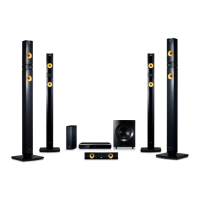
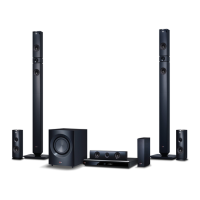
LG BH9540TW - User Manual

LG BH9540TW
80 pages
Print Icon
To Next Page IconTo Next Page
Loading...
P/NO : SAC35993901
Please read this manual carefully before operating
your set and retain it for future reference.
BH9540TW (BH9540TW, S94T1-S/C/W, T2, W4-4)
OWNER’S MANUAL
9.1 channel
Cinema Sound
3D Blu-ray™ / DVD Home
Theatre System

Table of Contents

Other manuals for LG BH9540TW

Question and Answer IconNeed help?

Do you have a question about the LG BH9540TW and is the answer not in the manual?

Summary

Safety Information

Caution Concerning the Power Cord

Precautions for using the power cord and avoiding hazards.

Safety Way to Remove the Battery

Remote Control

Positioning the System

Speaker Connection

Attaching Rear Speakers to Wireless Receiver

Instructions for connecting rear speakers to the wireless receiver.

Wireless Speakers Connection

Manually Pairing Wireless Receiver

Steps to manually pair the wireless receiver if automatic connection fails.

Connecting to Your TV

Resolution Setting

Connecting to Your Home Network

Wired Network Connection

Benefits and steps for a wired network connection.

Wired Network Setup

Wireless Network Connection

Wireless Network Setup

Advanced Setting

Initial Setup

Network Setting

How to configure network settings during initial setup.

Settings

Adjust the Setup Settings

Step-by-step guide to changing player settings via the menu.

[NETWORK] Menu

Connection Setting

Steps to establish a wired or wireless network connection.

[DISPLAY] Menu

3 D Mode

[AUDIO] Menu

Digital Output

Options for digital audio output via HDMI.

Speaker Setup

Quick Start

Auto Power Off

Software

Update

How to update the player's software via the internet.

Sound Effect

3 D Sound Effect

Using the SmartShare

Playing a Disc

Playing Blu-ray 3 D Disc

Playing a File on Disc;USB Device

Playing a File on Android Device

Playing a File on a Network Server

Installing SmartShare PC Software (DLNA)

Sharing Files and Folders

General Playback

Basic Operations for Video and Audio Content

Standard controls like stop, pause, scan, and chapter skipping.

Using the Disc Menu

Resume Playback

Last Scene Memory

On-Screen Display

To Control Video Playback

Controls for playback and setting options during video playback.

To Control Photo View

Advanced Playback

Selecting a Subtitle Language

Hearing a Different Audio

Changing the TV Aspect Ratio

Changing the Picture Mode

Viewing Content Information

Selecting a Subtitle File

Playing Content to 3 D

Converting 2 D Content to 3 D

How to convert 2D video to 3D format.

Advanced Features

Enjoying Miracast

Enjoying BD-Live

Audio CD Recording

Recording from FM Radio or AUX Source

Enjoying Web Browsing

LG AV Remote

Private Sound Mode

Using an USB Keyboard or Mouse

Radio Operations

Using Bluetooth Technology

Listening to Music Stored on the Bluetooth Devices

General

Network

Picture

Sound

Controlling a TV with the Supplied Remote Control

Network Software Update

Software Update

Process for updating player software.

Maintenance

Notes on Discs

LG BH9540TW Specifications

General IconGeneral
Disc types supportedBD-R, BD-RE, BD-ROM, CD-R, CD-RW, DVD, DVD+R, DVD+RW, DVD-R, DVD-RW
Playback disc formatsCD audio
Optical disc player typeBlu-Ray player
Built-in HDDNo
TV tuner integrated-
Apple docking compatibilityiPad, iPhone, iPod
3DYes
Video formats supportedAVC, DIVX, DIVX HD, H.264, MKV, MPEG2, MPEG4
Audio decodersDolby Digital, Dolby Digital Plus, Dolby Pro Logic II, Dolby TrueHD, DTS, DTS-HD Master Audio
RMS rated power1460 W
Audio output channels9.1 channels
Audio formats supportedAAC, FLAC, WMA
Supported radio bandsAM, FM
Preset stations quantity50
Front speakers RMS power180 W
Satellite speakers RMS power90 W
Subwoofer typePassive subwoofer
Product colorSilver
Consumer Electronics Control (CEC)SimpLink
HDMI in2
USB version2.0
SCART ports quantity0
Number of HDMI outputs1

Related product manuals