EasyManua.ls Logo

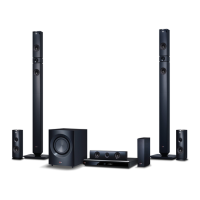
LG BH9430PW - User Manual

LG BH9430PW
84 pages
Print Icon
To Next Page IconTo Next Page
Loading...
OWNER’S MANUAL
Cinema 3D Sound Blu-ray™
Home Theater System
Please read this manual carefully before operating
your set and retain it for future reference.
P/NO : SAC35693704
BH9230BW (BH9230BW, S93B1-S, S93T1-C/W, T2, W3-4)
BH9430PW (BH9430PW, S93T1-S/C/W, S93B1-S, T2, W3-4)
BH9530TW (BH9530TW, S93T1-S/C/W, T2, W3-4)
BH9530WB (BH9530WB, S93T3-S/C, S93T1-W, T2, W3-4)

Table of Contents

Other manuals for LG BH9430PW

Questions and Answers

Summary

Safety Information

Risk of Electric Shock

Warning to prevent electric shock and internal component damage.

Laser Radiation Warning

Caution regarding visible and invisible laser radiation when open.

Power Cord Safety

Precautions for safe use and handling of the power cord.

Safe Battery Removal

Guidelines for safe and environmentally sound removal of batteries.

Important Safety Instructions

Remote Control

Front Panel

Rear Panel

Positioning the System

Speaker Connection

Wireless Speakers Connection

Connecting to Your TV

Additional Information for HDMI

Details and considerations for connecting via HDMI.

ARC (Audio Return Channel) Function

Resolution Setting

Connections with External Device

HDMI IN 1;2 Connection

Connecting to Your Home Network

Wired Network Setup

Wireless Network Connection

Advanced Setting

Manual network settings for wireless connection.

Initial Setup

Adjust Setup Settings

How to adjust various player settings via the setup menu.

[NETWORK] Menu

[DISPLAY] Menu

[LANGUAGE] Menu

[AUDIO] Menu

Digital Output

Settings for digital audio output options via HDMI.

Connect Wireless Speakers

Speaker Setup

Guide to optimize sound by adjusting speaker volume and distance.

[LOCK] Menu

Sound Effect

Setting the User EQ

Adjusts the sound by raising or lowering specific frequency levels.

3 D Sound Effect

Home Menu Display

Using the Smart Share

Playing the Linked Devices

Playing a Disc

Instructions for inserting and playing discs.

Playing Blu-ray 3 D Disc

Playing a File on Disc;USB Device

Playing a File on a Network Server

Using Home Network Server for PC

Installing Nero MediaHome 4 Essentials

Guide for installing the Nero MediaHome 4 software on a PC.

Sharing Files and Folders

Procedure for sharing folders for media playback on the player.

General Playback

Basic Operations for Video and Audio Content

Controls for playing video and audio files.

Basic Operations for Photo Content

Controls for viewing photo files.

Using the Disc Menu

Resume Playback

Last Scene Memory

On-Screen Display

To Control Video Playback

Adjusts playback and options while watching videos.

Setting the Slide Show Option

Advanced Playback

Repeat Playback

Sets various modes for repeating playback.

Repeating a Specific Portion

Repeats a selected portion of the media.

Playing From Selected Time

Starts playback from a specific time point.

Selecting a Subtitle Language

Hearing a Different Audio

Setting the User Setting Option

Changing the Picture Mode

Selecting a Subtitle File

Listening to Music During Slide Show

Converting 2 D Content to 3 D

Advanced Features

Wi-Fi Direct

Connects directly to Wi-Fi Direct certified devices.

Enjoying Miracast

Enjoying BD-Live

Audio CD Recording

Recording from FM Radio or AUX Source

LG Tag On

LG AV Remote

Playing the iPod

Radio Operations

Using an USB Keyboard or Mouse

Using the Premium

Using the LG Smart World

Searching Online Content

Using the My Apps Menu

Using Bluetooth Technology

Listening to Music Stored on Bluetooth Devices

General Troubleshooting

Network Troubleshooting

Picture Troubleshooting

Sound Troubleshooting

Customer Support

Controlling TV with Supplied Remote

Setting Up Remote to Control TV

Network Software Update

Software Update

Instructions for updating the player's software.

About DLNA

Audio Output Specifications

Specifications

Maintenance

LG BH9430PW Specifications

General IconGeneral
Disc types supportedBD-ROM, CD, CD-R, CD-ROM, CD-RW, DVD, DVD+R, DVD+R DL, DVD+RW, DVD+RW DL, DVD-R, DVD-R DL, DVD-RW, DVD-RW DL
Optical disc player typeBlu-Ray player
Built-in HDDNo
MP3 playbackYes
RS-232 ports0
Apple docking compatibilityNot supported
Video formats supportedAVCHD, FLV, H.264, M4V, MKV, MOV, MPEG1, MPEG2, VOB, WMV
Audio decodersDolby Digital, Dolby TrueHD, DTS, DTS-HD, DTS-HD Master Audio
RMS rated power- W
Audio output channels9.1 channels
Audio formats supportedAAC, MP3, WMA
Satellite speaker type2-way
Wireless subwoofer-
Power1460 W
Product colorBlack
HDMI in2
USB version2.0
Number of HDMI outputs1
Package weight27100 g
Weight and Dimensions IconWeight and Dimensions
Main unit weight24221 g
Main unit dimensions (WxDxH)447 x 660 x 294 mm
Subwoofer dimensions (WxDxH)251 x 335.2 x 347.9 mm
Front speaker dimensions (WxDxH)269.2 x 1300 x 269.2 mm
Center speaker dimensions (WxDxH)360.6 x 81.2 x 71.1 mm

Related product manuals