4 Operating
Operating22
Operating
4
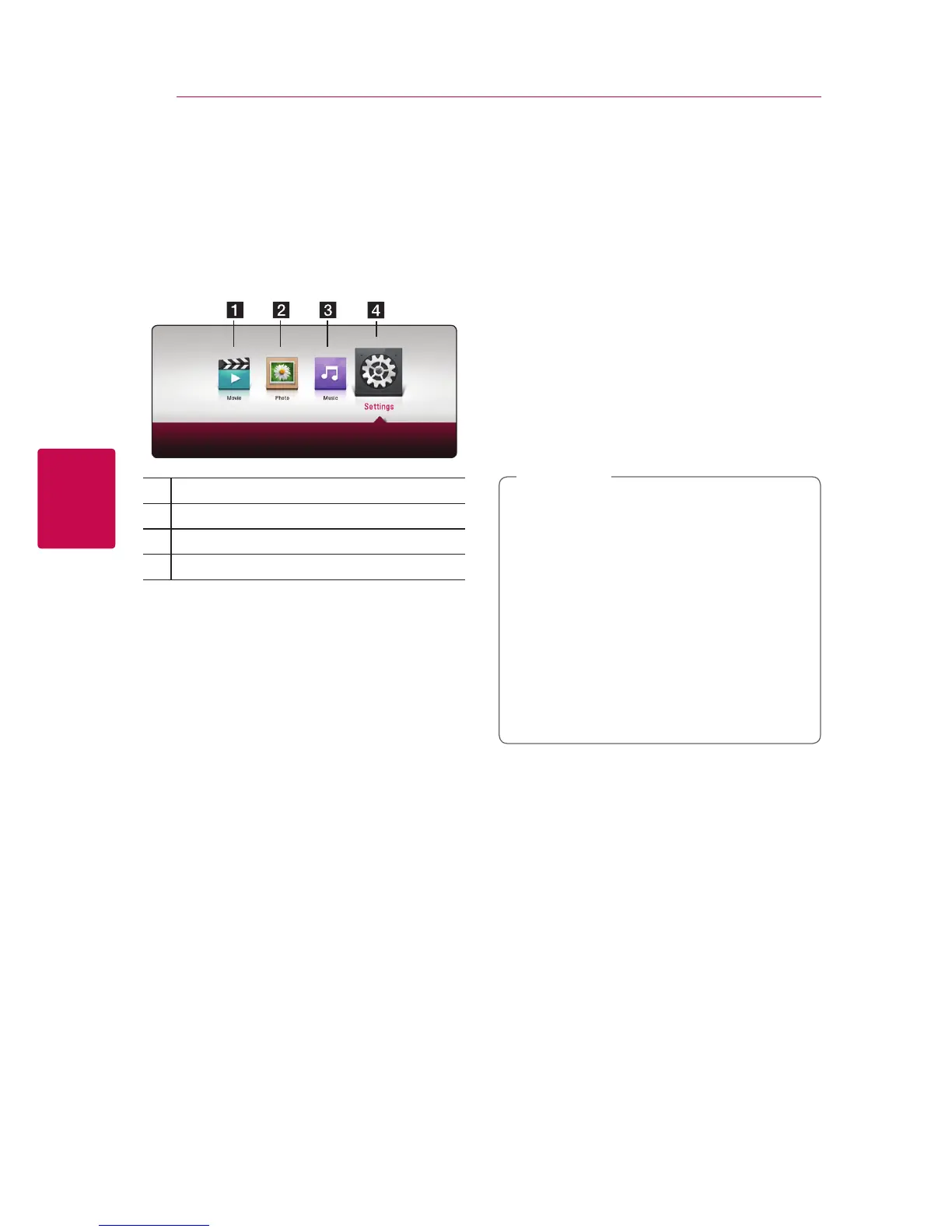
Home Menu Display
Using [HOME] menu
The home menu appears when you press HOME
(
1
). Use
a/d
to select a category and press
ENTER (
b
).
a
[Movie] - Plays video content.
b
[Photo] - Plays photo content.
c
[Music] - Plays audio content.
d
[Settings] - Adjusts the system settings.
Playing the Linked
Devices
Playing a Disc
erot
1. Press
B
(OPEN/CLOSE), and place a disc on the
disc tray.
2. Press
B
(OPEN/CLOSE) to close the disc tray.
For the most Audio CD, BD-ROM and
DVD-ROM discs, playback starts automatically.
3. Press HOME (
1
).
4. Select [Movie] or [Music], and select disc icon.
y
Playback functions described in this manual
are not always available in every les and
media. Some functions can be restricted
depending on many factors.
y
Depending on the BD-ROM titles, a USB
device connection may be needed for the
proper playback.
y
Unnalized DVD-VR format discs may not
be played in this player.
y
Some DVD-VR discs are made with CPRM
data by DVD RECORDER. This unit cannot
support these kinds of discs.
,
Note


 To Next Page