EasyManua.ls Logo

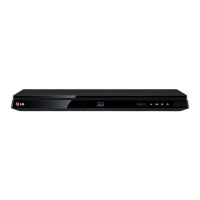
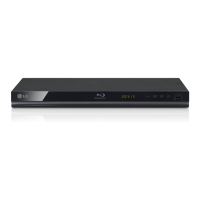
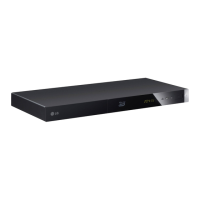
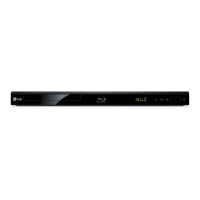
LG BP640 - User Manual

LG BP640
2 pages
Print Icon
To Next Page IconTo Next Page
Loading...
ESPAÑOL | MANUAL SIMPLE
Para ver las instrucciones de las características
avanzadas, visite http://www.lg.com y luego descargue
el Manual del Propietario. Algunos de los contenidos de
este manual pueden ser diferentes de su aparato.
ENGLISH | SIMPLE MANUAL
To view the instructions of advanced features,
visit http://www.lg.com and then download Owner’s
Manual. Some of the content in this manual may differ
from your unit.
TV
Conexión de TV (SAL HDMI)
TV Connection (HDMI OUT)
Asegúrese de que el cordón LAN esté conectado o que
el ruteador inalámbrico esté encendido. /
Make sure that LAN cord is plugged or wireless router
is on.
Siga las instrucciones para conguración inicial que se
muestra en la pantalla. /
Follow the directions for the initial setup displayed on
the screen.
Conguración inicial
Initial Setup
Uso del menú INICIO
Using HOME menu
a
Muestra el menú SmartShare. /
Displays SmartShare menu.
b
Muestra la pantalla de inicio Premium. /
Displays the Premium Home screen.
c
Muestra los títulos de las LG Apps que se suministran con la unidad. /
Displays LG Apps titles provided to the unit.
d
Muestra la pantalla [Mis Ap.]. /
Displays the [My Apps] screen.
e
Ajusta la conguración del sistema. /
Adjusts the system settings.
a b c d e
c
b
Muestra todos los dispositivos vinculados. /
Displays all linked devices.
Selecciona el contenido de video, fotos o audio. /
Selects video, photo or audio content.
Muestra el archivo o carpeta del dispositivo vinculado. /
Displays the le or folder on linked device.
a
Disco, reproducción de datos
Disc, Data Playback
En la mayoría de los CD de audio y los discos BD-ROM y DVD-ROM, la reproducción se inicia
automáticamente. /
For the most Audio CD, BD-ROM and DVD-ROM discs, playback starts automatically.
,
Dispositivo compatible con
MTP /
Device that support MTP
Conexión de Red Inalámbrica
Wireless Network Connection
Conexión a red por cable
Wired Network Connection
Punto de Acceso
Access Point
Cable del módem
Cable Modem
Punto de Acceso
Access Point
Cable del módem
Cable Modem
a
a
b
Compruebe la conexión y las conguraciones de
red. /
Check the network connection and settings.
Descargue el software SmartShare pc en la
pestaña de soporte e instálelo. /
Download SmartShare PC software on the support
tab and install it.
Ejecute el programa, y congure la carpeta para
compartir que desee. /
Run the program, and set the share folder you
want.
Enrutador
Router

http://www.lg.comhttp://www.lg.com
BP640
b
a
cb
Reproductor en red
Network Playback
Instalación del software para PC SmartShare
SmartShare PC software Installation
Reproducción Red Smart Share
SmartShare Network Playback
+
-
www.lg.com
Network 3D
Reproductor de
DVD/Blu-ray™
BP640
Cable HDMI
de alta velocidad
BP640-N.BPERLLK_SIM_MFL68102005.indd 1 2014-01-10  3:23:35

Questions and Answers

  • W
    Whitney TrevinoAug 19, 2025
    Why is my LG BP640 remote control not working properly?
    • O
      odukeSep 12, 2025
      The remote control might not be pointed at the unit's sensor, or it may be too far away. Ensure there are no obstacles blocking the path between the remote and the LG Blu-ray Player. Also, check if the remote's batteries are exhausted and replace them if needed.
  • S
    sjonesAug 21, 2025
    What to do if my LG BP640 Blu-ray Player does not work properly?
    • E
      Elizabeth PetersonAug 21, 2025
      Try turning off the power of both the LG Blu-ray Player and any connected external devices like your TV, woofer, DVD player, or amplifier, and then turn them back on. If that doesn't work, disconnect the power cord of the Blu-ray player and the connected devices, and then reconnect them.
  • P
    Phillip CarrollAug 23, 2025
    What to do if my LG BP640 does not start playback?
    • B
      Brian MooneyAug 23, 2025
      First, make sure you've inserted a playable disc, checking its type, color system, and regional code. Ensure the disc is placed with the playback side down and correctly positioned on the disc tray inside the guide. If the disc is dirty, clean it. Also, verify that the Rating function is not preventing playback, or adjust the rating level if needed for your LG Blu-ray Player.
  • A
    amanda54Aug 26, 2025
    Why the power does not turned on on my LG BP640?
    • H
      Heather HarrisAug 26, 2025
      Make sure the power cord is securely plugged into the wall outlet to turn on your LG Blu-ray Player.
  • D
    Dawn WebbAug 27, 2025
    Why is my USB storage device not recognized by my LG BP640?
    • K
      Kimberly RobinsonAug 28, 2025
      Try using a different USB cable, as some cables may not provide enough current. If you're using a USB extension cable or hub, the USB devices might not be recognized by your LG Blu-ray Player. This unit only supports USB Flash Drives and USB External HDDs with FAT32 or NTFS format.
  • J
    Jordan KaufmanAug 29, 2025
    What to do if my LG BP640 Blu-ray Player is plugged in but won't turn on or off?
    • J
      Jose ThomasAug 30, 2025
      Unplug the power cord of your LG Blu-ray Player, wait at least five seconds, and then plug it back in.
  • M
    Mary KleinSep 1, 2025
    Why is there no picture on my LG BP640?
    • J
      James OwensSep 1, 2025
      Ensure that you've selected the correct video input mode on your TV so that the picture from the LG Blu-ray Player appears. Check that the video connections are securely connected. Also, verify that the HDMI Color Setting in the Settings menu is appropriately set for your video connection. Your TV might not support the current resolution; try changing it to a compatible one. Finally, the player’s HDMI OUT jack might be connected to a DVI device that does not support copyright protection.
  • J
    johnsonaaronSep 3, 2025
    Why are streaming video services often stopped during playback on my LG Blu-ray Player?
    • H
      hillralphSep 3, 2025
      Your broadband service speed may not be fast enough to stream video services. Contact your Internet Service Provider (ISP) and increasing the broadband speed is recommended for your LG Blu-ray Player.
  • A
    Albert MartinezSep 5, 2025
    Why is the BD-Live feature not working on my LG BP640?
    • T
      Thomas HowellSep 5, 2025
      The connected USB storage may not have sufficient space; connect a USB storage device with at least 1 GB of free space. Ensure the LG Blu-ray Player is properly connected to the local area network and can access the internet. The [BD-LIVE connection] option in the [Settings] menu might be set to [Prohibited]; change it to [Permitted].
  • J
    Jill TranSep 7, 2025
    Why are media servers not displayed on the device list of my LG BP640 Blu-ray Player?
    • J
      James StevensonSep 7, 2025
      The firewall or anti-virus software on your media server might be running. Try turning off the firewall or anti-virus software on your media server. Also, ensure that the LG Blu-ray Player is connected to the same local area network as your media server.

LG BP640 Specifications

General IconGeneral
BrandLG
ModelBP640
CategoryBlu-ray Player
LanguageEnglish

Related product manuals