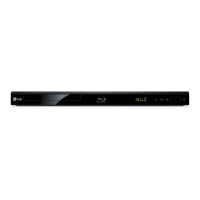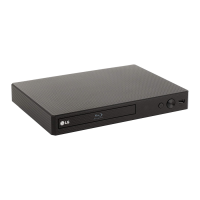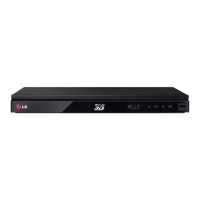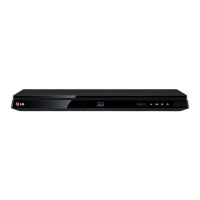
EasyManua.ls Logo

LG BP630 - User Manual

LG BP630
71 pages
Print Icon
To Next Page IconTo Next Page
Loading...
OWNER’S MANUAL
Network 3D
Blu-ray Disc™ / DVD Player
Please read this manual carefully before operating
your set and retain it for future reference.
BP630 / BP630N / BP630S
P/NO : SAC35693307

Table of Contents

Other manuals for LG BP630

Questions and Answers

  • R
    Rachel BowmanAug 18, 2025
    What to do if LG Blu-ray Player remote control does not work?
    • C
      coxsherriAug 18, 2025
      If the remote control for your LG Blu-ray Player isn't working, make sure it's pointed at the unit's remote sensor and is not too far away. Remove any obstacles between the remote and the unit. Also, check if the batteries in the remote control are exhausted and replace them if needed.
  • M
    Michelle AndersonAug 20, 2025
    What to do if my LG BP630 Blu-ray Player does not start playback?
    • A
      Ashley DiazAug 20, 2025
      If your LG Blu-ray Player doesn't start playback, try these steps: - Insert a playable disc, ensuring it's the correct type, colour system, and regional code. - Place the disc with the playback side down. - Make sure the disc is correctly placed on the disc tray inside the guide. - Clean the disc. - Cancel the Rating function or change the rating level.
  • S
    Sara BeasleyAug 23, 2025
    What to do if the USB storage device is not recognized by my LG BP630?
    • J
      Joel MorrowAug 23, 2025
      If your LG Blu-ray Player isn't recognizing the connected USB storage device: - Try a different USB cable, as some cables may not provide enough current. - Avoid using USB extension cables or USB hubs. - USB devices requiring additional program installation on a computer are not supported. - Ensure the USB device is a USB Flash Drive or USB External HDD with FAT32 or NTFS format.
  • D
    Daniel Obrien MDAug 25, 2025
    Why LG BP630 cannot play movie, photo or music files?
    • B
      Bethany DavidsonAug 26, 2025
      Your LG Blu-ray Player might not be able to play movie, photo, or music files if: - The files are not recorded in a format that the unit can play. - The unit does not support the codec of the movie file.
  • A
    Anne HernandezAug 28, 2025
    Why is there no picture on my LG BP630?
    • A
      angelarobersonAug 28, 2025
      If there's no picture from your LG Blu-ray Player, try the following: - Select the correct video input mode on your TV. - Ensure the video connections are securely connected. - Check the HDMI Color Setting in the Settings menu to match your video connection. - Verify your TV supports the player's resolution. Change the resolution if needed. - The player’s HDMI OUT jack should not be connected to a DVI device that does not support copyright protection.
  • J
    Joseph NewmanAug 30, 2025
    Why BD-Live feature does not work on LG BP630 Blu-ray Player?
    • A
      Angela TaylorAug 30, 2025
      If the BD-Live feature isn't working on your LG Blu-ray Player: - Ensure the connected USB storage has at least 1GB of free space. - Verify the unit is correctly connected to the local area network with internet access. - A faster broadband speed might be needed; contact your Internet Service Provider (ISP) to increase it. - Check that the [BD-LIVE connection] option in the [Settings] menu is set to [Permitted].
  • A
    Amber WilliamsSep 2, 2025
    Why does my LG Blu-ray Player stop or buffer during streaming video playback?
    • M
      Mark WoodardSep 2, 2025
      If your LG Blu-ray Player frequently stops or buffers during streaming video playback, it may be due to your broadband service speed. Contact your Internet Service Provider (ISP) to increase your broadband speed.
  • R
    Rachel TaylorSep 4, 2025
    Why does picture noise appear on my LG BP630?
    • H
      herringcoreySep 4, 2025
      Picture noise on your LG Blu-ray Player can appear if: - You are playing a disc recorded in a colour system that is different from your TV. - The resolution is not supported by your TV. Set the resolution which your TV accepts.
  • K
    Kristin ObrienSep 7, 2025
    Why are media servers not displayed on the device list of my LG BP630 Blu-ray Player?
    • J
      Jessica JacksonSep 7, 2025
      If media servers aren't showing up on your LG Blu-ray Player's device list: - Turn off the firewall or anti-virus software running on your media server. - Ensure the player is connected to the same local area network as your media server.
  • A
    ahortonSep 9, 2025
    Why Blu-ray 3D disc playback does not output 3D views on my LG BP630 Blu-ray Player?
    • M
      michelledawsonSep 9, 2025
      If your LG Blu-ray Player isn't outputting 3D views during Blu-ray 3D disc playback: - Connect the player to your TV with an HDMI cable (Type A, High Speed HDMI™ Cable). - Verify your TV supports 'HDMI 3D mandatory format'. - Ensure the [3D Mode] option in the [Settings] menu is set to [On].

Summary

Getting Started

Safety Information

Essential safety precautions and warnings for operating the device.

Introduction

Overview of the player's capabilities and disc compatibility.

Remote Control

Details on the remote control functions and battery installation.

Front Panel

Identification of buttons and ports on the front of the player.

Rear Panel

Identification of ports on the rear of the player.

Connecting

Connecting to Your TV

Guide to connecting the player to a television using HDMI.

Connecting to an Amplifier

Options for connecting the player to an audio amplifier via HDMI or digital audio.

Connecting to your Home Network

Instructions for connecting the player to a wired or wireless home network.

System Setting

Initial Setup

Step-by-step guide for first-time setup of language and network.

[NETWORK] Menu

Configuration of network settings for online services and updates.

[DISPLAY] Menu

Settings for TV aspect ratio and video output options.

[LANGUAGE] Menu

Options for setting menu language and disc audio/subtitle preferences.

[AUDIO] Menu

Configuration of digital audio output formats for different sound systems.

[LOCK] Menu

Settings for parental controls and Blu-ray/DVD rating restrictions.

Initialize

Options to reset the player to factory settings or clear BD-Live data.

Operating

Using the Smart Share

Playing media files from connected devices or home network.

Playing a Disc

Instructions for inserting and playing discs (BD, DVD, Audio CD).

Playing a file on disc;USB device

How to play video, audio, and photo files from discs or USB devices.

Playing a file on a network server

Accessing media files stored on a DLNA server over the network.

General Playback

Basic controls for video, audio, and photo playback operations.

Advanced Playback

Features like repeat playback and playing from a specific time.

Wi-Fi Direct

Connecting directly to Wi-Fi Direct™ certified devices for media sharing.

Enjoying BD-Live

Accessing online features and bonus content for BD-Live discs.

Troubleshooting

General

Common issues like power, playback, USB recognition, and remote control problems.

Network

Solutions for problems related to BD-Live, streaming, and network connectivity.

Picture

Troubleshooting steps for issues like no picture or picture noise.

Appendix

Controlling a TV with the Supplied Remote Control

How to set up the remote to control a TV.

Network Software Update

Procedures for updating the player's software to improve performance.

File requirement

Technical specifications for supported video, audio, and photo file formats.

Audio Output Specifications

Detailed information on audio output capabilities via HDMI and Optical.

Area Code List

List of area codes for DVD rating purposes.

Language Code List

List of language codes for disc menu, audio, and subtitles.

Trademarks and Licenses

Information on product trademarks and associated licenses.

LG BP630 Specifications

General IconGeneral
3DYes
Depth43.5 mm
Width430 mm
Height208.5 mm
Weight1450 g
DisplayLED
Device typeBlu-Ray player
Product colorBlack
Audio decodersDolby Digital, Dolby Digital Plus, Dolby TrueHD, DTS, DTS-HD Master Audio
Progressive scan-
Disc types supportedBD, BD-R, BD-RE, BD-ROM, CD, CD-R, CD-ROM, CD-RW, DVD, DVD+R, DVD+RW, DVD-R, DVD-RW
Supported video modes1080p
Card reader integratedNo
USB 2.0 ports quantity1
Audio formats supportedAAC, FLAC, LPCM, MP1, MP2, MP3, WMA
Video formats supported3GP, AVCHD, DAT, DIVX, FLV, M4V, MKV, MOV, MP4, MPEG1, MPEG2, MPEG4, TS, VC-1, VOB, WMV
Power consumption (standby)0.5 W
Power consumption (typical)12 W
Audio output channels2.0 channels

Related product manuals