16
ENG
English
Using CLOUD Solution
y
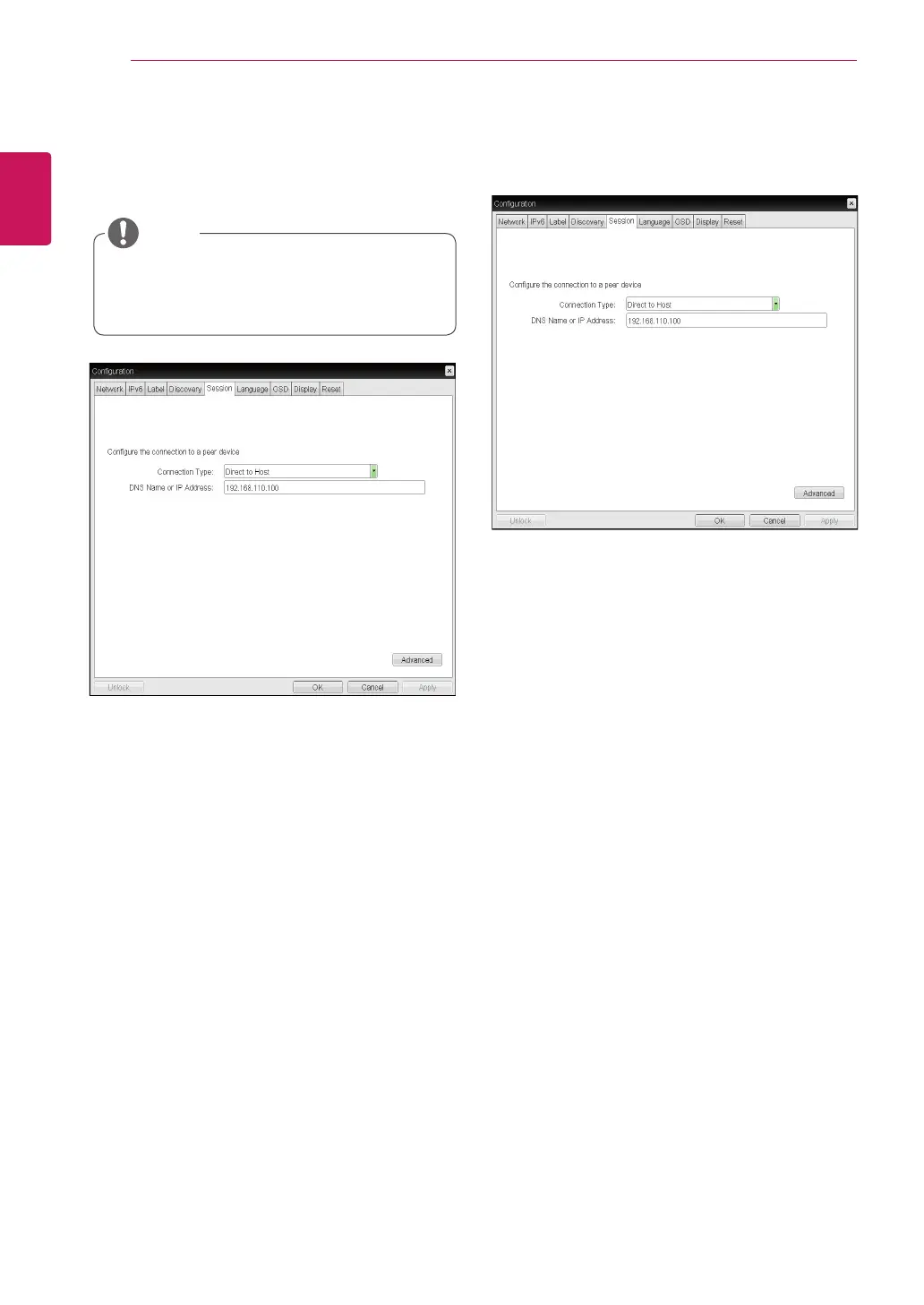
Direct to Host
You can view the screen of the host PC by estab-
lishing 1:1 connection between the PCI host card
connected to the host PC through the entered IP
address of the host PC and the portal.
y
DNS Name or IP Address
Enter the DNS name or IP address of the host PC.
<Figure 2-12: Direct to Host Setting>
<Figure 2-11: Session Configuration>
Session Tab
The Session tab allows the administrator to set the
method to connect the device to a peer device.
y
The Session parameters can also be con-
figured using the Webpage Administration
Interface.
NOTE
y
Connection Type
The Connection Type field allows the user to select
the device to be connected with the portal.
The Connection Type field has following options:
y
Direct to Host
y
Direct to Host + SLP Host Discovery
y
View Connection Server
y
View Connection Server + Auto-Logon
y
View Connection Server + Kiosk
y
View Connection Server + Imprivata OneSign
y
Connection Management Interface
See below for information how to set for each op-
tion.



 To Next Page