17
ENG
English
Using CLOUD Solution
y
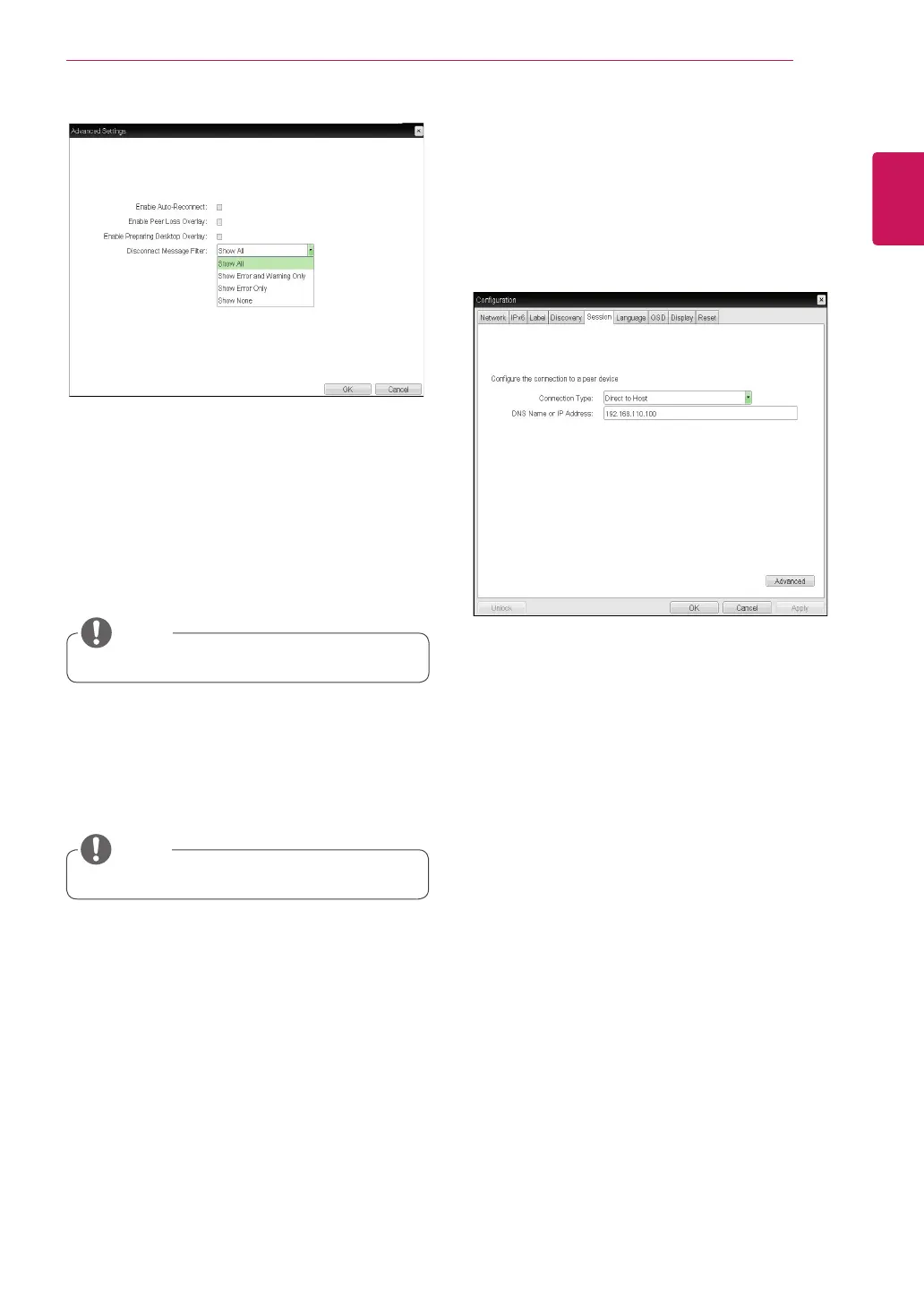
Enable Auto-Reconnect
If this option is selected, reconnection is attempted
automatically when a session is disconnected or
the user is logged off.
<Figure 2-13: Advanced Settings for Direct to
Host>
<Figure 2-14: Direct to Host + SLP Host Discovery Set-
tings>
y
This setting is provided only for the client.
NOTE
y
Enable Peer Loss Overlay
The "Connection Lost" message is displayed.The
display is the same as in the VDI environ-ment.
The default is Disable.
y
This setting is provided only for the client.
NOTE
y
Enable Preparing Desktop Overlay
If this option is selected, the "Preparing Desk-top"
message is displayed on the screen when the user
is logged in.
y
Disconnect Message Filter
This option determines the type of message to
display when a session is disconnected.
- Show All: Shows all the error messages.
- Show Error and Warning Only: Shows the
error and warning messages only.
- Show Error Only: Shows the error messages
only.
- Show None: Shows nothing.
y
Direct to Host + SLP Host Discovery
You can view the screen of the host PC by discov-
ering the host PC within the network and estab-
lishing 1:1 connection between the PCI host card
connected to the host PC and the portal.



 To Next Page