Connecting 13
Connecting
2
Connecting to speakers
Attaching the speakers to the
unit
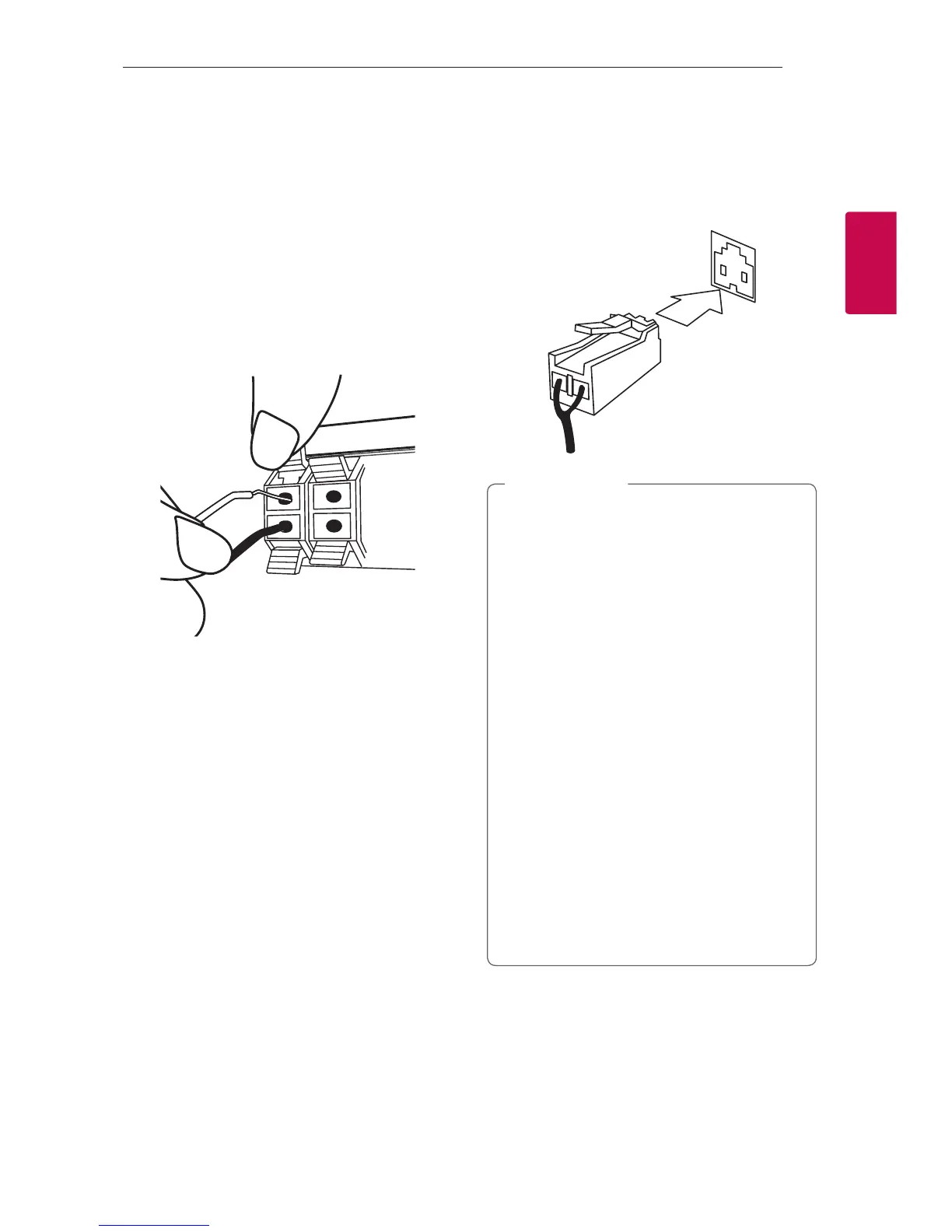
To connect the cable to the unit, press each plastic
nger pad to open the connection terminals on the
unit. Insert the wire and release the nger pad.
Connect the black of each wire to the terminals
marked - (minus) and the other end to the terminals
marked + (plus).
Attaching the subwoofer to the
unit
Connect a subwoofer cord to the player.
When connecting a subwoofer cord to the player,
insert the connector until it clicks.
y When you connect the speakers to the unit,
make sure to connect the speaker’s cable and
plug to the corresponding speaker connector.
y Check the volume level before playing music
to prevent inrm, child, and pregnant women
from being shocked by the sudden and loud
sound from the unit.
y Do not use the unit in a limited space.
It may damage a person’s hearing. It is
recommended to use it in a wide space.
y Be careful to make sure children do not put
their hands or any objects into the *speaker
duct.
* speaker duct : A hole for plentiful bass
sound on speaker cabinet (enclosure)
y Use the speaker supplied with this unit
only. Using any other speaker may cause
malfunction.
y The speakers contain magnet parts, so color
irregularity may occur on the TV screen or PC
monitor screen. Please use the speakers far
away from either TV screen or PC monitor.
>
Caution
CJ45-DB.DGBRLLZ_WEB_MFL69713058.indd 13 2017-05-10 10:56:46


 To Next Page