3-17
ONE POINT REPAIR GUIDE
NO SOUND
There is no sound output in the AUX FUNCTION, repair the set according to the fol-
lowing guide.
6-3. IN THE AUX FUNCTION
6-3-1. Solution
Please check and replace IC202 on MAIN board.
6-3-2. How to troubleshoot (Countermeasure)
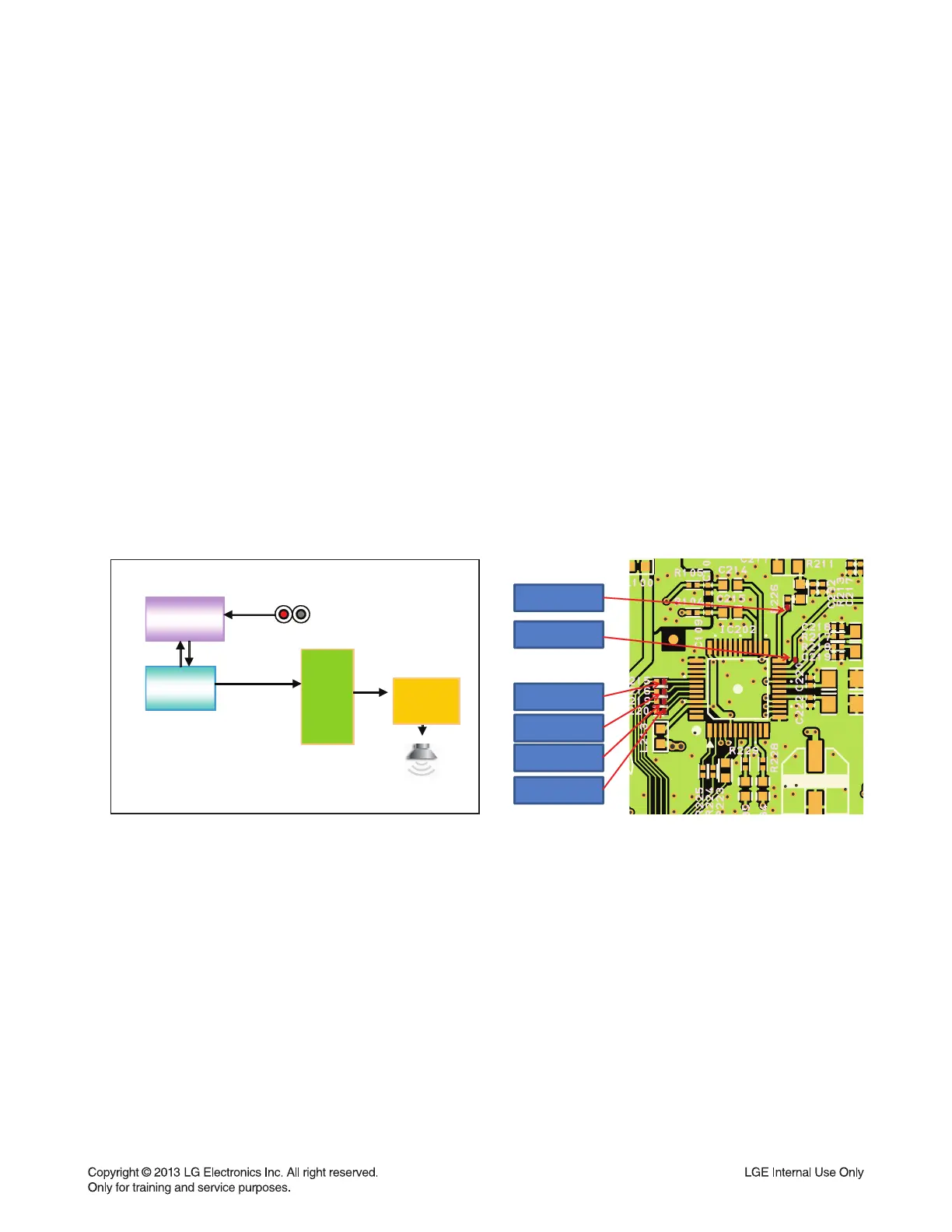
1) Check AUX_L/R signals to IC202 (Pin23, 24).
2) Check if MCS_BCLK, MCS_LRCLK, & MCS_MCLK are entered from IC501 to IC202.
3) Check if ADC/MIC_DATA is entered from IC202 to IC501.
If no signal, check +5 V & +3.3 V(ADC) for IC202. If is NG, replace it a new one.
4) Check the following I2S signal flow from IC501 to IC600. (Refer to Item 6-1.)
If there is any trouble, check the power for each IC. The power is normal but, if the signal waveform to
the IC is distorted or no signal, replace it with a new one.
5) Check if the digital audio AMP block is okay. Refer to “Digital Audio AMP” guide.
If AMP is damaged, replace it with a new one.
6-3-3. Service hint (Any picture / Remark)
0&6B0&/.WR5
0&6B/5&.WR5
0&6B%&.WR5
$'&0,&B'$7$WR
5
$8;B5WR5
$8;B/WR5
AUX
IC501
MLC3700
IC600
TAS5548
PWM
DAC_BCK
DAC_LRCK
IC202
CS5346
ADC_DATADAC_MCLK
AUX_L /R
IR AMP
IRS2092+IRF6775
< Signal check point >
< AUX function signal fl ow >


 To Next Page