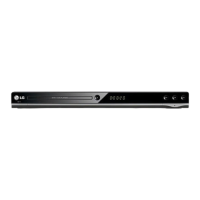
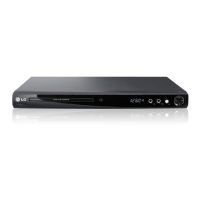
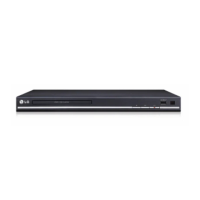
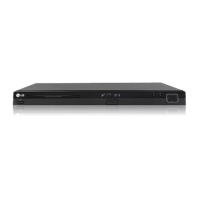
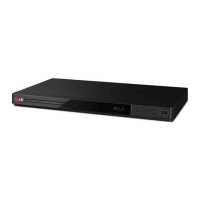
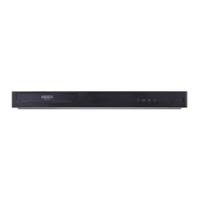
This document describes the LG DVD Player/Video Cassette Recorder, model DCK787, a versatile entertainment device combining the functionalities of a DVD player and a VCR.
Function Description
The DCK787 serves as a comprehensive home entertainment hub, allowing users to play DVDs, record and play video cassettes, and connect to various audio and video systems. It supports playback of multiple disc formats including DVD (8 cm/12 cm disc), Audio CD (8 cm/12 cm disc), DVD±R/RW, CD-R/RW, MP3, WMA, and JPEG files. The device also features DivX® VOD (Video On Demand) registration for renting and purchasing DivX® VOD videos.
As a VCR, it can record television programs and play back VHS tapes. The unit includes features like Instant Timer Recording (ITR), which allows for immediate or scheduled recording, and On Screen Display (OSD) for timer recording settings. It supports both SP (Standard Play) and LP (Long Play) recording modes, extending recording time from 180 minutes to up to 360 minutes on an E-180 video cassette.
The device offers various playback features for both DVD and VCR. For DVDs, it includes functions like A-B repeat, zoom, random play, title and disc menu access, angle selection, and subtitle/audio language selection. For VCR playback, it provides slow motion, shuttle, and picture search capabilities.
Important Technical Specifications
- General:
- Power requirements: AC 200-240V, 50/60 Hz
- Power consumption: 18W
- Dimensions (approx.): 430 x 78.5 x 265 mm (W x H x D)
- Mass (approx.): 4.2 kg
- Operating temperature: 5°C to 35°C (41°F to 95°F)
- Operating humidity: 5 % to 90 %
- Timer: 24-hour display type
- RF Modulator: UHF 22 - 68 (Adjustable)
- System:
- Laser: Semiconductor laser, wavelength 650 nm
- Video Head system: Double azimuth 6 heads, helical scanning
- Signal system: PAL
- Frequency response: DVD (PCM 96 kHz): 8 Hz to 44 kHz; DVD (PCM 48 kHz): 8 Hz to 22 kHz; CD: 8 Hz to 20 kHz
- Signal-to-noise ratio: More than 100dB (ANALOG OUT connectors only)
- Harmonic distortion: Less than 0.008%
- Dynamic range: More than 100 dB (DVD); More than 95 dB (CD)
- Inputs (VCR):
- Audio: -6.0dBm, more than 10 kohms (SCART)
- Video: 1.0 Vp-p, 75 ohms, unbalanced (SCART/RCA)
- Outputs (DVD):
- VIDEO OUT: 1 Vp-p 75 ohms, sync negative
- COMPONENT VIDEO OUT (Progressive Scan): (Y) 1.0 V (p-p), 75 Ω, negative sync, RCA jack x 1; (Pb)/(Pr) 0.7 V (p-p), 75 Ω, RCA jack x 2
- RGB output: 0.7 Vp-p, 75 ohms
- Audio output (coaxial audio): 0.5 V (p-p), 75 Ω, RCA jack x 1
- Audio output (analog audio): 2.0 Vrms (1 kHz, 0 dB), 600 Ω, RCA jack (L, R)/SCART (TO TV)
- Outputs (VCR):
- Audio: -6.0dBm, less than 1 kohms (SCART)
- Video: 1.0Vp-p, 75 ohms, unbalanced (SCART)
- RGB output: 0.7 Vp-p, 75 ohms
Usage Features
- Connectivity: The DCK787 offers extensive connectivity options. For basic AV connection, it uses a SCART lead (S1) for EURO AV1 AUDIO/VIDEO or RCA video and audio cables (A1). For RF connection, it connects to an indoor/outdoor antenna and outputs to the TV's antenna input (R). DVD exclusive output includes Component Video (Y Pb Pr cable C) and Left/Right AUDIO OUT (A2) for progressive scan. Optional connections include digital audio output (coaxial) to an amplifier/receiver and analog audio output to an amplifier/receiver.
- Tuning and Setup: The manual provides detailed instructions for tuning TV channels, setting the clock, and configuring the color system. It supports both automatic and manual tuning of TV stations. The "ACMS" (Automatic Channel Memory System) simplifies the tuning process.
- On-Screen Display (OSD): The OSD provides visual feedback for various operations, including disc information, setup menus (Language, Disc Audio/Subtitle/Menu, Display, Audio, Lock, Area Code, Others, Auto Play), and timer recording settings.
- Progressive Scan: For high-definition or "digital ready" televisions, the DVD player's progressive scan output offers the highest video resolution. Users must set "Progressive" to "On" in the setup menu.
- Audio Settings: The device supports Dolby Digital/DTS/MPEG bitstream output, PCM for two-channel digital stereo, and various sampling frequencies (48 kHz, 96 kHz). It also includes DRC (Dynamic Range Control) for adjusting sound dynamics.
- Parental Lock: The "LOCK" menu allows users to set a rating level for DVDs, preventing playback of discs above a certain rating. A password can be set and changed for security.
- DivX® VOD: The unit supports DivX® VOD for video on demand services. Registration is required, and videos can be downloaded from www.divx.com.
- Recording Features:
- Instant Timer Recording (ITR): Allows for immediate recording or setting a timer for future recordings.
- Timer Recording using On Screen Display: Users can set up to seven timer record events within one month, specifying program number, date, time, and recording speed (SP/LP).
- Copying from DVD to VCR: The device can copy content from a DVD to a VCR tape, with automatic stop when the DVD movie ends.
- Playback Features:
- DVD Playback: Supports various disc types and offers features like repeat (chapter/title/all), A-B repeat, zoom, random play, title/disc menu access, angle selection, and subtitle/audio language selection.
- VCR Playback: Includes slow motion, shuttle, and picture search.
- MP3/WMA/JPEG Playback: The unit can play audio CDs or MP3/WMA files and display JPEG image files. It offers features like program playback for audio files and moving/rotating pictures for JPEG files.
- Remote Control: A comprehensive remote control allows for easy navigation and operation of all functions, including power, channel selection, volume, menu access, playback controls, and specific DVD/VCR functions. It also includes codes for controlling other LG TVs and TVs from other manufacturers.
Maintenance Features
- Cleaning: The unit can be cleaned with a soft, dry cloth. For stubborn dirt, a cloth lightly moistened with a mild detergent solution can be used. Strong solvents like alcohol, benzene, or thinner should be avoided.
- Disc Care: Discs should be handled by the edges, kept clean, and stored away from direct sunlight or heat.
- Troubleshooting Guide: The manual includes a troubleshooting section to help users identify and resolve common issues such as no power, no picture, no sound, poor picture quality, disc playback problems, and remote control malfunctions.
- Service Information: For issues that cannot be resolved with the troubleshooting guide, users are advised to contact a service technician. The manual also provides contact information for LG Electronics Service Europe B.V.

 Need help?
 General

 To Next Page