Due to our policy of continuous product innovation, some specifications may change without notification.
LG Electronics U.S.A., Inc., Englewood Cliffs, NJ. All rights reserved. “LG Life’s Good” is a registered trademark of LG Corp.
33
Start-Up
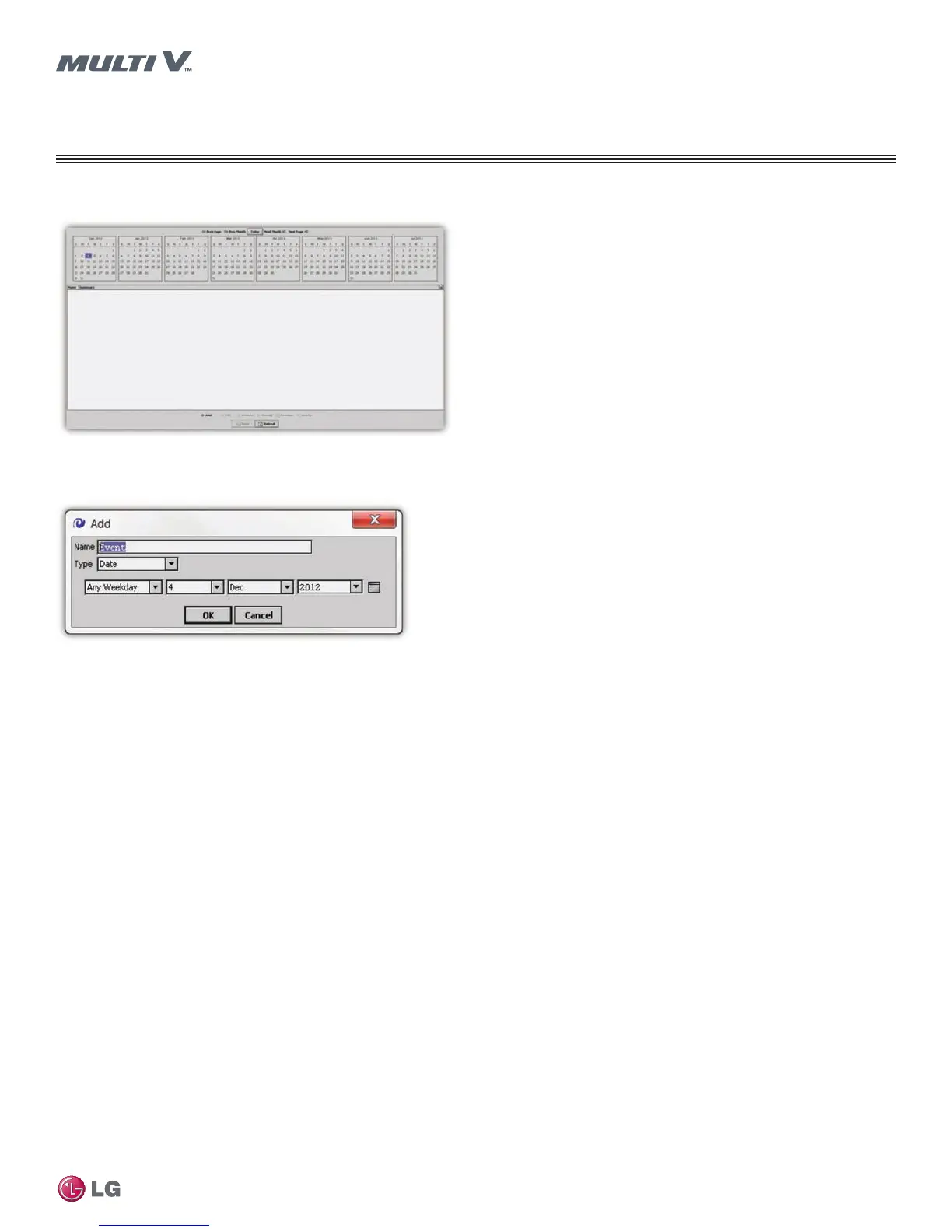
Figure 32: Holiday Special Events Editor
2. Click the Add button (at the bottom of the editor). The Add Dialog window opens.
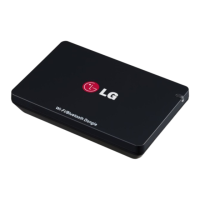
Figure 33: Add Dialog Window
3. Enter a Name for the holiday or special event.
4. Select an event Type from the drop-down menu. Some holidays occur on the same date each year and can be added using the Date type.
Some events occur on specific weekdays during a specific month and can be added using the Week and Day type.
5. Once the holiday or event is created, click the OK button.
Home Page
START-UP
Web System Interface


 To Next Page