D
D
D
L
L
L
P
P
P
P
P
P
r
r
r
o
o
o
j
j
j
e
e
e
c
c
c
t
t
t
o
o
o
r
r
r
—
—
—
U
U
U
s
s
s
e
e
e
r
r
r
’
’
’
s
s
s
M
M
M
a
a
a
n
n
n
u
u
u
a
a
a
l
l
l
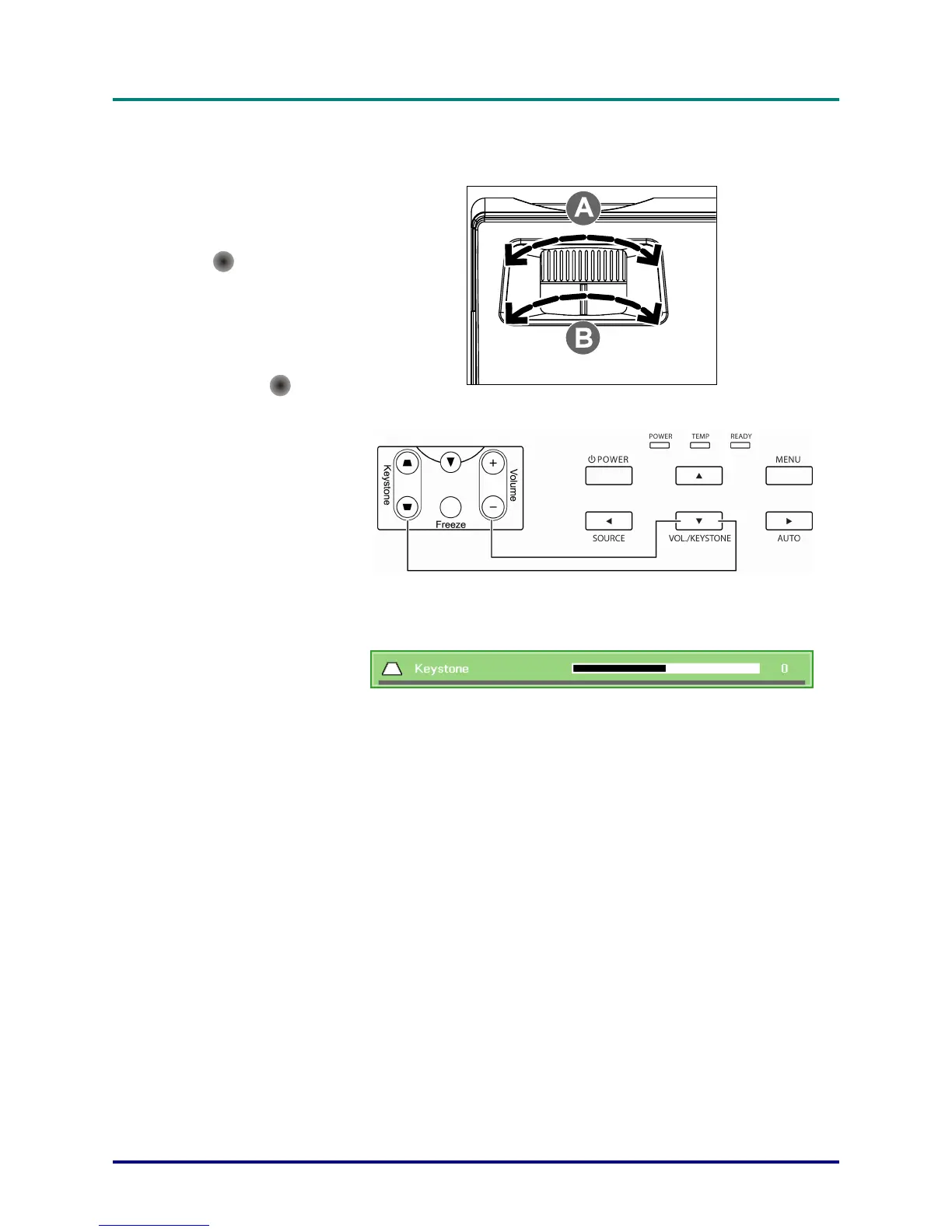
Adjusting the Zoom, Focus and Keystone
1.
Use the Image-zoom
control (on the projector
only) to resize the pro-
jected image and screen
size
B
.
2.
Use the Image-focus
control (on the projector
only) to sharpen the pro-
jected image
A
.
3.
Use the KEYSTONE
buttons (on the projector
or the remote control) to
correct image-trapezoid
(wider top or bottom)
effect.
Remote control and OSD panel
4.
The keystone control
appears on the display.
– 16 –



 To Next Page