EasyManua.ls Logo

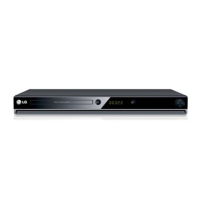
LG DVD5083 - User Manual

LG DVD5083
25 pages
Print Icon
To Next Page IconTo Next Page
Loading...
1
DVD PLAYER
OWNER’S MANUAL
MODEL : DVD5083
Before connecting, operating or adjusting this product,
please read this instruction booklet carefully and completely.
DV5812E3_ENG
FOR THE GUARANTEE TERMS & CONDITIONS,
PLEASE REFER TO BACK COVER OF THIS MANUAL.

Questions and Answers

  • J
    Jennifer WhiteAug 11, 2025
    Why is there no sound coming from my LG DVD Player?
    • C
      Charles EllisAug 11, 2025
      If you're not getting any sound from your LG DVD Player, ensure that the equipment connected to the audio cable is set to the correct input mode to receive audio from the DVD player. Verify that the audio cables are securely connected. Also, make sure that the connected equipment's power is on. Finally, check that the Digital Audio Output is set to the correct position, then turn the DVD player on again.
  • M
    michael87Aug 19, 2025
    What to do if the LG DVD5083 DVD Player remote control is not working?
    • V
      Vanessa DouglasSep 12, 2025
      If the remote control isn't working with your LG DVD Player, make sure you're pointing it directly at the remote sensor on the DVD player. Ensure you are within 23 ft (7 m) of the DVD player. Remove any obstacles between the remote and the DVD player. If it still doesn't work, replace the batteries with new ones.
  • S
    Sean ChavezAug 27, 2025
    Why won't my LG DVD Player start playback?
    • G
      Glen HallAug 27, 2025
      If your LG DVD Player won't start playback, make sure you've inserted a playable disc, checking its type, color system, and regional code. Ensure the disc is placed with the playback side down and correctly within the guide on the disc tray. Clean the disc if it's dirty. Also, check if the Rating level is set and, if so, cancel the Rating function or change the rating level.
  • P
    patriciaadamsSep 2, 2025
    Why is there no picture on my LG DVD5083?
    • B
      Bradley JacksonSep 2, 2025
      If there's no picture on your TV when using the LG DVD Player, make sure the TV is set to the correct video input mode to receive the DVD signal. Also, check that the video cable is securely connected to both the DVD player and the TV. Finally, ensure that the TV's power is turned on.

LG DVD5083 Specifications

General IconGeneral
BrandLG
ModelDVD5083
CategoryDVD Player
LanguageEnglish

Related product manuals