3-7
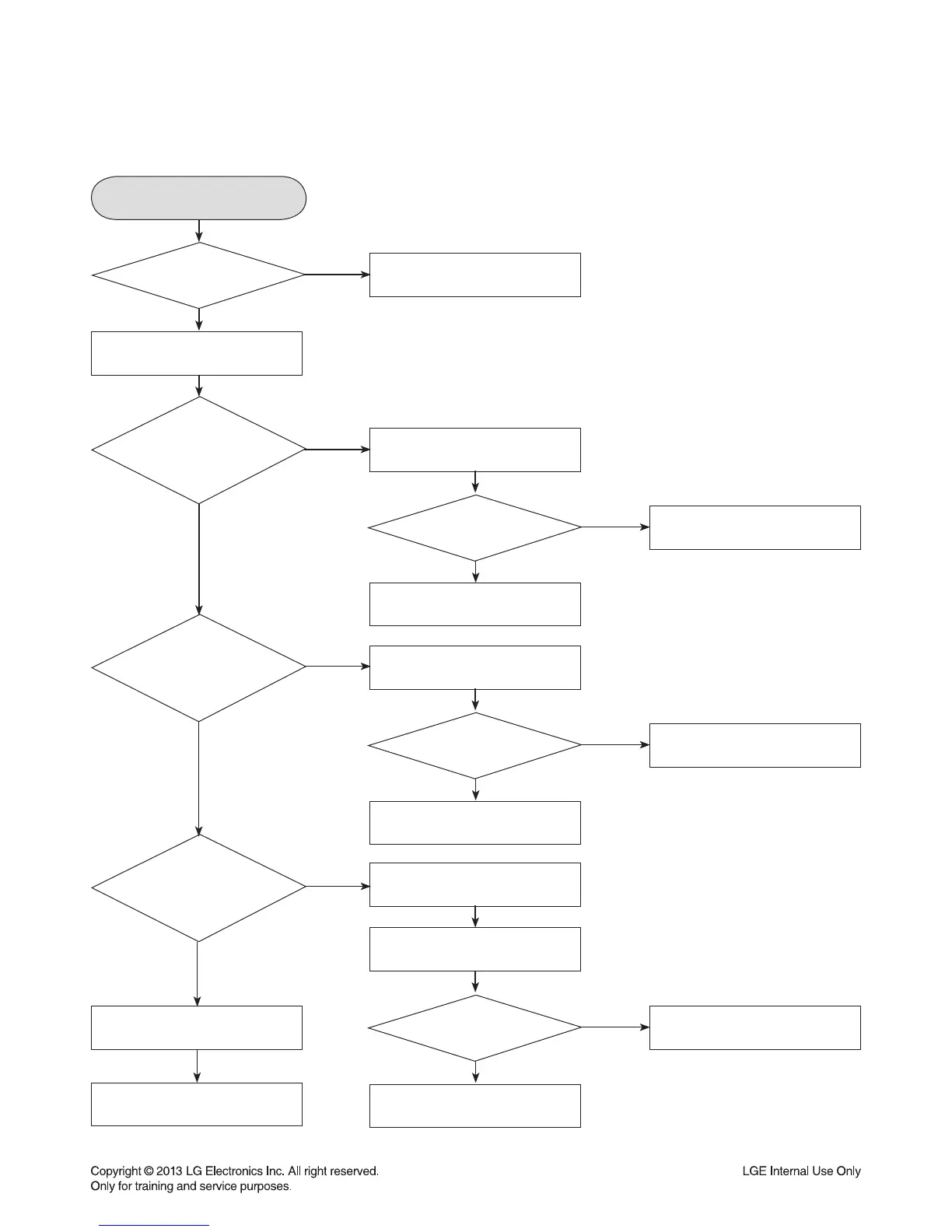
ELECTRICAL TROUBLESHOOTING GUIDE OF AUDIO PART
FLD display check
Refer to
SMPS troubleshooting.
Check CN102 assembly.
OK
OK
OK
IC100 Pin3 --> Pin3 STB
Pin4 --> Pin1 CLK
Check data output.
Check
Pin2 --> DO --> DATA input.
When 3.3 VA fails,
check D100 SDB0540 input
and output power.
F1+, F2- both terminals: over 3.7 V
Check power VKK: over -30 V.
Replace the related part.
Replace the related part.FLD light on?
Replace the related part.
Check
CN103 Pin1, 2, 3
power.
NO
NO
NO
NO
NO
NO
NO
Check
power of each Pin.
Check
the related part.
Check
the related part.
Check
IC101 --> IC301
DATA communication
Pin3 --> Pin3 STB
Pin2 --> Pin2 DO
Pin4 --> Pin1 CLK
Check
IC301 MC3501 power
Pin50 VKK : -30 V
Pin9, 51 : +3.3 VA
Check
CN102 connection
condition and power F1+, F2-
both terminals: over 3.7V
Check power VKK: over -30V
Check Pin25: 3.3VA
YES
YES
YES
YES
YES
YES
YES
YES
YES
YES
YES
YES
YES
2. FLD DISPLAY CHECK
OK



 To Next Page