14
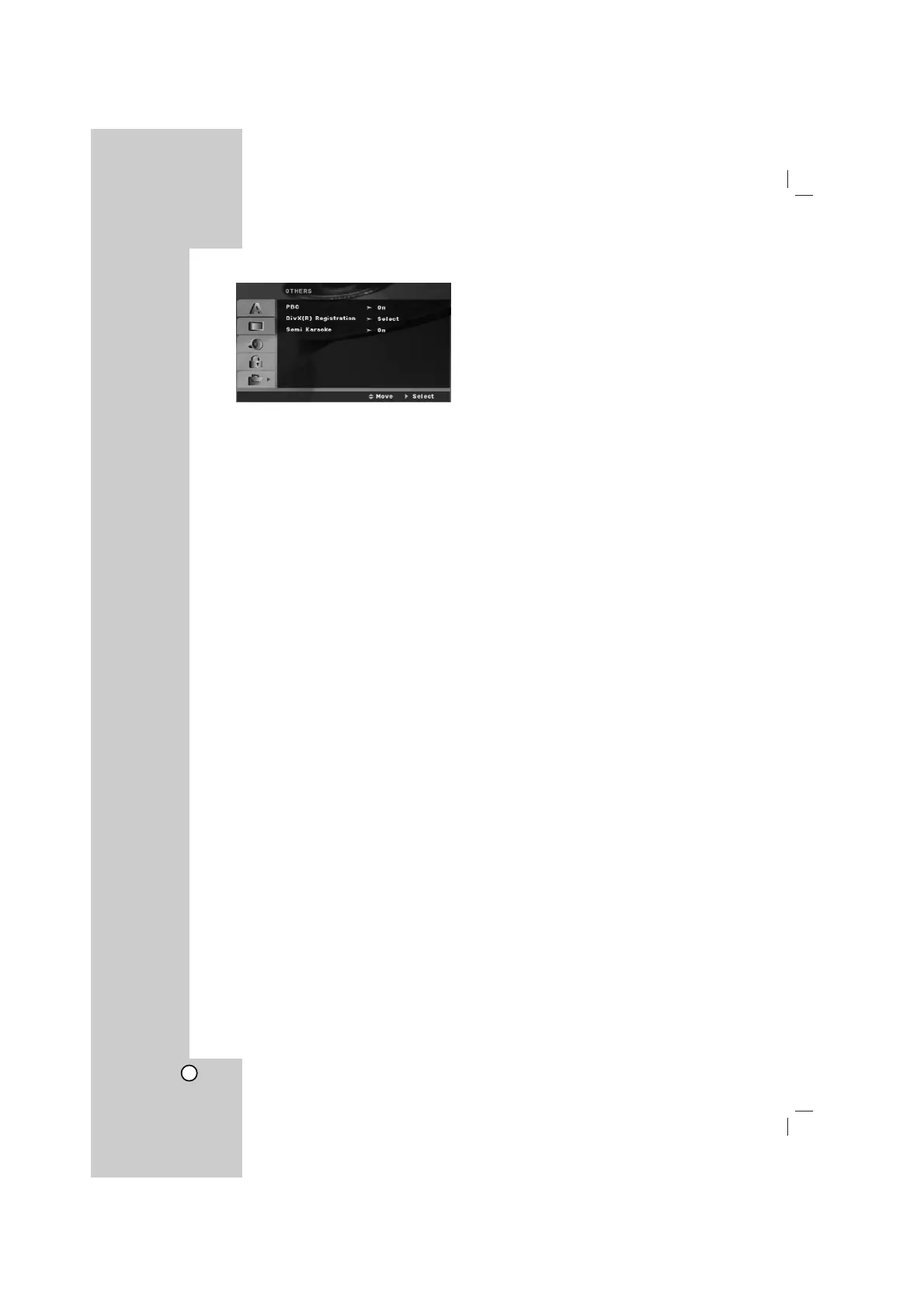
OTHERS
PBC (Playback Control)
Playback control provides special navigation features
that are available on some disc. Select [On] to use
this feature.
DivX(R) Registration
We provide you the DivX
®
VOD (Video On Demand)
registration code that allows you to rent and purchase
videos based on the DivX
®
VOD service. For more
information, visit www.divx.com/vod.
1. Select “DivX(R) Registration” option and then
press B.
2. Press SELECT/ENTER while “Select” is selected
and the registration code will appear.
Use the registration code to purchase or rent the
videos from DivX
®
VOD service at
www.divx.com/vod. Follow the instructions and
download the video onto a disc for playback on
this unit.
3. Press SELECT/ENTER to exit.
Note:
All the downloaded videos from DivX
®
VOD can only
be played back on this unit.
Semi Karaoke
When a chapter/ title / track is fully finished ,this
function shows the score in the screen with a fanfare
sound.
on : Turn the “Semi Karaoke”function on.
When you finished singing a score will appear
on the screen.
off : Turn the “ Semi Karaoke” function off.
Fanfare and score do not appears on the
screen
Available discs for the Semi Karaoke function:
• DVD discs
• DVD Karaoke Discs
Note:
• This function operate on the DVD/CD mode.
• The Semi Karaoke function is available only when a
microphone is connected.
• Watching movies, “off” the Semi Karaoke or enjoy it
without connecting the MIC at the SET UP menu if
the fanfare or score appears during changing a
chapter.


 To Next Page