Useful App
72
Manual camera mode
You can create professional level photos using a variety of advanced
features. Adjust the white balance, focus, brightness, ISO, shutter speed
and other options.
1. Tap Home > Camera.
2. Tap Manual Camera.
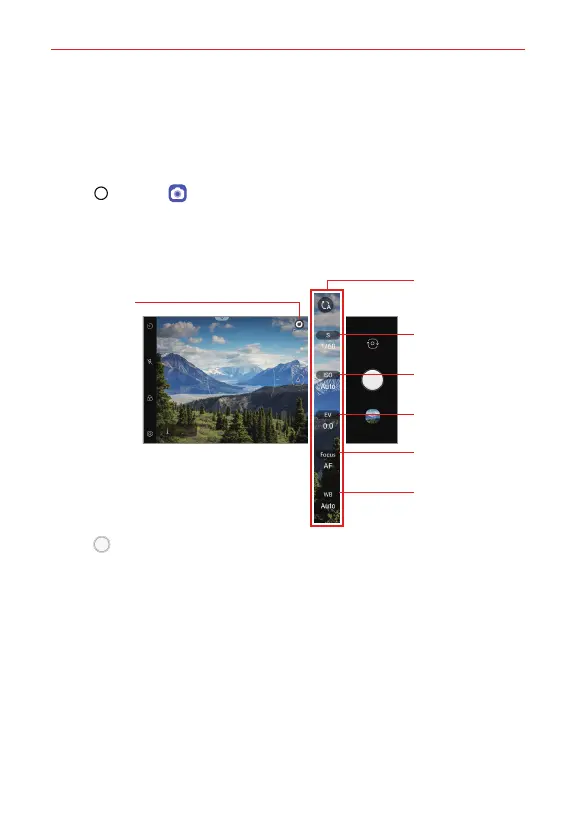
3. Manually adjust the following camera settings, as necessary.
Reset the settings.
Displays the
various Graphy
options.
Adjust shutter speed.
Adjust ISO speed.
Adjust brightness.
Adjust focus.
Adjust white balance.
4. Tap Capture to take the photo.



 To Next Page