71
Appendix
7
Appendix
Controlling a TV with
the Supplied Remote
Control
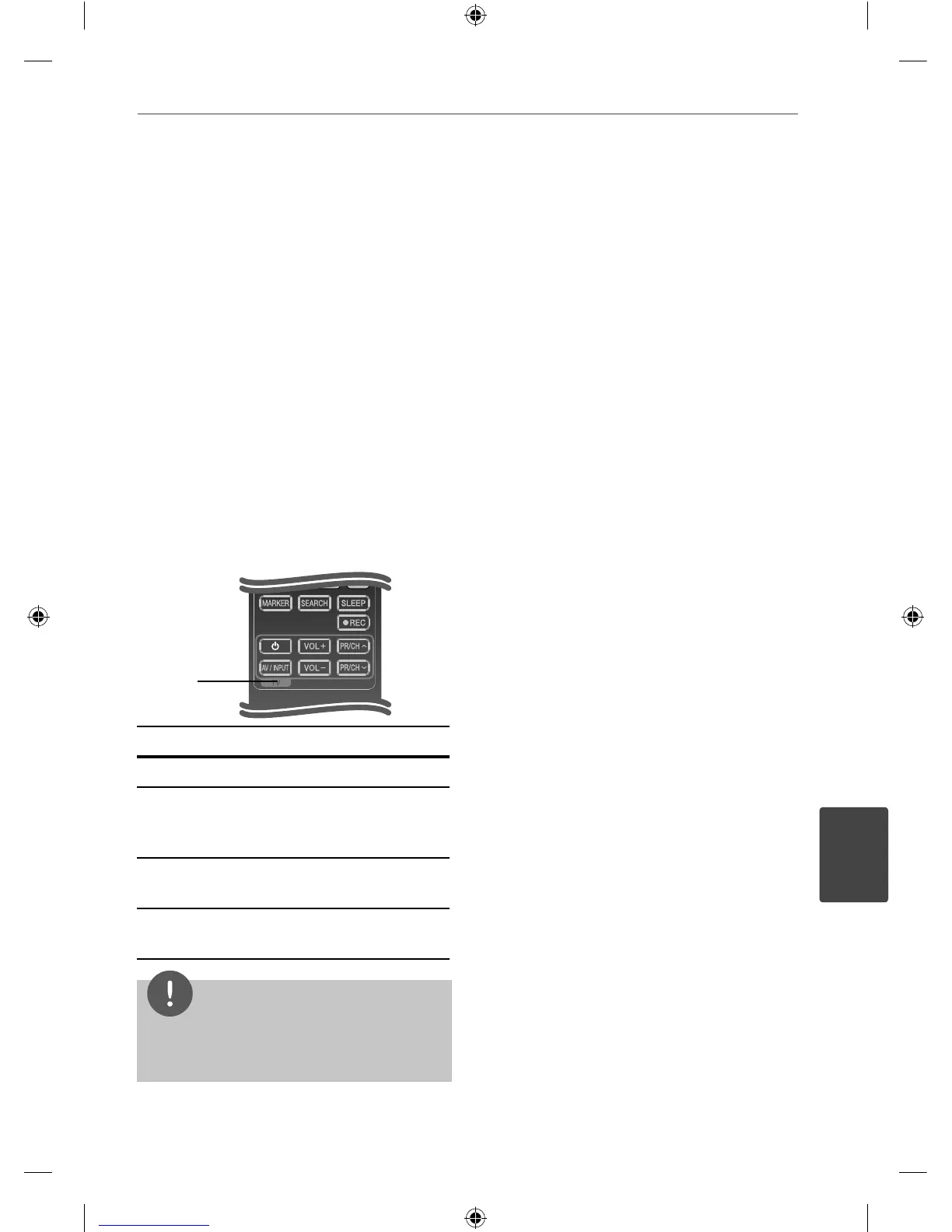
You can control your TV using the buttons
below.
TV Control
Buttons
Button Operation
1
(TV Power)
Turn the TV on or o .
AV/ INPUT Switch the TV’s input source
between the TV and other
input sources.
VOL +/- Adjust the volume of the
TV.
PR/CH
U/u
Scan up or down through
memorized channels.
NOTE
Depending on the unit being connected, you may
not be able to control your TV using some of the
buttons.
Setting up the remote to
control your TV
You can operate your LG/GoldStar TV with the
supplied remote control.
While holding down TV POWER button, press
PR/CH
U/u
. Release the TV POWER button to
complete setting.
When you replace the batteries of the remote,
you may have reset the remote control.
7
Appendix
HB44A(HB44A, SB45A-FW) DG ENG 0071 71HB44A(HB44A, SB45A-FW) DG ENG 0071 71 2010-04-29 ¿ÀÀü 10:45:072010-04-29 ¿ÀÀü 10:45:07


 To Next Page