Installation Manual 15
Installation to Decorative Panel
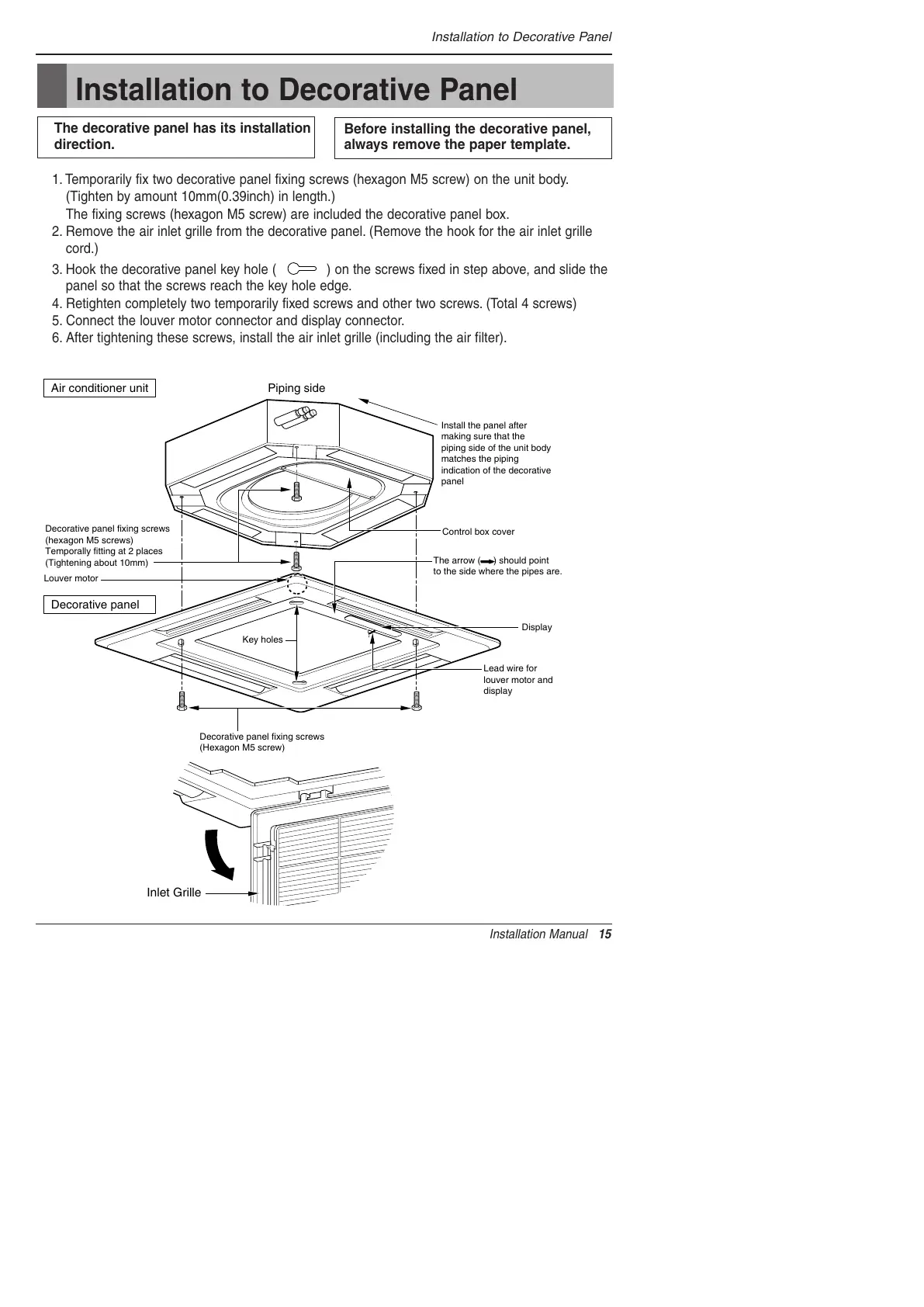
1. Temporarily fix two decorative panel fixing screws (hexagon M5 screw) on the unit body.
(Tighten by amount 10mm(0.39inch) in length.)
The fixing screws (hexagon M5 screw) are included the decorative panel box.
2. Remove the air inlet grille from the decorative panel. (Remove the hook for the air inlet grille
cord.)
3. Hook the decorative panel key hole ( ) on the screws fixed in step above, and slide the
panel so that the screws reach the key hole edge.
4. Retighten completely two temporarily fixed screws and other two screws. (Total 4 screws)
5. Connect the louver motor connector and display connector.
6. After tightening these screws, install the air inlet grille (including the air filter).
Decorative panel fixing screws
(hexagon M5 screws)
Temporally fitting at 2 places
(Tightening about 10mm)
Install the panel after
making sure that the
piping side of the unit body
matches the piping
indication of the decorative
panel
Control box cover
Piping side
Inlet GrilleInlet Grille
Inlet Grille
Louver motor
Decorative panel fixing screws
(Hexagon M5 screw)
The arrow ( ) should point
to the side where the pipes are.
Air conditioner unit
Decorative panel
Key holes
Display
Lead wire for
louver motor and
display
The decorative panel has its installation
direction.
Before installing the decorative panel,
always remove the paper template.
Installation to Decorative Panel



 To Next Page