EasyManua.ls Logo

LG HLS36W - User Manual

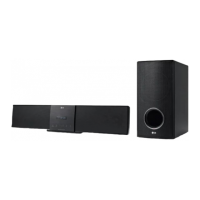
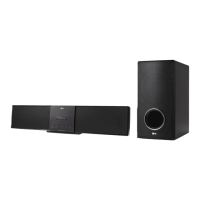
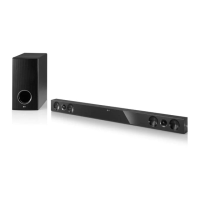
LG HLS36W
26 pages
Print Icon
To Next Page IconTo Next Page
Loading...
Please read this manual carefully before operating
your set and retain it for future reference.
HLS36W (HLS36W, SHS36-D)
OWNER’S MANUAL
Speaker Sound Bar
P/NO : MFL67240448
HLS36W-NB_DPANLLK_ENG_0448.indd 1 2011-07-13 �� 3:51:38

Questions and Answers

  • A
    Anthony SanchezJul 31, 2025
    What to do if the LG HLS36W Speaker System remote control does not work?
    • N
      nhunterJul 31, 2025
      If your LG Speaker System remote control isn't working, first, make sure you're within 23 ft (7m) of the unit. Then, check for and remove any obstacles between the remote and the unit. Finally, try replacing the battery with a new one.
  • C
    Catherine JonesAug 9, 2025
    Why does my LG Speaker System have no sound?
    • C
      Christy ChangAug 9, 2025
      If your LG Speaker System has no sound, ensure the woofer's power cord is securely plugged into the wall outlet. Also, verify the unit and woofer are properly connected. If pairing is disconnected, reconnect the unit and woofer.
  • K
    Kathleen JenkinsAug 19, 2025
    How to troubleshoot no power on my LG HLS36W?
    • M
      Michelle GarciaAug 20, 2025
      If your LG Speaker System has no power, make sure the power cord is properly plugged in. If it is, test the outlet by plugging in another electronic device to check if the outlet is working.

Summary

Safety Information

RF Radiation Exposure Statement

Unique Features

Remote Control Operation

Wall Mounting Instructions

System Setup and Pairing

Pairing Wireless Subwoofer

Guides on LED indicators and steps for manual and automatic pairing of the wireless subwoofer.

USB Playback and Device Requirements

Basic Operations

USB Operation

Guide to playing music from a USB device, including file selection and playback controls.

Sound Adjustment and Surround Modes

Setting the Surround Mode

Explains how to select different preset surround sound fields using the SOUND EFFECT button.

Bluetooth Technology Overview

Pairing and Listening via Bluetooth

Step-by-step guide to pair your unit with a Bluetooth device and play music.

Bluetooth Device Operation

Pairing Bluetooth Devices

Detailed steps for pairing your unit with a Bluetooth device, including PIN code and confirmation.

Operating with Bluetooth Device

Information on controlling the unit using a connected Bluetooth device via AVRCP.

Connecting and Disconnecting Bluetooth

Instructions on how to connect to or disconnect from a paired Bluetooth device.

TV Remote Control Setup

Setting Up Remote for TV Control

Guide to setting up the remote control to operate your TV using manufacturer codes.

Troubleshooting Common Issues

Maintenance and Unit Handling

Product Specifications

LG HLS36W Specifications

General IconGeneral
Audio decodersDolby Digital, DTS
RMS rated power280 W
Audio output channels2.1 channels
Subwoofer includedYes
Subwoofer connectivityWireless
Wi-FiNo
Audio (L/R) in2
Bluetooth version2.0+EDR
SCART ports quantity-
USB 2.0 ports quantity1
Connectivity technologyWired
Subwoofer dimensions (WxHxD)196 x 317 x 392 mm
Product colorBlack
Audio formats supportedAAC, LPCM, MP3, WMA
Apple docking compatibilityNot supported
AC input frequency50 - 60 Hz
Power consumption (standby)0.5 W
Power consumption (typical)30 W
Weight and Dimensions IconWeight and Dimensions
Weight9200 g
Subwoofer weight6900 g

Related product manuals