Installing and Composition
13
●
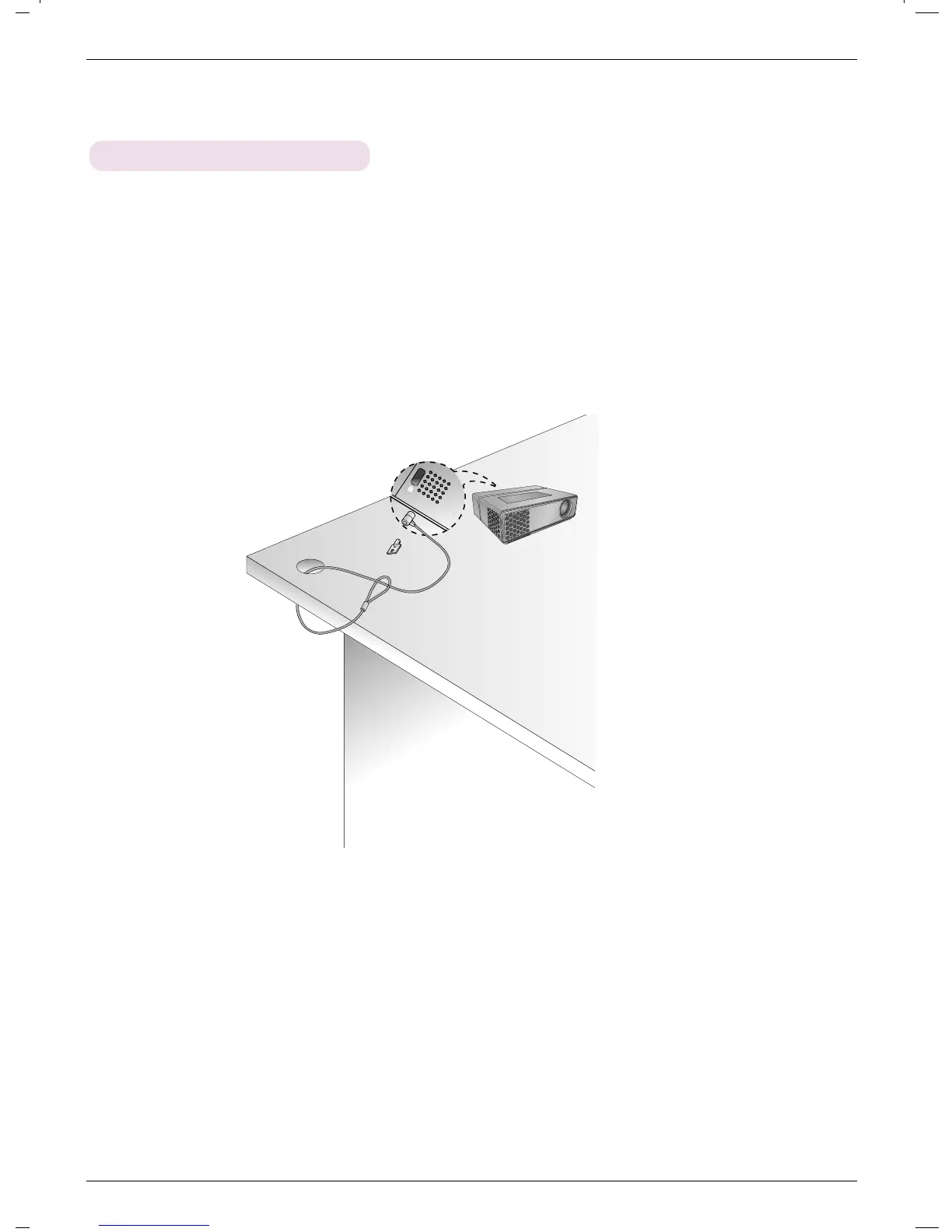
The projector has a ‘Kensington’ Security System Connector on the back panel. Connect the ‘Kensington’
Security System cable as below.
●
For the detailed installation and use of the Kensington Security System, refer to the user’s guide attached
to the Kensington Security System set.
And for further information, contact http://www.kensington.com, the internet homepage of the
Kensington company that deals with expensive electronic equipment such as notebook PCs or projec-
tors.
●
Kensington Security System is an optional item.
Using Kensington Security System



 To Next Page