Connection
15
Connection
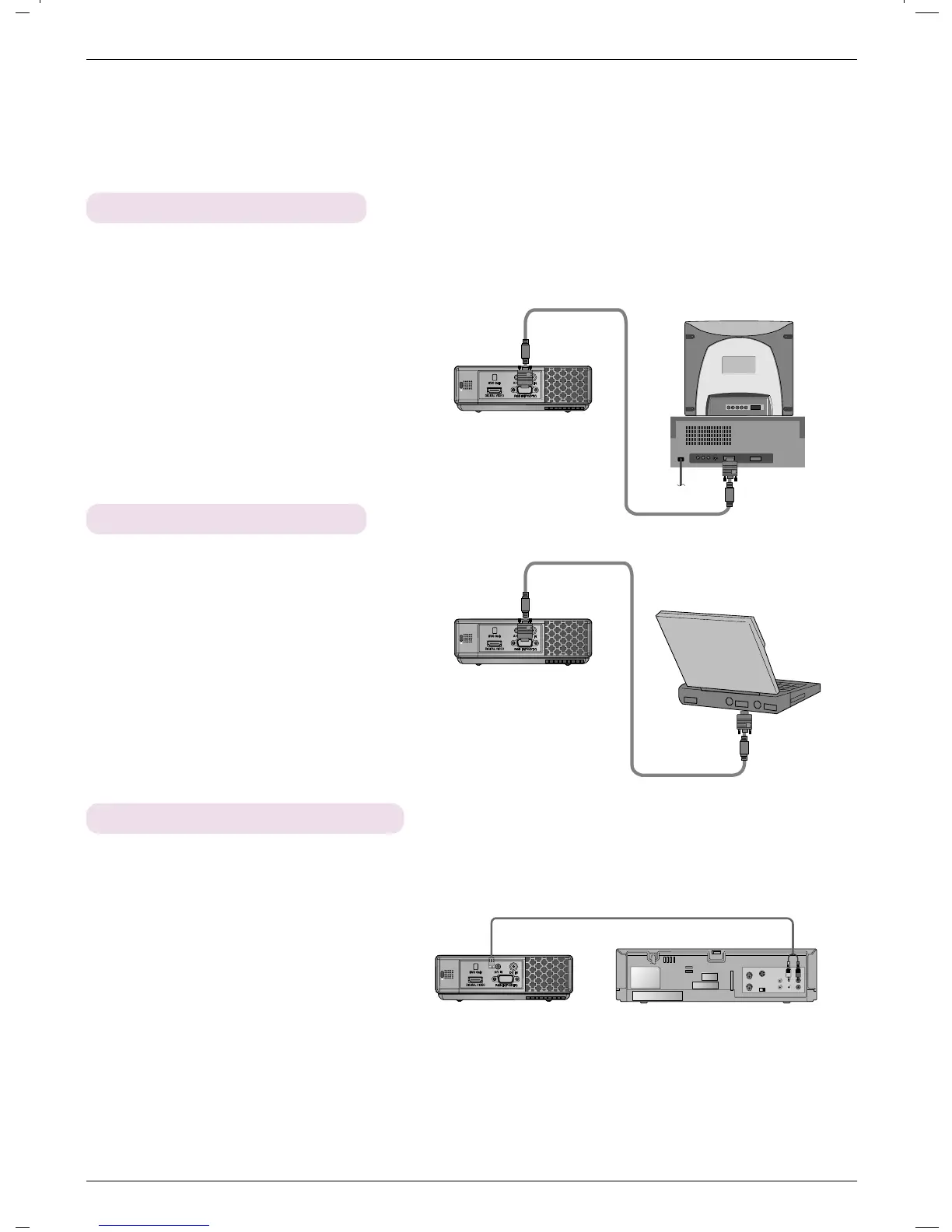
Connecting to a Desktop PC
* You can connect the projector to a computer of VGA, SVGA, XGA and SXGA output.
* Refer to page 24 for the supported monitor displays of the projector.
< How to connect >
Connect computer cable to RGB IN (PC/DTV) of the projector.
Connecting to a Notebook PC
< How to connect >
Connect computer cable to RGB IN (PC/DTV) of the
projector.
* If you set your computer to output the signal to both the
display of your computer and the external projector, the
picture of the external projector may not appear properly.
In such cases, set the output mode of your computer to
output the signal only to the external projector. For
details, refer to the operating instructions supplied with
your computer.
Connecting to a Video Source
< How to connect >
a. Connect the A/V IN jack of the projector to the output jacks
of the A/V source with A/V cable.



 To Next Page