32
Operating
4
Operating
Viewing a PHOTO file
i
This unit can play discs with photo les.
1. Select [Photo] on the [Home Menu] and press
b
ENTER.
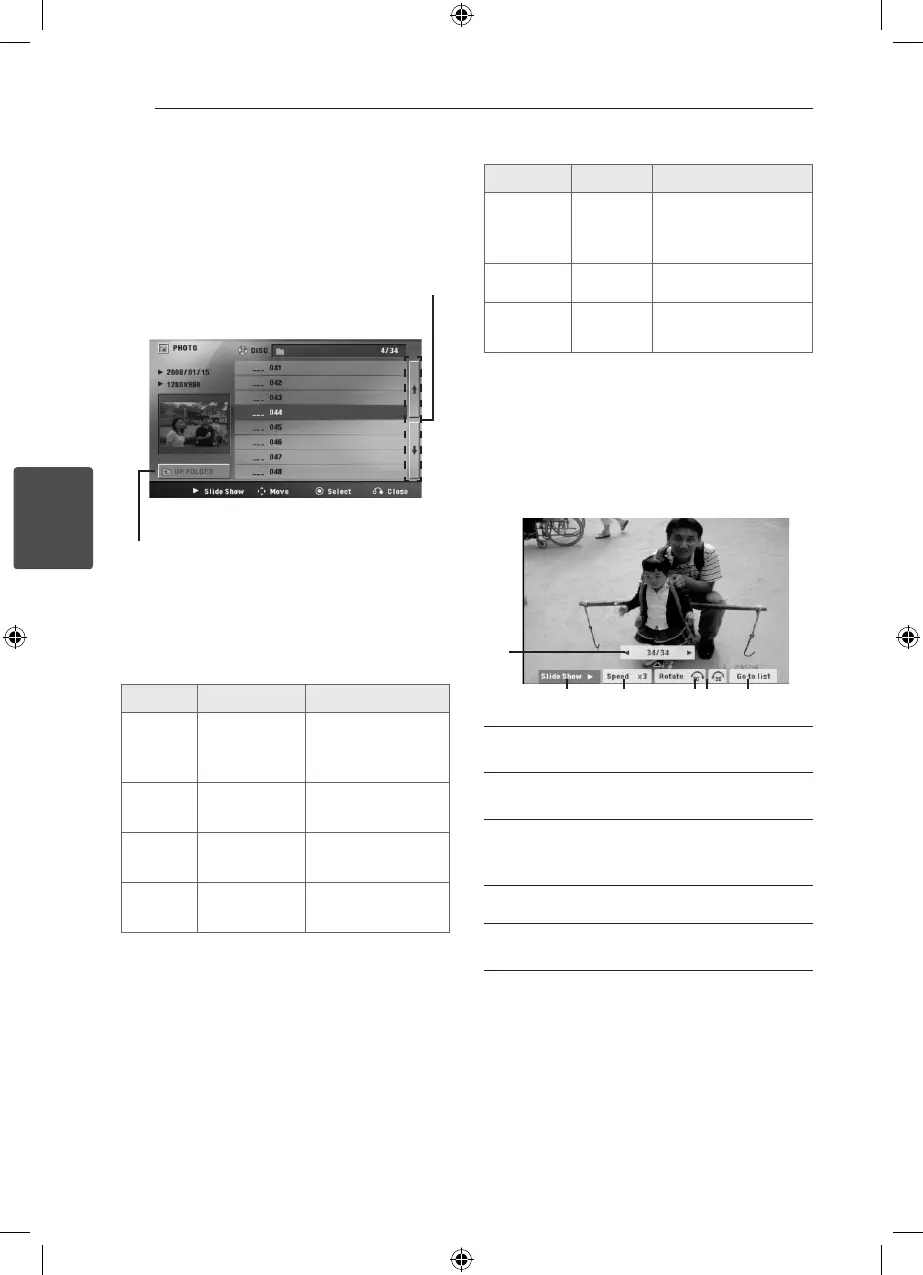
Moving to the previous or
next le list.
Returning to the upper
folder.
2. Press
WS
to select a folder, and then press
b
ENTER.
3. If you want to view a slide show, press
WS
to
highlight a le and press
d
PLAY.
About help menu in the [Photo] menu
Menu Buttons Operation
d
Slide
Show
d
PLAY
Viewing a slide
show.
wsad
Move
WSAD
Moving to another
le or content.
b
Select
b
ENTER
Viewing a particular
le.
x
Close
x
RETURN
Returning to the
[Home Menu].
About help menu in the full screen
Menu Buttons Operation
Menu
m
INFO/
DISPLAY
Displaying the Option
menu.
a/d
Prev./ Next
A/D
Moving to another le.
x
Close
x
RETURN
Returning to the
[Photo] menu.
Options while viewing a photo
You can use various options during viewing a
photo in full screen.
1. While viewing a photo in full screen, press
m
INFO/DISPLAY to display the option menu.
2. Select an option using
WSAD
.
a
b c d e
a Current photo/ Total number of photos –
Use
AD
to view previous/next photo.
b
Slide Show
z
/
M
– Press
ENTER to start
or pause slide show.
c
Speed x3/ x2/ x1 – Use
ENTER to select
a delaying speed between photos in a slide
show.
d
Rotate – Press
ENTER to rotate the photo.
e
Go to list – Press
ENTER to return [Photo]
menu.
HT906TA-N0_BTURLLK_ENG_6156.indd 32 2011-12-13 �� 5:17:07



 To Next Page