System Setting 13
System Setting
3
[AUDIO] Menu
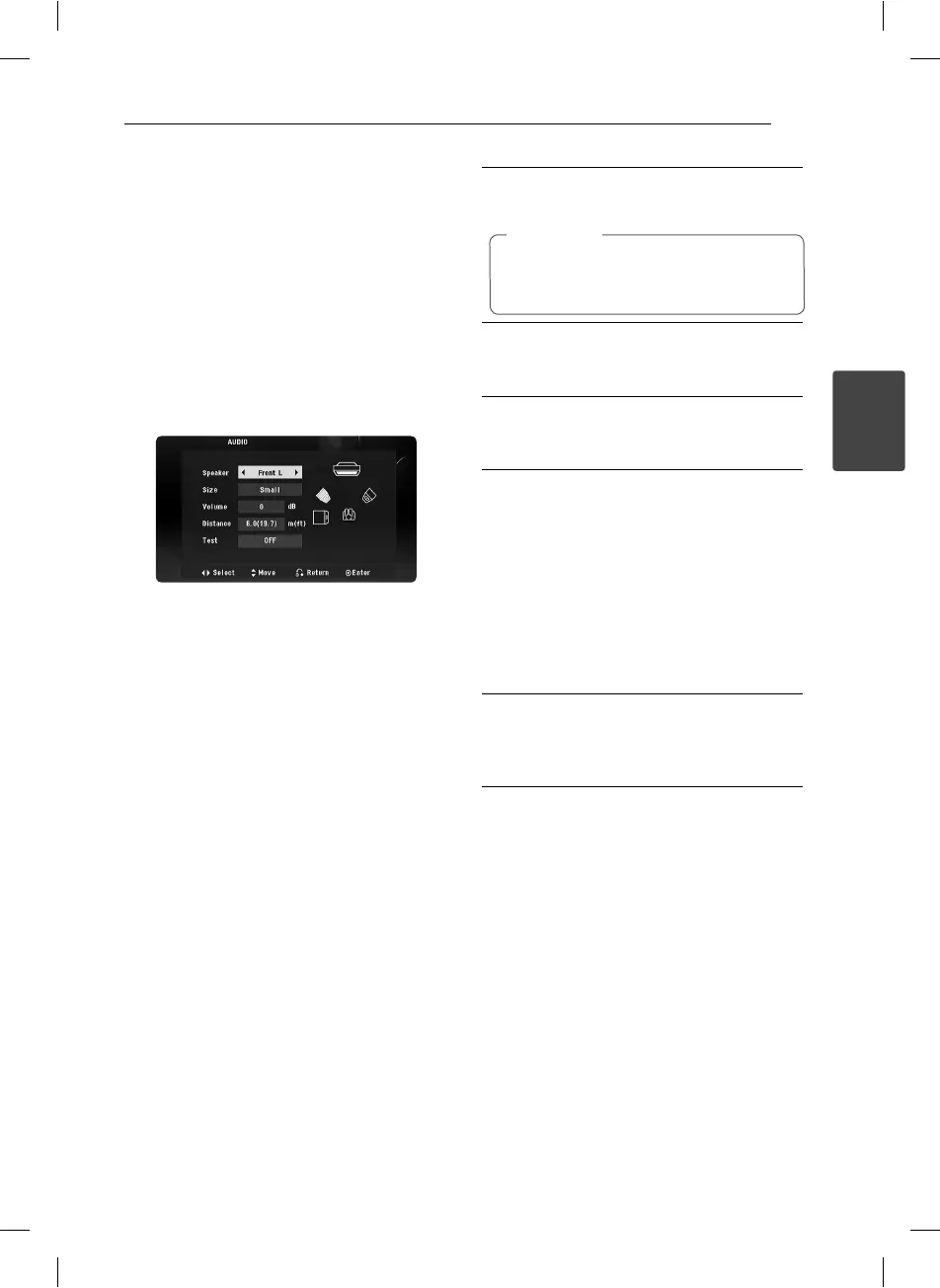
Speaker Setup
Make the following settings for the built-in channel
surrounds decoder.
1. Press SETUP.
2. Use
WS
to select AUDIO menu and then press
D
.
3. Use
WS
to select [Speaker setup] menu and
then press
D
.
4. Press ENTER.
The [Speaker setup] appears.
5. Use
AD
to select the desired speaker.
6. Adjust options using
WSAD
buttons.
7. Press RETURN to con rm your selection. Return
to the previous menu.
[Speaker]
Select a speaker that you want to adjust.
Certain speaker settings are prohibited by
the Dolby Digital licensing agreement.
,
Note
[Size]
Since the speaker settings are xed, you cannot
change the settings.
[Volume]
Press
AD
to adjust the output level of the
selected speaker.
[Distance]
After you connected speakers to your unit,
set the Distance between the speakers and
your listening point if the distance of Center
or Rear speakers is bigger than the distance
of Front speakers. This allows the sound from
each speaker to reach the listener at the same
time. Press
AD
to adjust the Distance of the
selected speaker. This distance is equivalent to
a di erence of the distance between Center or
Rear speaker and Front speakers.
[Test]
Press
AD
to test the signals of each speaker.
Adjust the volume to match the volume of test
signals memorized in the system.
DRC (Dynamic Range Control)
Make the sound clear when the volume is turned
down (Dolby Digital only). Set to [On] for this e ect.
Vocal
Set to [On] only when a multi-channel karaoke DVD
is playing. The karaoke channels on the disc mix
into normal stereo sound.
HT156DD-F0-AMARLLK-ENG.indd 13HT156DD-F0-AMARLLK-ENG.indd 13 11. 07. 28 9:1311. 07. 28 9:13



 To Next Page