8
Adjust the display settings
TV Aspect – Select which screen aspect to use based on the shape of your TV
screen.
[4:3]: Select when a standard 4:3 TV is connected.
[16:9]: Select when a 16:9 wide TV is connected.
Display Mode – If you selected 4:3, you’ll need to define how you would like
widescreen programs and films to be displayed on your TV screen.
[Letterbox]: This displays a widescreen picture with black bands at the top
and bottom of the screen.
[Panscan]: This fills the entire 4:3 screen, cropping the picture as necessary.
TV Output Select – Select an option according to the TV connection type.
[YPbPr]: When your TV is connected with the COMPONENT/VIDEO jacks on
the unit.
[RGB]: When your TV is connected with the SCART jack.
Progressive Scan (For Component Video connections) – Selects whether
the COMPONENT/VIDEO OUTPUT jacks output progressive signal. If your TV
accepts progressive format signals, you will enjoy accurate colour reproduction
and high quality image by selecting [On]. If your TV does not accept
progressive format signals, select [Off].
If you set Progressive Scan to [On] in error, you must reset the unit. First, remove the
disc in the unit. Next, press and hold STOP (x) for five seconds. The video output
will be restored to the standard setting, and a picture will be visible on your TV.
Adjust the audio settings
DRC (Dynamic Range Control) – Make the sound clear when the volume is
turned down (Dolby Digital only). Set to [On] for this effect.
Vocal – Select [On] to mix karaoke channels into normal stereo. This function is
effective for multi-channel karaoke DVDs only.
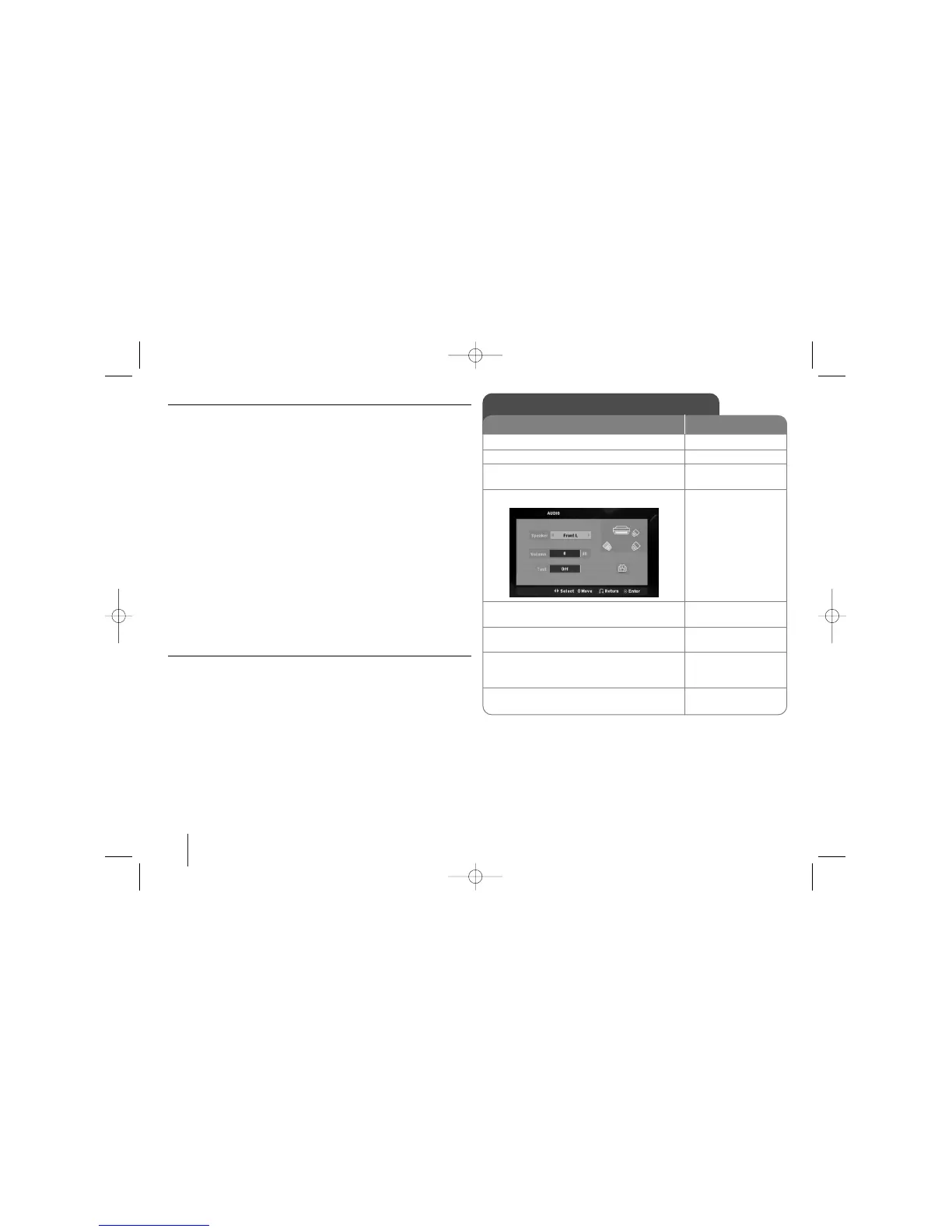
2.1 Speaker Setup
ON REMOTE
1 Open the settings menu: SETUP
2 Select to the audio icon: vV
3 Select right to enter the audio menu, then
select 2.1 Speaker Setup: BvV ENTER
4 Select the speaker you want to adjust:
bB
5 Select a option and change
the settings: vVbB
6 Set the output level (volume) of a speaker:
from -5dB to +5dB. bB
7Test the signals of each speaker:
Adjust the volume to your taste
according to these signals. bB
8 Save your settings and exit the Setup
menu: RETURN



 To Next Page