EasyManua.ls Logo

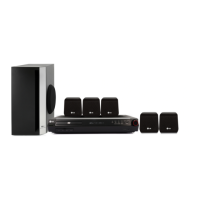
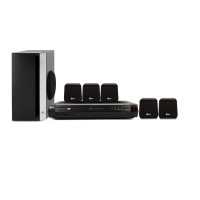
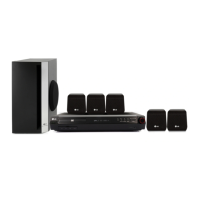
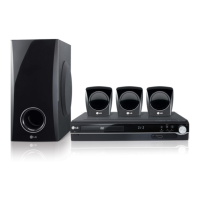
LG HT302SD-A0 - User Manual

LG HT302SD-A0
24 pages
Print Icon
To Next Page IconTo Next Page
Loading...
R
DVD/CD RECEIVER
OWNER’S MANUAL
MODEL: HT302SD
HT302SD-A0
SH32SD-S, SH32SD-W
Before connecting, operating or adjusting this product,
please read this instruction booklet carefully and
completely.
HT302SD-A0_JACSELK_ENG_37
USB

Other manuals for LG HT302SD-A0

Questions and Answers

  • T
    Timothy JonesSep 23, 2025
    Why is there no sound coming from my LG Karaoke System, or the sound is very low?
    • T
      tanyasilvaSep 23, 2025
      If you are experiencing sound issues with your LG Karaoke System, consider the following: * Ensure that the equipment connected with the audio cable is set to the correct input mode. * Check that the audio cables are securely connected to the jacks. * Verify that the connected equipment is powered on. * If the problem persists, the audio connecting cable may be damaged and need replacement.
  • H
    hillrogerSep 2, 2025
    How to fix LG Receiver when there is no power?
    • S
      Sandra BurnsSep 2, 2025
      If your LG Receiver has no power, the power cord might be disconnected. Ensure the power cord is securely plugged into the wall outlet.
  • L
    lleeAug 27, 2025
    Why is there no picture on my LG Home Theater System?
    • S
      Scott JonesAug 27, 2025
      If there is no picture on your LG Home Theater System, first, ensure that your TV is set to the correct video input mode to receive the DVD signal. Next, check that the video cable is securely connected. Finally, verify that the TV is powered on.
  • R
    Rhonda WatsonSep 15, 2025
    What to do if my LG HT302SD-A0 Receiver has no power?
    • P
      Philip HillSep 15, 2025
      If your LG Receiver has no power, ensure the power cord is securely plugged into the wall outlet.
  • E
    edwardsteeleSep 18, 2025
    Why does my LG Receiver make a loud hum or noise?
    • T
      tylersummersSep 18, 2025
      If you hear a loud hum or noise, clean the disc. Ensure the speakers and components are securely connected. Also, move the TV away from the audio components.
  • A
    ashley00Sep 5, 2025
    What to do if there is no sound from my LG HT302SD-A0 Receiver?
    • K
      Kara PerezSep 5, 2025
      If you're experiencing no sound or very low sound, ensure the equipment connected with the audio cable is set to receive DVD audio. Check that the audio cables are securely connected. Verify that the connected equipment is powered on. If the audio connecting cable is damaged, replace it.
  • K
    Kathy BrownSep 8, 2025
    Why can't my LG Home Theater System tune in radio stations?
    • H
      Heidi RichardsonSep 8, 2025
      If you're unable to tune in radio stations, first, ensure the antenna is securely connected. If you're using automatic tuning, the signal strength may be too weak, so try tuning in the station manually. If tuning by scanning preset stations, you may need to preset the stations.
  • C
    Catherine AlexanderSep 14, 2025
    How do I fix nothing being displayed on the front panel of my LG Receiver?
    • G
      George WardSep 14, 2025
      Press DIMMER on the remote control of your LG Receiver.
  • M
    Ms. Courtney ButlerSep 23, 2025
    Why can't I tune in radio stations on my LG Karaoke System?
    • S
      Stephen ThompsonSep 23, 2025
      If you're having trouble tuning in radio stations on your LG Karaoke System, there are a few possible causes: * The antenna might be poorly positioned or connected. Ensure the antenna is securely connected. * The signal strength of the stations might be too weak. Try tuning in the station manually. * No stations might have been preset, or preset stations might have been cleared.
  • M
    Michael PhillipsAug 25, 2025
    Why is my LG Receiver remote control not working properly?
    • T
      Timothy HallAug 26, 2025
      If the remote control for your LG Receiver isn't working, it could be due to several reasons: * Make sure that the remote control is pointed at the remote sensor on the DVD/CD Receiver. * Ensure you are within about 23 ft (7 m) of the DVD/CD Receiver. * Remove any obstacles between the remote control and the DVD/CD Receiver. * The batteries in the remote control might be flat, replace them with new ones.

LG HT302SD-A0 Specifications

General IconGeneral
BrandLG
ModelHT302SD-A0
CategoryReceiver
LanguageEnglish

Related product manuals