Connecting14
Connecting
2
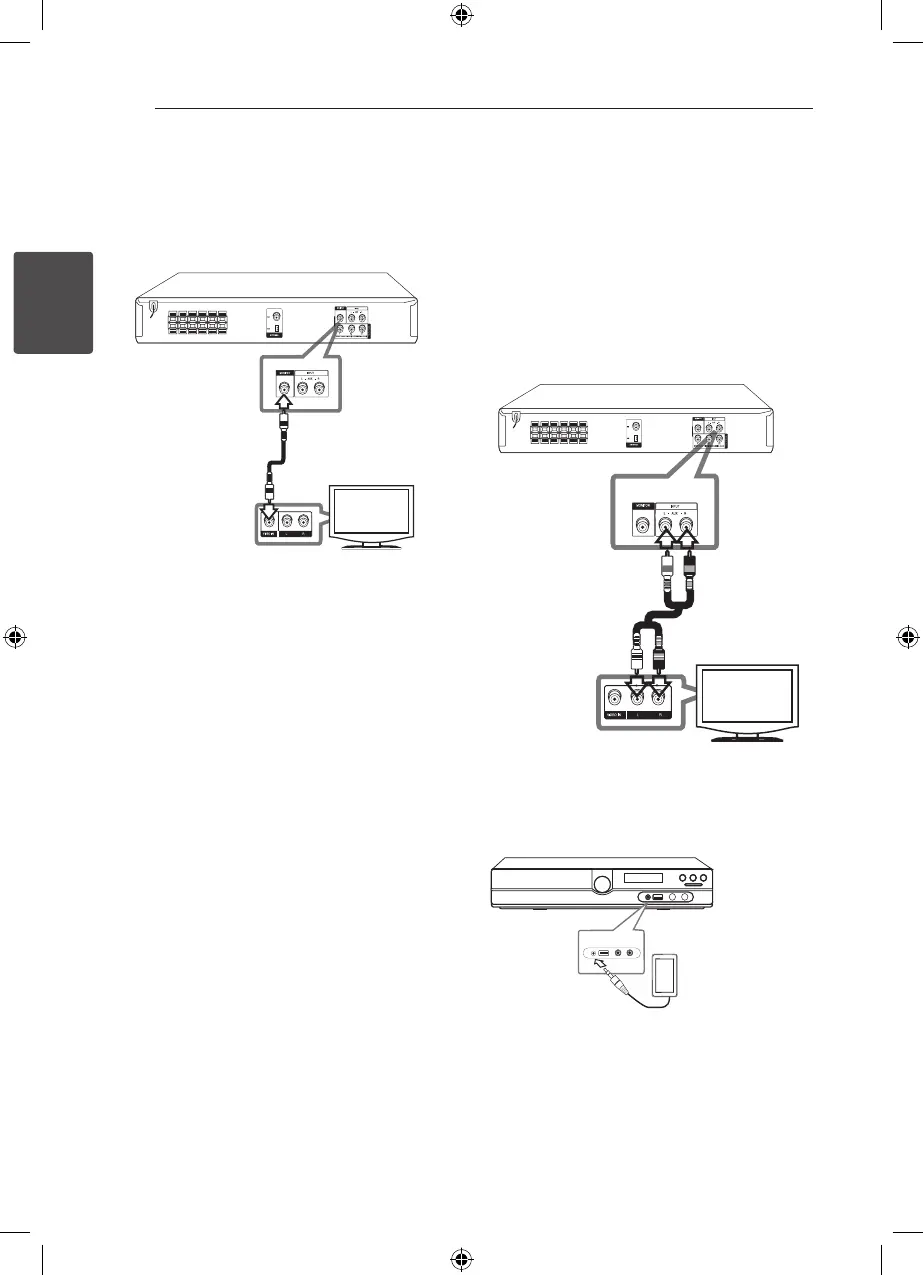
Video Connection
Connect the MONITOR jack on the unit to the video
in jack on the TV using a video cable.
You can hear the sound through the system’s
speakers.
Optional Equipment
Connection
AUX IN Connection
Connect an Output of auxiliary device to the AUX
(L/R) INPUT Connector.
If your TV has only one output for audio (mono),
connect it to the left (white) audio jack on the unit.
AUDIO IN (P. IN) Connection
Connect an OUTPUT of portable device (MP3 or
PMP etc) to the P. IN connector.
MP3 player, etc...
HT356SD-A2_DPERLLK_ENG_3810.indd 14 2010-12-29 �� 10:31:45



 To Next Page