EasyManua.ls Logo

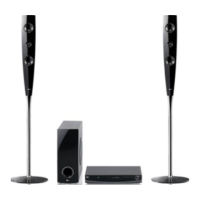
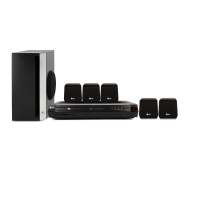
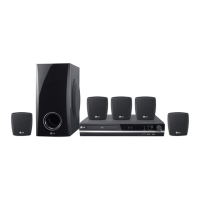
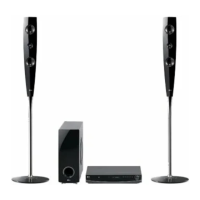
LG HT462DZ-D2 - User Manual

LG HT462DZ-D2
26 pages
Print Icon
To Next Page IconTo Next Page
Loading...
DVD RECEIVER
OWNER’S MANUAL
MODEL: HT462DZ
HT462DZ-D2
SH42DZ-S
SH42DZ-W
Before connecting, operating or adjusting this product,
please read this instruction booklet carefully and completely.
HT462DZ-D2_DLVALLK_ENG_1111

Questions and Answers

  • D
    Derrick NewmanSep 10, 2025
    Why is my LG HT462DZ-D2 Receiver making a loud humming noise?
    • O
      oreynoldsSep 12, 2025
      If you hear a loud hum or noise from your LG DVD/CD Receiver, try these solutions: * Clean the disc. * Ensure the speakers and components are securely connected. * Move the TV away from the audio components.
  • G
    George LaneSep 9, 2025
    What to do if LG Receiver has no picture?
    • R
      Robert ThompsonSep 9, 2025
      If you're not getting a picture from your LG DVD/CD Receiver, try these steps: * Make sure your TV is set to the correct video input mode to receive the DVD signal. * Ensure the video cable is securely connected to both the receiver and the TV. * Confirm that the connected TV is powered on.
  • J
    Jeremiah McmahonSep 8, 2025
    Why LG Receiver does not start playback?
    • E
      Elizabeth McfarlandSep 8, 2025
      If your LG DVD/CD Receiver does not start playback, consider the following: 1. Ensure a playable disc is inserted correctly (label side up). 2. Clean the disc if it is dirty. 3. Make sure no menu is on the TV screen by pressing the SETUP button. 4. Check if the Rating level is set; if so, cancel the Rating function or change the rating level.
  • M
    Melinda DavisAug 23, 2025
    What to do if my LG DVD Player won't play a DVD?
    • P
      Phillip MartinezAug 23, 2025
      If your LG DVD Player isn't playing a DVD or CD, make sure a disc is actually inserted and that it's a playable disc (check the disc type, color system, and regional code). Ensure the disc is placed correctly, with the label or printed side facing up. If the menu is open on the screen, press SETUP to close it. Also, check if a parental lock is preventing playback; if so, enter your password or adjust the rating level.
  • M
    Matthew DiazSep 5, 2025
    Why can’t radio stations be tuned in properly on my LG HT462DZ-D2?
    • K
      Kaitlin RamosSep 6, 2025
      If you're having trouble tuning into radio stations on your LG Receiver, check these potential causes: * Ensure the antenna connection is secure and adjust its position. * If the signal strength is weak, try tuning to the station manually. * If tuning by scanning preset channels, preset some radio stations. * Make sure the remote is pointed directly at the unit and is within 23 feet (7m) of the DVD receiver. * Remove any obstacles between the remote and the unit.
  • J
    Joshua BakerSep 4, 2025
    Why does my LG HT462DZ-D2 Receiver make a humming noise when playing a DVD or CD?
    • M
      Mackenzie HudsonSep 4, 2025
      A humming noise from your LG Receiver during DVD or CD playback can stem from a couple of issues. The disc may be dirty; try cleaning it with a soft cloth, using outward strokes. Alternatively, the DVD receiver might be too close to the TV, causing feedback. In this case, move the DVD receiver and other audio components further away from your TV.
  • B
    Brian HernandezSep 3, 2025
    What to do if a DVD/CD will not play on my LG HT462DZ-D2 Receiver?
    • E
      Eric MendezSep 3, 2025
      If your LG Receiver is not playing a DVD/CD, consider the following possibilities: * Ensure a disc is inserted. * Verify that the inserted disc is playable by checking the disc type, color system, and regional code. * Make sure the disc is inserted correctly with the label or printed side facing upwards. * If the menu is open on the screen, press SETUP to close it. * Check if a parental lock is enabled, preventing playback based on the DVD's rating; if so, enter your password or adjust the rating level.
  • K
    Kevin ThompsonSep 2, 2025
    What to do if there is no picture on my LG HT462DZ-D2 Receiver?
    • G
      Garrett MartinSep 2, 2025
      If you're not getting a picture on your LG Receiver, it might be due to the TV not being set to receive the DVD signal. To fix this, select the correct video input mode on your TV so that the picture from the DVD Receiver appears. Alternatively, the video cables may not be securely connected. Ensure that the video cables are properly connected to both the TV and the DVD Receiver.
  • C
    Cynthia MooreSep 1, 2025
    How to stop humming noise from LG DVD Player?
    • C
      Courtney ReedSep 1, 2025
      If you hear a humming noise while playing a DVD or CD on your LG DVD Player, try cleaning the disc with a soft cloth, using outward strokes. Additionally, the DVD receiver might be too close to the TV, causing feedback. Try moving the DVD receiver and other audio components further away from the TV.
  • B
    Barbara GonzalezAug 30, 2025
    What to do if there is no sound from my LG HT462DZ-D2 or the sound is very low?
    • T
      trevor29Aug 31, 2025
      If you're experiencing no sound or very low sound from your LG Receiver, here's what you can check: * Ensure the equipment connected with the audio cable is set to receive the DVD audio signal output. Select the correct input mode on the receiver. * Verify that the audio cables are securely connected to the jacks. * Confirm that the equipment connected with the audio cable is powered on. * Check the audio connecting cable for damage and replace it if necessary.

LG HT462DZ-D2 Specifications

General IconGeneral
TypeHome Theater System
Number of Channels5.1
DVD PlayerYes
Audio FormatsDolby Digital, DTS
Supported MediaDVD, CD, MP3, WMA
ConnectivityUSB
Video FormatsDivX

Related product manuals