EasyManua.ls Logo

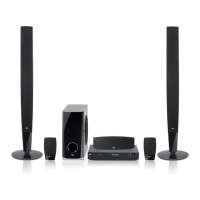
LG HT503TH-A2 - User Manual

LG HT503TH-A2
20 pages
Print Icon
To Next Page IconTo Next Page
Loading...
Model: HT503TH(HT503TH-A2, SH53TH-S/C/W)
Unique Features
P/NO : MFL57006514
5.1ch ez Set-up
Listen sound from TV, DVD
and Digital Device with vivid
5.1ch mode.
Go to page 14
USB Direct Recording
Record music from CD to
your USB device.
Go to page 16
Portable In
Listen to music from your
portable device (MP3,
Notebook, etc).
Go to page 16
HT503TH_A2_BGAHLLK_ENG_6514 6/27/08 8:24 PM Page 1

Questions and Answers

  • L
    lunasydneySep 12, 2025
    How to stop humming noise from my LG HT503TH-A2 Receiver when playing a DVD or CD?
    • M
      Maria TerrySep 12, 2025
      If you hear a humming noise while playing a DVD or CD on your LG Receiver, first clean the disc using a soft cloth with outward strokes. If the issue continues, try moving the DVD receiver and audio components further away from your TV to reduce feedback.
  • T
    Timothy PorterSep 13, 2025
    How to fix no picture on LG Receiver?
    • J
      Jillian MorrisonSep 13, 2025
      If there's no picture on your TV when using the LG Receiver, ensure that your TV is set to the correct video input mode to receive the signal from the DVD Receiver. Also, check that the video cables are securely connected to both the TV and the DVD Receiver.
  • P
    Peter ReedSep 15, 2025
    Why does my LG HT503TH-A2 make a humming noise?
    • S
      stephanie81Sep 15, 2025
      If you hear a humming noise while playing a DVD or CD on your LG Receiver, try cleaning the disc with a soft cloth, using outward strokes. If the humming persists, the DVD receiver might be too close to the TV, causing feedback. Try moving the DVD receiver and other audio components further away from the TV.

LG HT503TH-A2 Specifications

General IconGeneral
Audio Channels5.1
Total Power Output500W
USB PlaybackYes
BluetoothNo
TypeHome Theater System
DVD PlayerYes
Supported Audio FormatsDolby Digital, DTS
Optical Digital Input1
USB Port1
Playback FormatsDVD, CD, MP3, WMA
ConnectivityUSB, Optical Input

Related product manuals