EasyManua.ls Logo

LG HT502SH-AM - User Manual

LG HT502SH-AM
28 pages
Print Icon
To Next Page IconTo Next Page
Loading...
DVD RECEIVER
OWNER’S MANUAL
MODEL: HT502TH
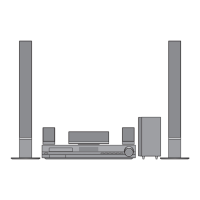
Main Unit - HT502TH-AM
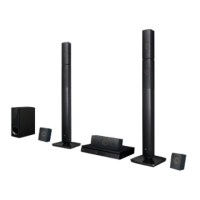
Speakers - SH52TH-S/C/W
HT502SH
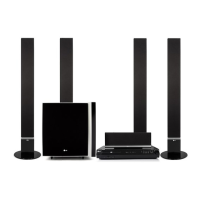
Main Unit - HT502SH-AM
Speakers - SH52SH-S/C/W
HT502PH
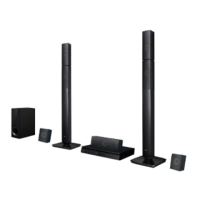
Main Unit - HT502PH-AM
Speakers - SH52PH-F/C/S/W
Before connecting, operating or adjusting this product,
please read this instruction booklet carefully and
completely.
HT502TH/SH/PH-AM.NA4MLLK/S_ENG_MFL38637179
R
USB

Questions and Answers

  • D
    Duane LaneAug 15, 2025
    What to do if LG HT502SH-AM Receiver remote control is not working?
    • R
      Richard FarrellAug 15, 2025
      If the remote control for your LG DVD/CD Receiver isn't working correctly, consider the following: * Ensure the remote is pointed directly at the receiver's remote sensor. * Make sure you are within 23 ft (7 m) of the receiver. * Remove any obstacles between the remote and the receiver. * Replace the remote's batteries with new ones.
  • C
    cristinahernandezAug 18, 2025
    Why is there no sound from my LG HT502SH-AM?
    • J
      Joseph MontgomeryAug 18, 2025
      If you're experiencing no sound or very low sound from your LG DVD/CD Receiver, here are a few things to check: 1. Ensure the equipment connected with the audio cable is set to receive DVD signal output. Select the correct input mode on the audio receiver. 2. Verify the audio cables are securely connected into the jacks. 3. Confirm that the equipment connected with the audio cable is turned on. 4. If the issue persists, the audio connecting cable may be damaged. Try replacing it with a new one.
  • C
    Cheryl KleinAug 21, 2025
    How to fix no power on my LG HT502SH-AM Receiver?
    • J
      Joe ThorntonAug 21, 2025
      If your LG Receiver has no power, ensure the power cord is securely plugged into the wall outlet. A loose connection is often the cause.
  • G
    Greg OliverAug 25, 2025
    How to troubleshoot no picture on LG HT502SH-AM Receiver?
    • K
      Kelly VegaAug 25, 2025
      If there is no picture from your LG DVD/CD Receiver, make sure of the following: * The TV is set to receive DVD signal output. Select the appropriate video input mode on the TV. * The video cable is securely connected into the jacks. * The connected TV is turned on.
  • E
    Elizabeth ReynoldsAug 27, 2025
    Why won't my LG Receiver start playback?
    • R
      Richard PerezAug 28, 2025
      If your LG DVD/CD Receiver isn't starting playback, try these steps: * Insert a disc if there isn't one already. * Ensure the disc is playable. * Place the disc with the playback side down. * Make sure the disc is placed correctly within the guide on the disc tray. * Clean the disc if it's dirty. * If a menu is on the TV screen, press the SETUP button to turn it off. * If the Rating level is set, cancel the Rating function or change the rating level.
  • L
    Lori SmithAug 30, 2025
    How do I fix LG HT502SH-AM not tuning into radio stations?
    • U
      ubrownAug 30, 2025
      If your LG Receiver isn't tuning into radio stations, check these potential issues: * Ensure the antenna is securely connected. * If using automatic tuning, the signal strength of the stations may be too weak; try tuning in the station manually. * If tuning by scanning preset stations, preset the stations, since no stations may have been preset or preset stations may have been cleared.
  • D
    Danielle AllenSep 2, 2025
    What causes loud hum or noise from LG HT502SH-AM Receiver?
    • J
      Jamie JohnsonSep 2, 2025
      If you're hearing a loud hum or noise from your LG DVD/CD Receiver, here's what to check: * Clean the disc, as it may be dirty. * Ensure the speakers and components are securely connected. * Move the TV away from the audio components, as the receiver may be located too close to the TV.
  • B
    Barbara Mcdaniel DVMSep 6, 2025
    What to do if LG Receiver playback picture is poor?
    • N
      nblackwellSep 6, 2025
      If the playback picture on your LG DVD/CD Receiver is poor, the disc may be dirty. Try cleaning the disc.
  • B
    Brenda GomezSep 8, 2025
    How to fix dim front panel display on LG HT502SH-AM Receiver?
    • A
      Anna CraigSep 8, 2025
      If the front panel display on your LG DVD/CD Receiver is too dim, and nothing is displayed on the front panel display, press DIMMER on the remote control.
  • E
    elizabethatkinsonSep 12, 2025
    What to do if LG Receiver audio CD indicator does not work?
    • O
      oliviarobertsonSep 12, 2025
      If the power is on but the audio CD indicator on your LG DVD/CD Receiver isn't working, it might be because no disc is inserted. Try inserting a disc.

Summary

Introduction and Basic Information

Maintenance and Service

Information on maintaining and servicing the DVD/CD receiver.

Handling the Unit

Guidance on proper handling, shipping, and cleaning of the unit.

Installation and Setup

TV Connection Options

Instructions for connecting the DVD/CD receiver to a TV.

Optional Equipment Connections

Connecting auxiliary devices like USB, AUX, and Optical inputs.

HDMI Connection Guide

Details on connecting via HDMI for digital audio and video.

Speaker System Connection (SH52 TH-S;C;W)

Diagram and instructions for connecting the SH52TH speaker system.

Speaker System Connections

SH52 SH-S;C;W Model Setup

Instructions for connecting the SH52SH speaker system.

SH52 PH-F;C;S;W Model Setup

Instructions for connecting the SH52PH speaker system.

Disc Information and Initial Settings

Displaying Disc Information On-screen

How to view playback information, track numbers, and audio settings.

Initial Settings Menu

Guide to accessing and configuring system settings like language and OSD.

General Operation Guide

Steps for navigating menus and making basic adjustments.

Display Settings

TV Aspect Ratio

Setting the picture aspect ratio for different TV types.

Display Mode Options

Adjusting the picture display mode for wide or standard screens.

Audio Settings

AUDIO Options

Selecting audio tracks, languages, and dynamic range control.

5.1 Speaker Setup

Configuring surround sound speaker parameters like volume and distance.

Parental Control and Other Features

LOCK (Parental Control)

Setting parental controls based on rating, password, and area code.

OTHERS (PBC, DivX, Karaoke)

Configuration for PBC, DivX registration, and Semi Karaoke.

Operation - General Features

General Operation Controls

Overview of common playback buttons and their functions.

Operation - Additional Features

Additional Playback Features

Exploring features like 1.5x playback, time search, and marker search.

Screen Saver and System Select

Information on screen saver activation and TV system selection.

Controlling Your LG TV

Using the remote control for limited LG TV functions.

Media Playback - Audio Files

Playing Audio CDs and MP3;WMA

Guidance on playing audio discs and compatible file formats.

Programmed Playback

Creating custom playback sequences for tracks on a disc.

Media Playback - Image Files

Viewing JPEG Files

How to play and view JPEG image files from a disc.

Slide Show and Still Picture

Options for viewing images, including slide shows and pausing.

Media Playback - Video Files

Playing DivX Movie Files

Instructions for playing DivX format video files.

DivX Subtitle Handling

Managing subtitle display for DivX movies.

Radio Functions

Presetting Radio Stations

Steps for storing and recalling AM/FM radio stations.

Listening to the Radio

Tuning into radio stations and adjusting volume.

System Settings and Sound Modes

Sleep Timer and Dimmer

Setting the sleep timer and adjusting display brightness.

Input Source and Sound Modes

Selecting input sources and audio sound modes.

XTS;XTS Pro and Virtual Sound

Activating sound enhancement technologies for improved audio.

Reference Information

Language Codes

List of language codes for setting audio, subtitle, and menu languages.

Area Codes

List of area codes for DVD rating standards.

Troubleshooting

Troubleshooting Guide

Common problems and their solutions for the DVD/CD receiver.

Specifications

General, CD;DVD, Tuner Specs

Technical specifications for general, CD/DVD, and tuner functions.

Amplifier Specs

Detailed specifications for the amplifier section, including power output.

Speaker Specifications

Speaker Details

Technical specifications for the front, center, rear, and subwoofer speakers.

LG HT502SH-AM Specifications

General IconGeneral
TypeHome Theater System
Channels5.1
Total Output Power500 W
DVD PlayerYes
Playable MediaDVD, CD, USB
BluetoothNo
Audio Formats SupportedDolby Digital, DTS
ConnectivityHDMI, USB, Optical
InputsHDMI, USB, Optical
OutputsHDMI

Related product manuals