EasyManua.ls Logo

LG HT762TZ - User Manual

LG HT762TZ
28 pages
Print Icon
To Next Page IconTo Next Page
Loading...
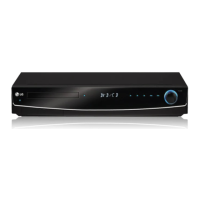
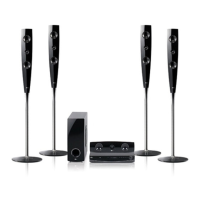
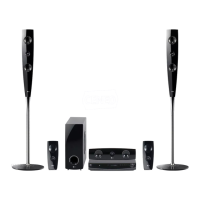
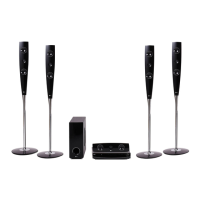
DVD RECEIVER
OWNER’S MANUAL
MODEL: HT762TZ
HT762TZ-D0
SH72TZ-S
SH72TZ-C
SH72TZ-W
Before connecting, operating or adjusting this product,
please read this instruction booklet carefully and
completely.
HT762TZ-D0_DGBRLLK_ENG_1112
R
FOR THE WARRANTY TERMS & CONDITIONS,
PLEASE REFER TO BACK COVER OF THIS MANUAL.

Other manuals for LG HT762TZ

Questions and Answers

  • J
    Jared HornAug 30, 2025
    What to do if the LG HT762TZ Receiver remote control is not working?
    • A
      Amy WatsonAug 31, 2025
      If the remote control for your LG Receiver isn't working properly, consider these potential causes: * Make sure the remote control is pointed at the remote sensor on the DVD/CD Receiver. * Ensure you are using the remote control within about 23 ft (7 m). * Remove any obstacles that might be blocking the path between the remote control and the DVD/CD Receiver. * Replace the batteries in the remote control with new ones.
  • M
    melissalarsonSep 8, 2025
    Why humming noise heard while playing DVD/CD on LG HT762TZ?
    • M
      Monica MunozSep 8, 2025
      If you hear a humming noise while playing a DVD or CD on your LG Receiver, clean the disc using a soft cloth with outward strokes. Also, move the DVD receiver and audio components further away from your TV to avoid feedback.
  • T
    Thomas OrtizAug 29, 2025
    Why is there little or no sound from my LG Home Theater System?
    • A
      Anthony JohnsonAug 29, 2025
      If your LG Home Theater System has little to no sound, make sure the equipment connected via the audio cable is set to receive the DVD signal output. Verify that the audio cables are securely connected to both the speakers and the receiver. If the problem persists, the audio cables may be damaged and need replacement.
  • S
    Stacey BakerSep 22, 2025
    Why is the audio CD indicator not working on my LG Car Receiver?
    • L
      Lauren RyanSep 22, 2025
      If the audio CD indicator on your LG Car Receiver isn't working, it might be because no disc is inserted. Try inserting a disc.
  • R
    robertbrownSep 9, 2025
    What to do if my LG HT762TZ has no picture?
    • A
      aaronmaySep 9, 2025
      If you're experiencing a lack of picture on your LG Receiver, here are a few things to check: * Make sure your TV is set to the correct video input mode to receive the DVD signal. * Ensure the video cable is securely connected to the jacks. * Verify that your TV is turned on.
  • K
    Kathryn WeissSep 13, 2025
    Why is my LG Home Theater System making a humming noise?
    • E
      Emma GreenSep 13, 2025
      If you're experiencing humming noises from your LG Home Theater System while playing a DVD or CD, try cleaning the disc with a soft cloth using outward strokes. Additionally, ensure that the DVD receiver is not too close to the TV, as this can cause feedback. Move the DVD receiver and other audio components further away from the TV.
  • M
    Michael HillSep 18, 2025
    How to stop loud humming from my LG HT762TZ Receiver?
    • R
      Richard AllenSep 18, 2025
      If you're experiencing loud hum or noise from your LG Receiver, consider the following: * Clean the disc, as it might be dirty. * Ensure that the speakers and components are securely connected. * Move the TV away from the audio components, as the DVD/CD Receiver might be too close to the TV.
  • K
    Kayla CabreraAug 27, 2025
    What to do if the DVD picture quality is poor on LG Home Theater System?
    • A
      Aaron HamiltonAug 27, 2025
      If the DVD picture quality is poor on your LG Home Theater System, the disc may be dirty. Clean it using a soft cloth with outward strokes.
  • K
    Kevin GarciaAug 26, 2025
    Why is there little or no sound on my LG Home Theater System?
    • J
      Jeffrey HillAug 26, 2025
      If you experience little or no sound with your LG Home Theater System, ensure that the equipment connected via the audio cable is set to receive the DVD signal output. Check that the audio cables are securely connected to both the speakers and the receiver. If the issue persists, the audio cables may be damaged and need replacement.
  • T
    Terry Hudson DDSAug 25, 2025
    Why is there no sound from my LG HT762TZ?
    • J
      John BergAug 26, 2025
      If you experience little or no sound from your LG Receiver, verify that the equipment connected via the audio cable is set to receive the DVD signal output by selecting the correct input mode on the audio receiver. Ensure the audio cables are securely connected to the speakers or receiver. If the issue persists, the audio cables may be damaged and need replacement.

Summary

Safety and Precautions

General Safety Warnings

General warnings about electrical shock, ventilation, laser safety, and moisture to prevent hazards.

Power Cord and Electrical Safety

Guidelines for safe use of the power cord and electrical connections, including fuse information and wiring.

Unit Overview

Front Panel Controls and Ports

Identification and function of buttons, ports, and display elements on the front panel.

Rear Panel Connections and Outputs

Details on the various input and output connectors located on the rear panel of the unit.

Remote Control Operations

Remote Control Button Functions

Detailed explanation of each button on the remote control and its corresponding function.

Installation and Setup Guide

TV Connection Options

Instructions for connecting the DVD/CD Receiver to televisions using various video outputs.

Connecting External Devices

Optional Equipment Connections

Instructions for connecting auxiliary devices like USB drives, portable players, and audio sources.

Speaker System Setup

Speaker System Connections

Guide on connecting the speaker cables to the receiver for optimal surround sound.

HDMI Connection and Resolution

HDMI Connection Procedure

Steps for connecting the DVD/CD Receiver to an HDMI TV using an HDMI cable.

Audio and Speaker Configuration

5.1 Speaker Setup Guide

Instructions for configuring the built-in 5.1 channel surround decoder, including speaker size and volume.

Parental Controls and DivX Registration

Parental Control Settings (Rating)

How to block playback of rated DVDs based on content ratings, including password and area code settings.

General Operation Features

Basic Playback Controls

Explanation of basic playback functions like Play, Pause, Skip, and Scan for different disc types.

Additional Features and TV Control

Playing Audio CDs and MP3;WMA Files

Programmed Playback Functionality

Guide on creating and managing programmed playback lists for tracks on audio CDs and MP3/WMA discs.

Viewing JPEG Image Files

Playing DivX Movie Files

Radio Operation

RDS and Programme Search

Advanced Operation Settings

Troubleshooting Common Issues

Power, Picture, and Sound Problems

Solutions for common issues such as no power, no picture, no sound, or poor sound quality.

Playback and Disc Issues

Troubleshooting steps for playback failures, disc errors, and issues with loud hum or noise.

Troubleshooting Continued

Radio Tuning and Remote Control Issues

Solutions for problems related to radio tuning, remote control malfunction, and dim front panel display.

Technical Specifications

LG Guarantee Information

LG HT762TZ Specifications

General IconGeneral
Audio decodersDolby Digital, DTS
RMS rated power700 W
Audio output channels5.1 channels
Center speaker RMS power100 W
Radio Data System (RDS)Yes
Optical disc player typeDVD player
Dimensions (WxDxH)430 x 305 x 70 mm
I/O portsHDMI out
USB version2.0
SCART ports quantity1

Related product manuals