EasyManua.ls Logo

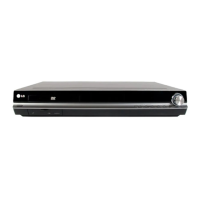
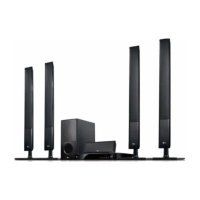
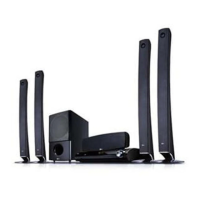
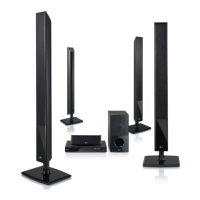
LG HT902PBW - User Manual

LG HT902PBW
29 pages
Print Icon
To Next Page IconTo Next Page
Loading...
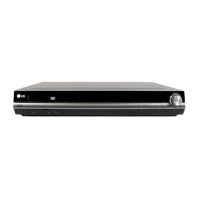
WIRELESS DVD/CD
RECEIVER SYSTEM
OWNER’S MANUAL
MODEL: HT902PBW
Main Unit - HT902PBW-D1
Speakers - SH92PB-F, SH92PB-C,
SH92PB-S, SH92PB-W,
W92-T, W92-R
Before connecting, operating or adjusting this product,
please read this instruction booklet carefully and
completely.
HT902PBW-D1.NA6SLLD_ENG_MFL37641053
R
USB

Questions and Answers

  • M
    Michele EstradaAug 25, 2025
    Why is my LG Home Theater System power on, but the DVD/CD Receiver does not work?
    • H
      Harold JonesAug 25, 2025
      If the power is on but the DVD/CD Receiver isn't working, the most likely reason is that no disc is inserted. Insert a disc and check that the DVD or audio CD indicator in the DVD display is lit.
  • J
    jsilvaAug 25, 2025
    What to do if LG HT902PBW Receiver remote control does not work?
    • H
      holmescarolAug 26, 2025
      If the remote control for your LG Receiver isn't working correctly, consider these potential solutions: * Make sure the remote control is pointed directly at the remote sensor on the DVD/CD Receiver. * Ensure you are within about 23 ft (7 m) of the DVD/CD Receiver. * Remove any obstacles that might be blocking the path between the remote control and the receiver. * Replace the batteries in the remote control with new ones.
  • J
    Jacob BarnettAug 26, 2025
    What to do if my LG Home Theater System remote control does not work properly?
    • T
      Timothy SharpAug 26, 2025
      If the remote control isn't working correctly, ensure that it is pointed at the remote sensor on the DVD/CD Receiver and that you are within a 23 ft (7 m) range. Also, check for any obstacles between the remote and the receiver. If the issue persists, replace the batteries with new ones.
  • P
    Philip LoweAug 26, 2025
    Why is there no sound from my LG Home Theater System, or why is the sound very low?
    • J
      Julian VargasAug 26, 2025
      If you're experiencing no sound or very low sound, there are a few potential causes. First, ensure the equipment connected with the audio cable is set to receive the DVD audio signal output by selecting the correct input mode on the receiver. Second, check that the audio cables are securely connected. Third, verify that the equipment connected with the audio cable is turned on. Finally, the audio connecting cable may be damaged, and you should try replacing it.
  • T
    Teresa ClarkeAug 27, 2025
    What to do if nothing is displayed on the front panel display of my LG Home Theater System?
    • P
      Pamela WelchAug 27, 2025
      To resolve this, press DIMMER on the remote control.
  • H
    hannah52Aug 27, 2025
    What to do if my LG Receiver remote control does not work?
    • C
      Colleen GeorgeAug 27, 2025
      If the remote control isn't working, first, ensure that you're pointing it directly at the remote sensor on the LG DVD/CD Receiver. Second, make sure you are within 23 ft (7 m) of the receiver. Third, check for any obstacles between the remote and the receiver and remove them. Lastly, try replacing the batteries in the remote control with new ones.
  • L
    Larry HillAug 27, 2025
    What to do if there is no sound from my LG Receiver?
    • P
      Paul FrostAug 28, 2025
      If you're not getting any sound or the sound is very low, ensure that the equipment connected to the audio cable is set to receive the DVD audio signal output. Also, check that the audio cables are securely connected to the jacks. Verify that the connected equipment is turned on. If the problem persists, the audio connecting cable may be damaged and need replacing.
  • A
    Amanda WilliamsAug 28, 2025
    Why is the remote control for my LG Receiver not working?
    • J
      Joseph VargasAug 28, 2025
      If the remote control isn't working properly with your LG DVD/CD Receiver, consider these potential causes: * Ensure you're pointing the remote control directly at the remote sensor on the receiver. * Make sure you're using the remote within a reasonable distance, about 23 ft (7 m). * Check for any obstacles blocking the path between the remote and the receiver. * Try replacing the batteries in the remote control with new ones.
  • P
    Paul BassAug 28, 2025
    How to fix LG Receiver remote control not working?
    • B
      Brianna BarnesAug 28, 2025
      If your LG Receiver remote control isn't working correctly, here are some things to check: * Make sure you're pointing the remote control directly at the remote sensor on the DVD/CD Receiver. * Ensure you're using the remote control within a reasonable distance, about 23 ft (7 m). * Remove any obstacles that might be blocking the path between the remote and the receiver. * Try replacing the batteries in the remote control with new ones.
  • S
    Shannon BassAug 29, 2025
    How to tune radio stations on LG HT902PBW?
    • H
      Heather JuarezAug 29, 2025
      If you can't tune in radio stations on your LG Receiver, here are a few things to try: * Ensure the antenna is securely connected. * If the signal strength is weak, try tuning in the station manually. * If no stations are preset, preset the stations.

LG HT902PBW Specifications

General IconGeneral
Power Output1000 W
Channels5.1
HDMI Inputs3
USB PlaybackYes
BluetoothNo
DVD player includedYes
Supported radio bandsFM
Number of HDMI ports1
USB port1
TypeHome Theater System
Optical Digital Input1
HDMI Output1
Audio Formats SupportedDolby Digital, DTS

Related product manuals