EasyManua.ls Logo

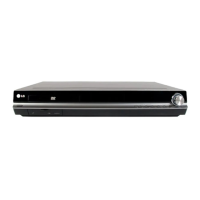
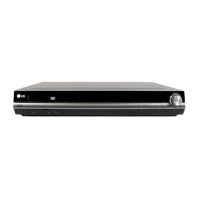
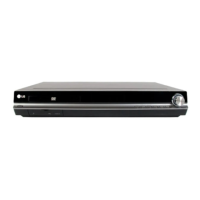
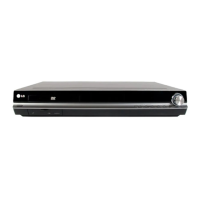
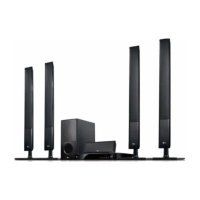
LG HT902SB - User Manual

LG HT902SB
27 pages
Print Icon
To Next Page IconTo Next Page
Loading...
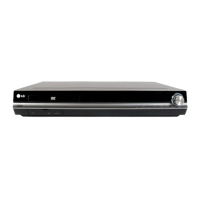
DVD RECEIVER
OWNER’S MANUAL
MODEL: HT902SB
Main Unit - HT902SB-A2
Speakers - SH92SB-S
SH92SB-C
SH92SB-W
Before connecting, operating or adjusting this product,
please read this instruction booklet carefully and
completely.
HT902SB-A2.DKENHLS_ENG_2956
R
USB

Questions and Answers

  • G
    Grace JohnsonSep 3, 2025
    How to troubleshoot an LG HT902SB Receiver that does not start playback?
    • H
      Heather RussellSep 3, 2025
      If your LG DVD/CD Receiver does not start playback, consider the following: * Insert a disc, if there is none. * Ensure the disc is playable. * Place the disc with the playback side down. * Make sure the disc is placed correctly within the guide on the disc tray. * Clean the disc if it is dirty. * Press the SETUP button to turn off any menu screen. * Cancel the Rating function or change the rating level if it is set.
  • B
    Bradley ParkSep 1, 2025
    Why is there no picture on my LG HT902SB?
    • S
      Stephanie FrancoSep 1, 2025
      If there is no picture on your LG Receiver, here are a few things to check: * Make sure your TV is set to receive the DVD signal output. * Ensure the video cable is securely connected. * Verify that your TV is turned on.
  • H
    Holly JohnsonAug 31, 2025
    Why does my LG HT902SB Receiver have a loud hum or noise, and how can I fix it?
    • S
      Stephen SmithAug 31, 2025
      If you are experiencing a loud hum or noise from your LG Receiver, try the following: * Clean the disc. * Connect the speakers and components securely. * Move your TV away from the audio components.
  • A
    andrew60Aug 29, 2025
    How to fix LG Receiver when there is no power?
    • C
      Christina FosterAug 29, 2025
      If your LG Receiver has no power, ensure the power cord is securely plugged into the wall outlet. This should restore power to the device.
  • D
    David MitchellAug 27, 2025
    How to troubleshoot no power on LG Home Theater System?
    • T
      Thomas WalterAug 27, 2025
      If your LG Home Theater System is not powering on, ensure the power cord is securely plugged into the wall outlet.
  • S
    sanfordtracyAug 26, 2025
    How to stop loud hum from LG Home Theater System?
    • A
      Ashley SolisAug 27, 2025
      To address loud hum or noise from your LG Home Theater System, start by cleaning the disc. Ensure the speakers and components are securely connected. If the DVD/CD Receiver is too close to the TV, move the TV away from the audio components.
  • M
    Melissa WalshAug 25, 2025
    How to fix no sound on LG Home Theater System?
    • M
      Michael CollierAug 25, 2025
      If you're not getting any sound or the sound is very quiet from your LG Home Theater System, first, ensure that the equipment connected with the audio cable is set to the correct input mode for DVD audio. Check that the audio cables are securely connected. Make sure the connected equipment is turned on and if the audio connecting cable is damaged, replace it.
  • C
    Catherine SalasAug 22, 2025
    What to do if the LG HT902SB remote control does not work?
    • R
      reedpaulAug 22, 2025
      If the remote control for your LG Receiver isn't working properly, try these steps: 1. Point the remote control at the remote sensor on the receiver. 2. Ensure you are within 23 ft (7 m) of the receiver. 3. Remove any obstacles between the remote and the receiver. 4. Replace the batteries in the remote with new ones.

LG HT902SB Specifications

General IconGeneral
BrandLG
ModelHT902SB
CategoryReceiver
LanguageEnglish

Related product manuals