EasyManua.ls Logo

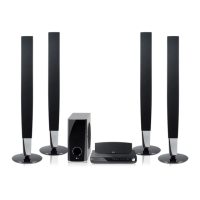
LG HT906TI - User Manual

LG HT906TI
48 pages
Print Icon
To Next Page IconTo Next Page
Loading...
HT906TI (HT906TI, SH96TI-S/C/W)
Please read this manual carefully before operating
your set and retain it for future reference.
OWNER’S MANUAL
DVD Home Theater
System
ENGLISH
PORTUGUÊS
FRANÇAIS
ةيبرعلا
HT906TI-AL_DEGYLLK_ENG_0493.indd 1 2011-10-19 �� 3:58:38

Table of Contents

Questions and Answers

  • C
    Courtney MullenSep 9, 2025
    Why is 3D not working on my LG Home Theater System?
    • H
      Holly Reyes MDSep 9, 2025
      If Blu-ray 3D disc playback on your LG Home Theater System does not output 3D views, connect the player to your TV using an HDMI cable (Type A, High Speed HDMI™ Cable with Ethernet). Your TV may not support “HDMI 3D mandatory format.” Check that the [3D Mode] option in the [Setup] menu is set to [On].
  • S
    Steve BurchAug 23, 2025
    How to turn on the LG Home Theater System if it doesn't power on?
    • D
      Daniel JohnsonAug 23, 2025
      If your LG Home Theater System power does not turn on, make sure the power cord is securely plugged into the wall outlet.
  • M
    Mary CarpenterAug 25, 2025
    What to do if there is no sound from LG Home Theater System?
    • M
      Maria HillAug 25, 2025
      If there is no sound or the sound is distorted from your LG Home Theater System, it might be in scan, slow motion, or pause mode. Also, the sound volume might be too low. Check the speaker cable connections.
  • A
    Amy RomeroAug 26, 2025
    What to do if my LG Home Theater System won't turn on or off?
    • L
      lorifowlerAug 27, 2025
      If the LG Home Theater System is plugged in but won't turn on or off, you can reset the unit. Press and hold the POWER button for at least five seconds to force it off and then back on. Alternatively, unplug the power cord, wait at least five seconds, and then plug it back in.
  • A
    Amanda AdamsAug 27, 2025
    How to fix picture noise on LG HT906TI?
    • W
      wilsonjeromeAug 27, 2025
      Picture noise on your LG Home Theater System could be due to playing a disc recorded in a color system different from your TV's. Also, ensure the resolution is set to one your TV accepts.
  • J
    jameshowardAug 29, 2025
    Why is my LG HT906TI Home Theater System remote not working?
    • A
      Anthony PriceAug 29, 2025
      If your LG Home Theater System remote control isn’t working, make sure to point it directly at the unit from a distance within 23 feet (7m). Remove any obstacles between the remote and the unit. If it still doesn’t work, replace the batteries with new ones.
  • A
    Alexis GutierrezSep 18, 2025
    How to tune radio stations properly on LG HT906TI Home Theater System?
    • D
      Dylan CamposSep 18, 2025
      If your LG Home Theater System is not tuning into radio stations properly, check the antenna connection and adjust its position. If needed, attach an external aerial. You can also manually tune to the station. For more convenience, preset some radio stations.
  • B
    brittanyfisherSep 19, 2025
    What to do if a DVD/CD will not play on LG HT906TI Home Theater System?
    • S
      Scott AustinSep 22, 2025
      If a DVD/CD won't play on your LG Home Theater System, first ensure that you have inserted a disc. Check that the disc is playable by verifying the disc type, color system, and regional code. Make sure the disc is placed with the label or printed side facing upwards. If a password is required, enter it or change the rating level.
  • N
    Nicholas LucasSep 7, 2025
    Why can't my LG HT906TI find shared files?
    • W
      waltersseanSep 7, 2025
      If shared folders or files from your PC or media server aren't showing up on your LG Home Theater System, the firewall or anti-virus software on your media server might be running. Try turning off the firewall or anti-virus software on your PC or media server. Also, ensure the player is connected to the same local area network as your PC or media server.
  • W
    wilcoxmarySep 4, 2025
    Why is BD-LIVE not working on my LG Home Theater System?
    • E
      ecooleySep 4, 2025
      If the BD-LIVE feature isn't working on your LG Home Theater System, the connected USB storage might lack sufficient space; use a USB storage device with at least 1GB free. Ensure the unit is properly connected to the local area network and has internet access. Your broadband speed may be insufficient; consider contacting your ISP to increase it. Also, verify that the [BD-LIVE connection] option in the [Setup] menu is set to [Permitted].

LG HT906TI Specifications

General IconGeneral
BrandLG
ModelHT906TI
CategoryHome Theater System
LanguageEnglish

Related product manuals