Get creative
42
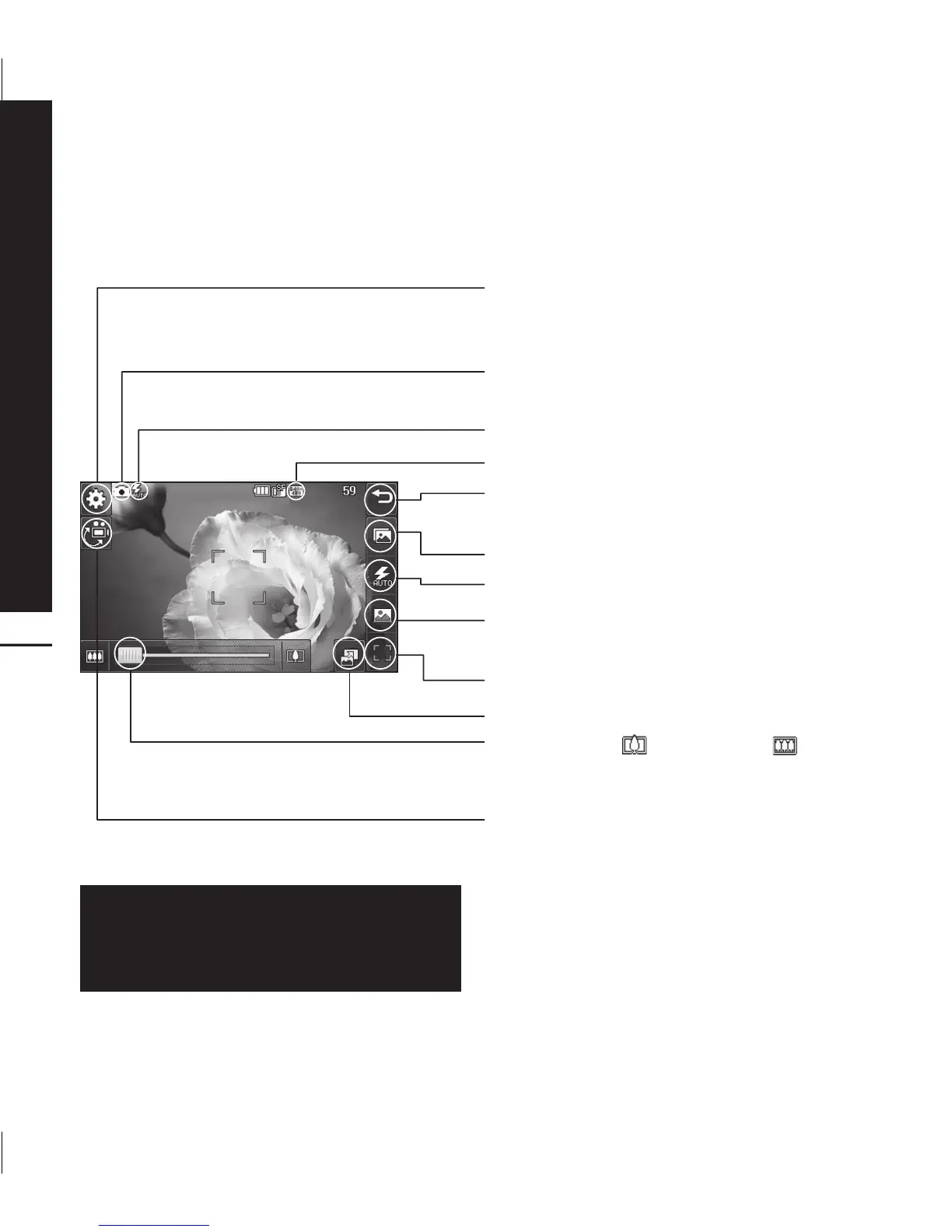
Getting to know the viewfinder
Settings - Touch this icon to open the
settings menu. See Using the advanced
settings on page 49 for details.
Camera mode - Camera mode is
selected.
Flash status
Size
Back - Touch here to return to the
standby screen.
Gallery
Flash - See Using the flash on page 43.
Shot type - See Choosing a shot type on
page 43.
Shutter - Take the picture
View mode - Full screen/ Full image
Zoom - Touch
to zoom in or to
zoom out. Alternatively you can use the
side volume keys.
Video camera mode - Convert from
camera to video camera mode.
The shortcut options disappear after a
few seconds automatically. Simply touch
the centre of the viewfinder once. To
recall the options touch the screen again.



 To Next Page